

You decide which kinds of e-mail we send to the e-mail address of your account. You set this in the Email Preferences section of your account details.
Watch the video (25 s, with narration) – or follow the steps below.
Step by step
-
Sign in to the client area, click your initials and name at the top right and choose Account details.
-
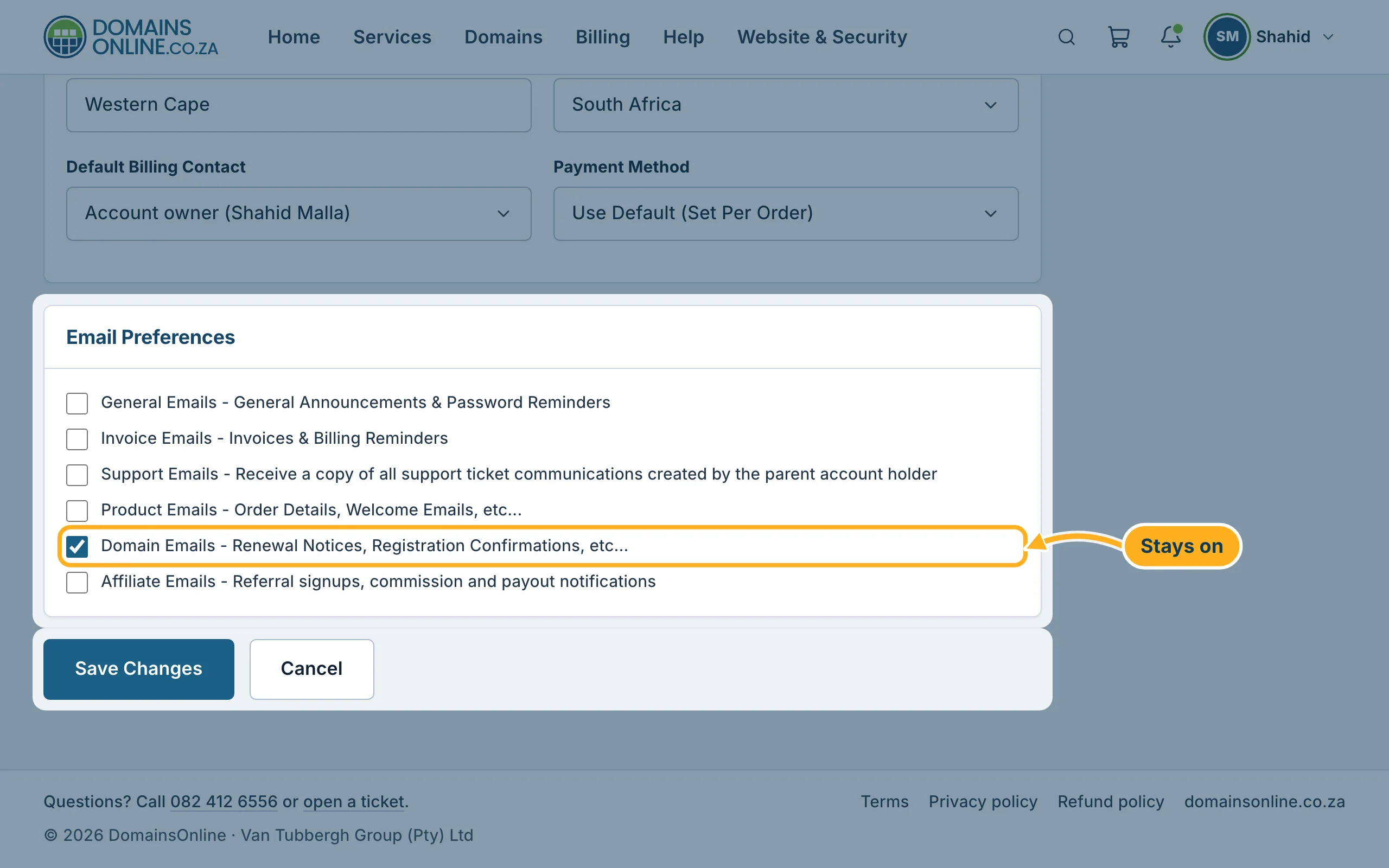
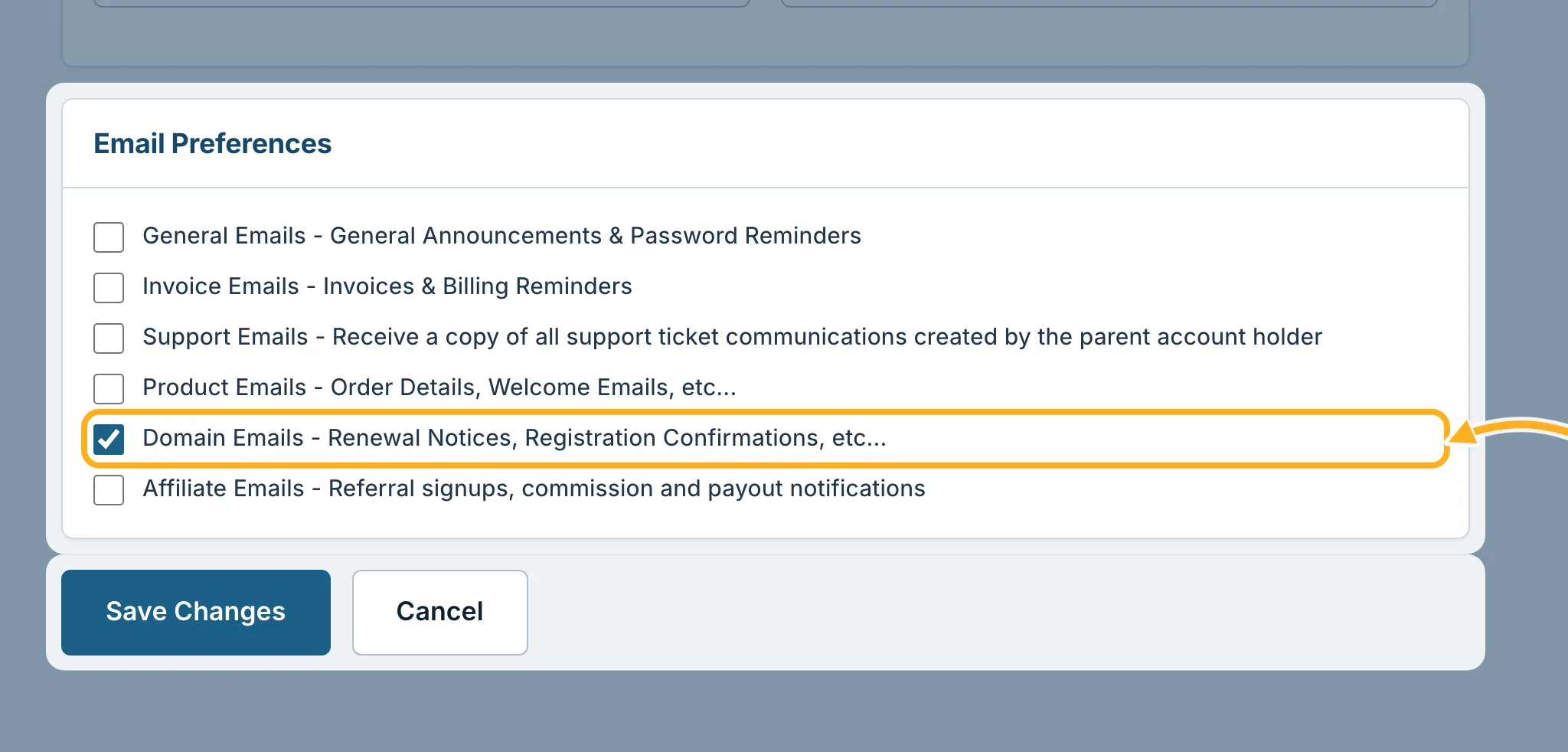
Scroll down to Email Preferences. Tick the kinds of e-mail you want to receive and untick the others:
- General Emails – general announcements and password reminders.
- Invoice Emails – invoices and billing reminders.
- Support Emails – a copy of all support ticket messages created by the account holder.
- Product Emails – order details and welcome e-mails, for example the e-mail with your cPanel details.
- Domain Emails – renewal notices and registration confirmations. Leave this one ticked: notices about your domains are required and can't be switched off.
- Affiliate Emails – sign-ups, commission and payouts, if you take part in our affiliate programme.
-
Click Save Changes at the bottom of the page.
Careful: if you untick Invoice Emails, you will not get your invoices and payment reminders by e-mail. Check Billing in the client area yourself so that nothing becomes overdue.
Good to know
- These settings are for the e-mail address of your account. Contacts have their own e-mail settings – see Add contacts (for example a billing contact).
- The e-mails we sent you are also kept in the client area – see See the e-mails we have sent you.
Related articles
- Change your details and billing address
- See the e-mails we have sent you
- How billing works: invoice date, due date, renewals
Need help? Open a ticket or call us on 082 412 6556.
