

If you have several open invoices, you don't have to pay them one by one. With a mass payment you pay all open invoices together in one step.
Watch the video (1 min 11 s, with narration) – or follow the steps below.
Step by step
-
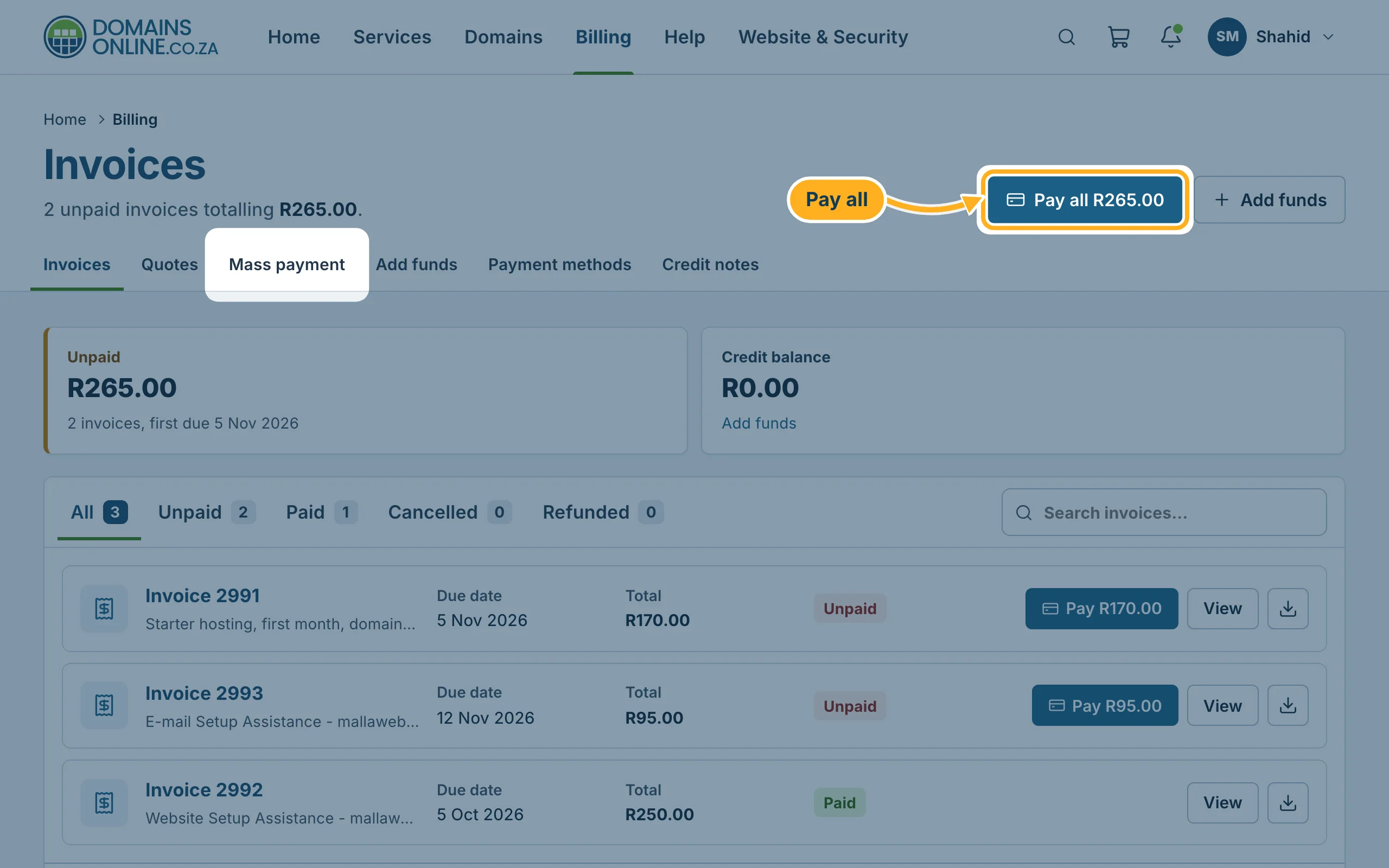
Sign in to the client area, click Billing in the top menu and then Pay all at the top right. The button shows the total of all open invoices, for example Pay all R265.00. The tab Mass payment opens the same page.
-
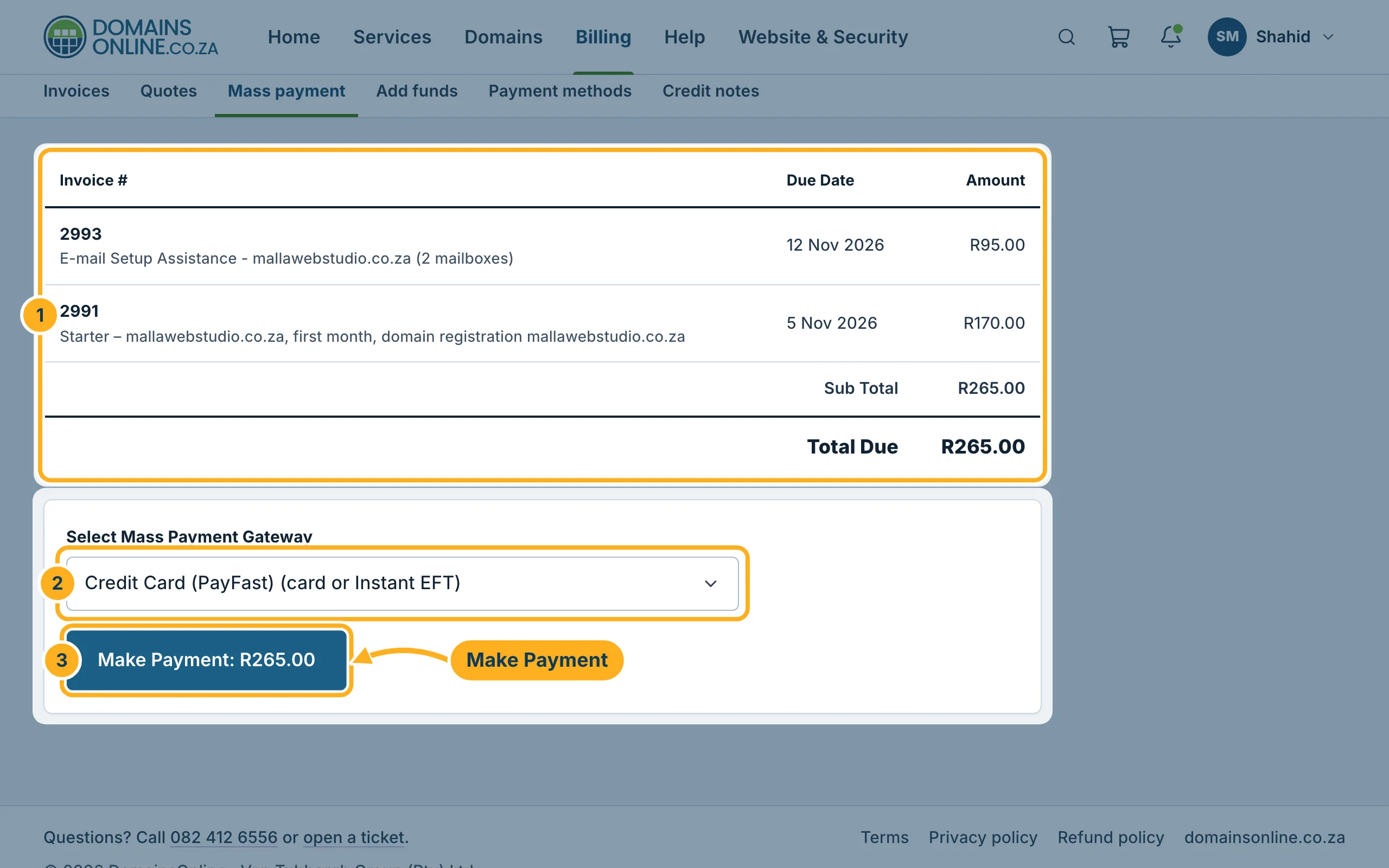
On the page Mass payment:
- Check the list of invoices: each one with its number, due date and amount, and the Total Due below.
- Select Mass Payment Gateway shows Credit Card (PayFast) (card or Instant EFT) – it is the only payment method and already selected.
- Click Make Payment. The button shows the total, for example Make Payment: R265.00. Then pay with PayFast as described in Pay an invoice with PayFast.
On the home page of the client area you also find your open invoices under Needs attention, with a button that opens this payment.
Good to know: if only one invoice is open, Pay all opens that invoice directly. Pay it there with Pay Now.
Related articles
Need help? Open a ticket in the Billing department or call us on 082 412 6556.
