

In the DomainsOnline client area you manage your hosting, domains, invoices and tickets. This is how you sign in and out.
Watch the video (52 s, with narration) – or follow the steps below.
Sign in
-
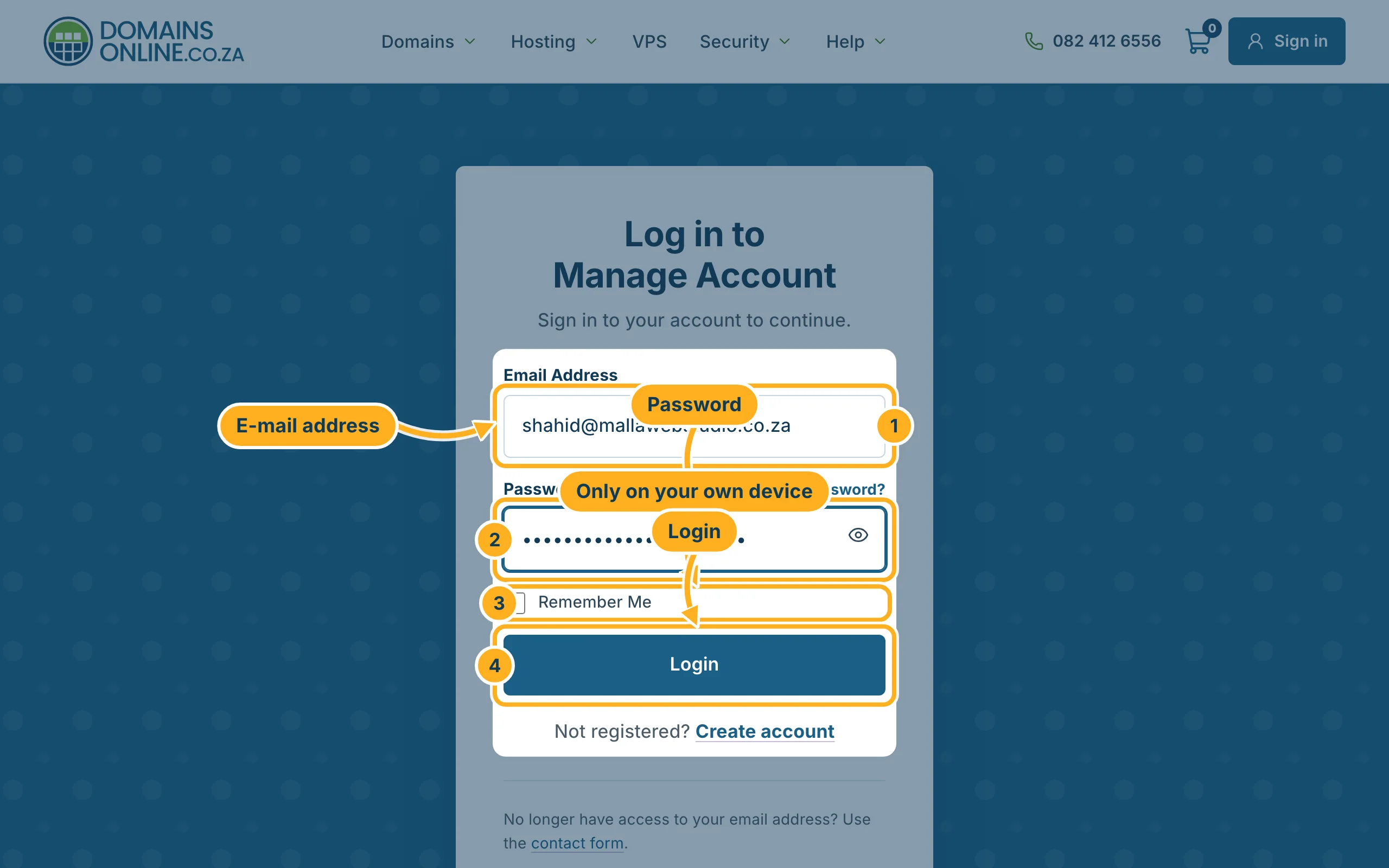
Open domainsonline.co.za/login, or click Sign in at the top right of our website.
-
Fill in the form:
- Email Address – the address you registered with.
- Password – click the eye symbol to check what you typed.
- Remember Me – tick it only on your own device, never on a shared or public computer.
- Click Login.
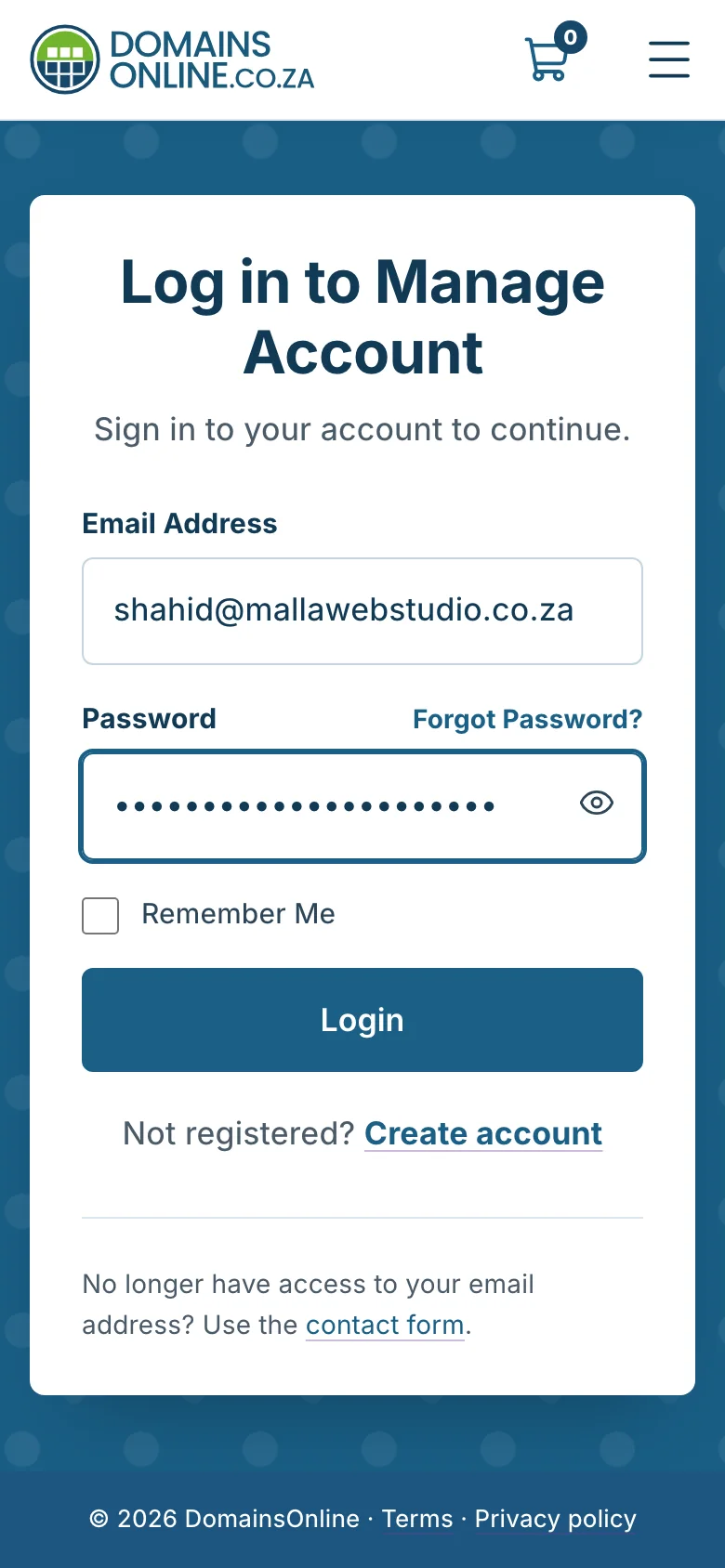
On a phone the page looks the same, only narrower:
Sign out
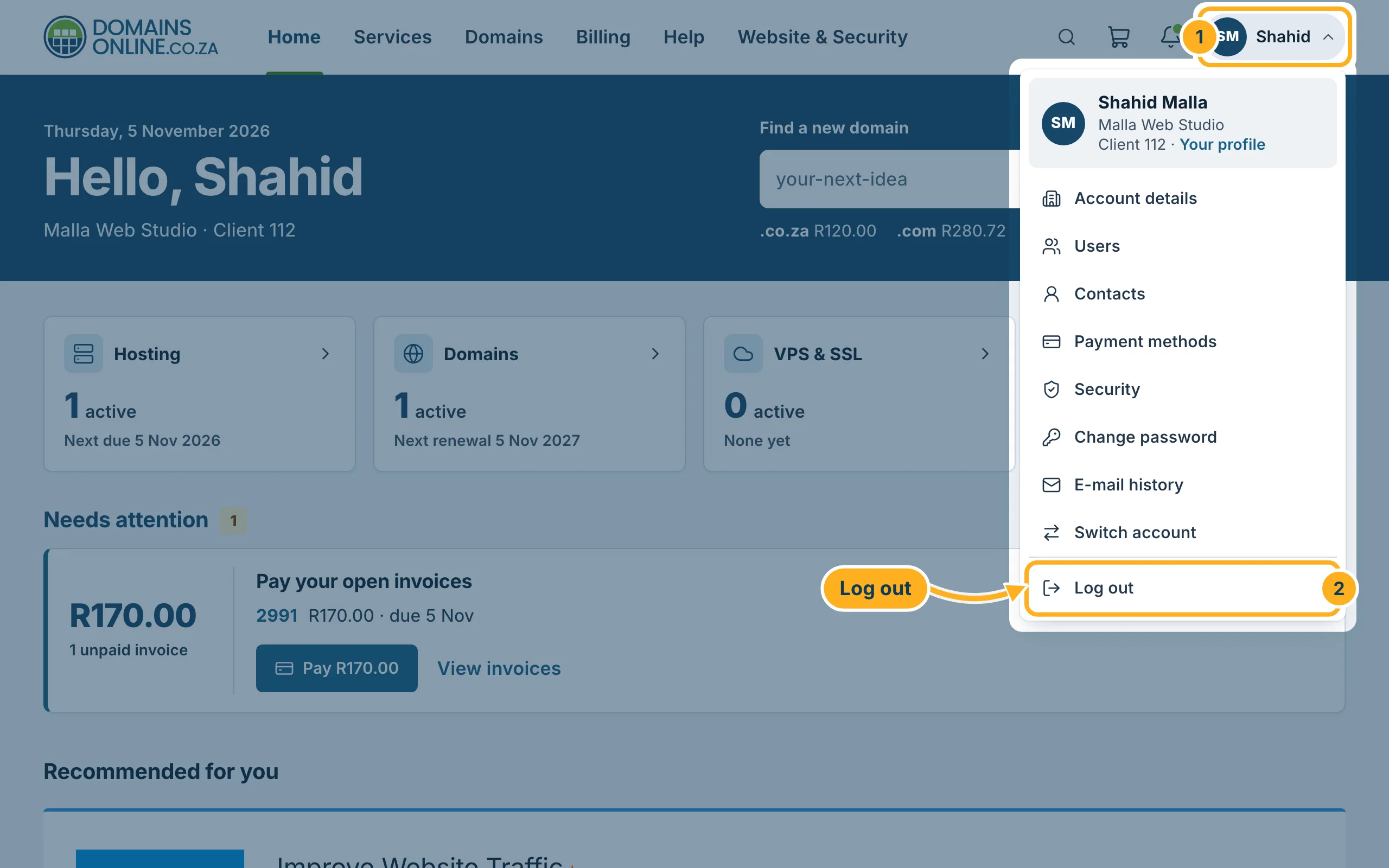
Click your initials and name at the top right of the client area.
Click Log out at the bottom of the menu.
Always sign out when you use a computer that other people use too.
Client area or cPanel?
With DomainsOnline you have two places to sign in, for different jobs:
- Client area (domainsonline.co.za): orders, invoices, domains, tickets and your account details.
- cPanel: your website files, e-mail accounts and databases. You open it from the client area with one click – see Log in to cPanel from the client area.
Something not working?
- Forgot your password: click Forgot Password? above the password field – see Forgot your password? Set a new one.
- “Login Details Incorrect”: check that you use the right e-mail address and that Caps Lock is off.
- Still no luck after several tries: wait a little before you try again – after too many wrong attempts the login is blocked for a while to protect your account. See Can't sign in? What to check.
Related articles
Need help? Send us a message – you don't need to be signed in for that – or call us on 082 412 6556.
