

Check whether the name you want is still free, add it to your order and register it. You can do it straight from the Home page of the client area.
Watch the video (1 min 13 s, with narration) – or follow the steps below.
Step by step
-
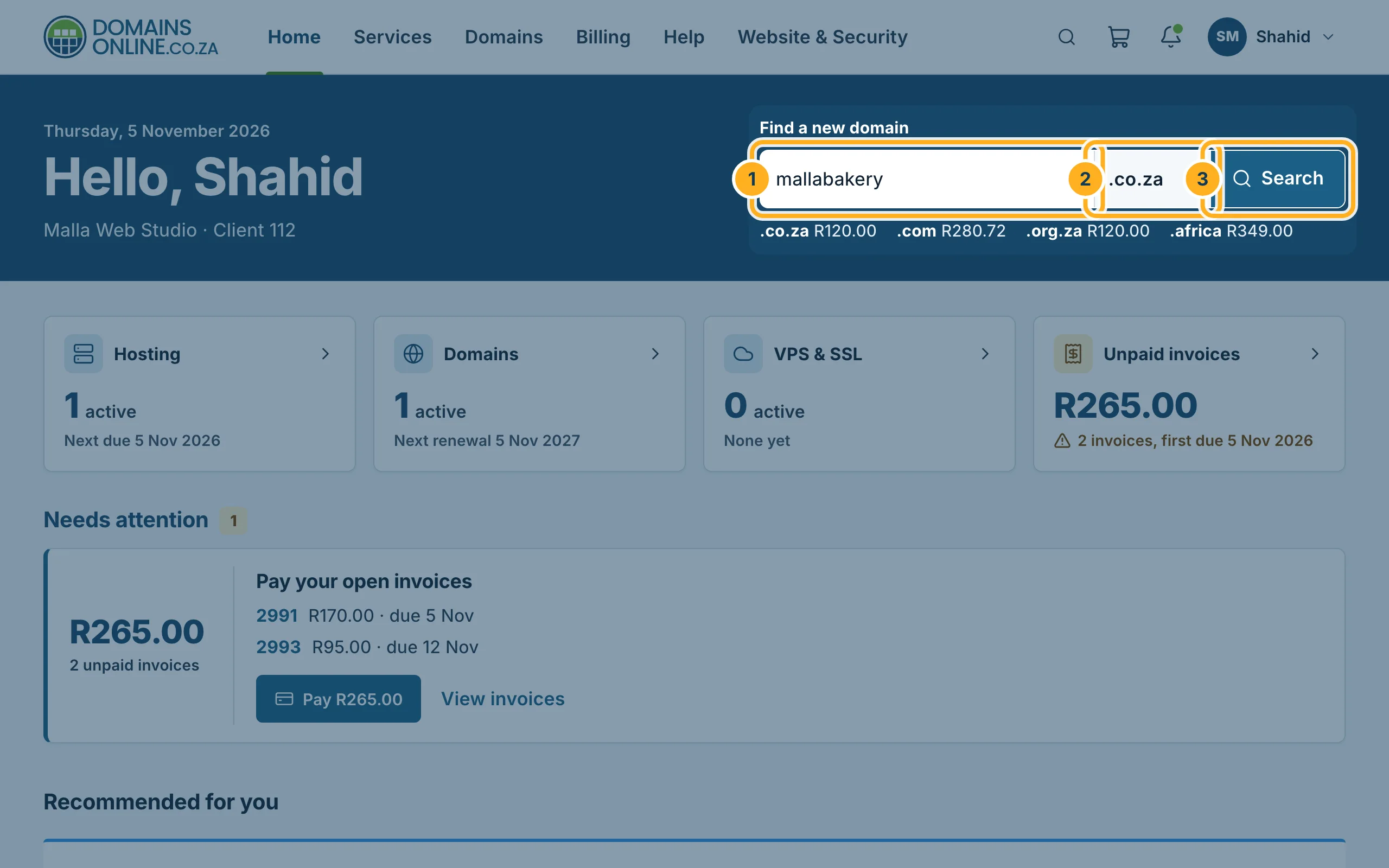
Sign in to the client area. On the Home page, under Find a new domain:
- Type the name you want, without
www– letters, numbers and hyphens only. - Choose the extension, for example .co.za. The prices of the most popular extensions are shown below the box.
- Click Search.
You can also click Domains in the menu at the top and then Register a domain.
- Type the name you want, without
-
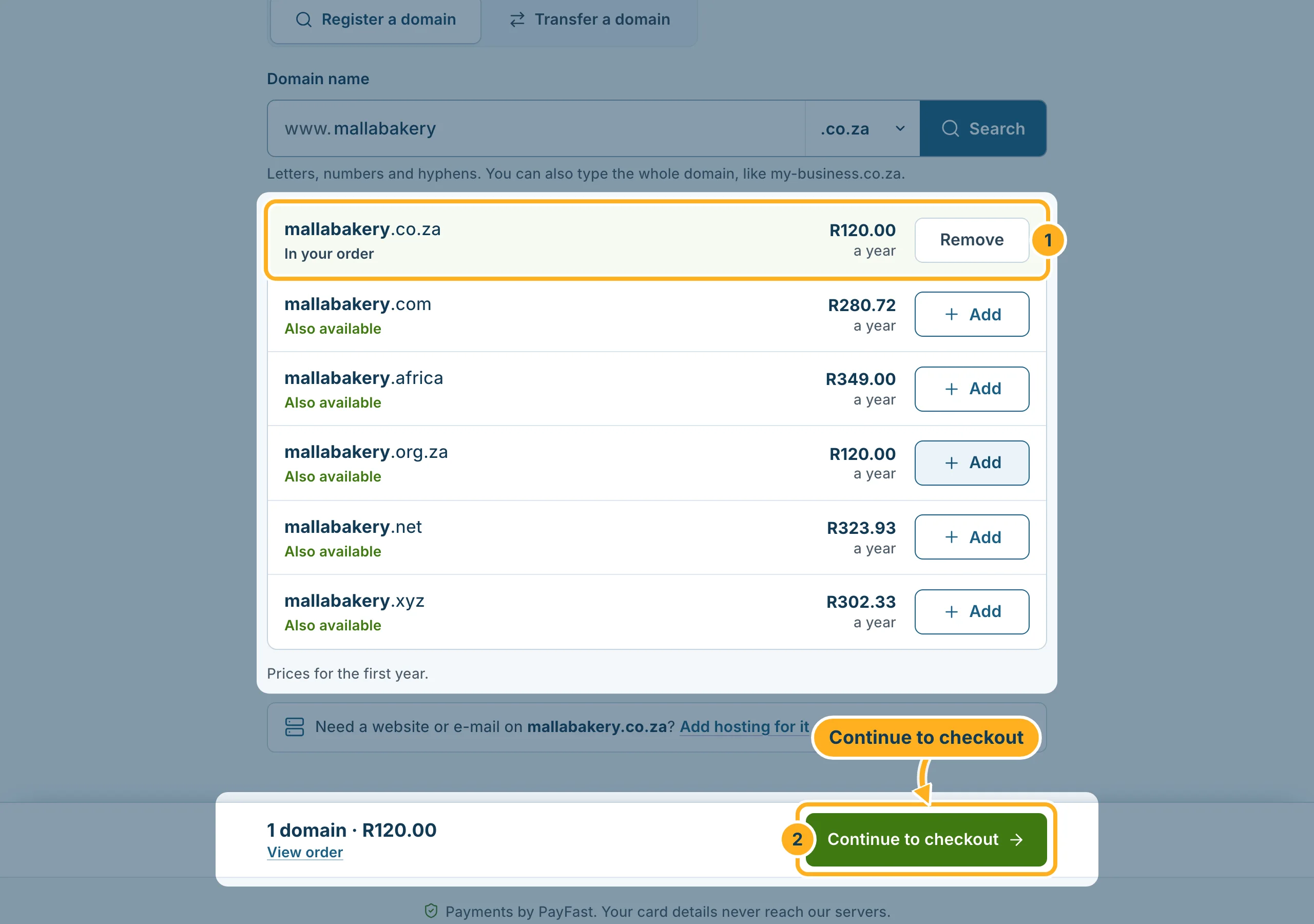
The page shows whether your name is free, with the price for the first year. Below it, other extensions of the same name that are Also available.
- Click Add next to the domain you want. The line then says In your order and the button changes to Remove. You can add more than one domain.
- The bar at the bottom shows how many domains are in your order and the total. Click Continue to checkout.
-
Check your order and complete the checkout. You then get an invoice. Pay it with PayFast – see Pay an invoice with PayFast. We register the domain once the invoice is paid.
Need a website or e-mail on the new domain? The results page offers Add hosting for it. You can also register the domain on its own and add hosting later.
Something not working?
- The name is taken: try another extension from the list, or a slightly different name. If the domain is already yours but registered elsewhere, you can move it to us – see Transfer a domain to DomainsOnline.
- The search shows an error under the field: remove spaces and special characters. Only letters, numbers and hyphens are allowed. You can also type the whole domain, like
my-business.co.za.
Related articles
- Domain prices
- Domain extensions we offer: .co.za, .africa, .com …
- After your order: what happens next
Need help? Open a ticket or call us on 082 412 6556.
