

Move a domain you already own from another registrar to DomainsOnline. You then renew and manage it in our client area, together with your hosting. Your website and e-mail keep running during the transfer, because the nameservers stay the same until you change them.

Watch the video (1 min 19 s, with narration) – or follow the steps below.
Before you start
- .co.za, .org.za and other .za domains: no EPP code is needed. You need access to the registrant's e-mail address, because the registrant approves the transfer by e-mail.
- .com, .net, .org and other international domains: you need the EPP code (auth code) from your current registrar, and the domain must be unlocked there.
A transfer of a .co.za domain costs R120.00. Other prices: see Domain prices.
Step by step
-
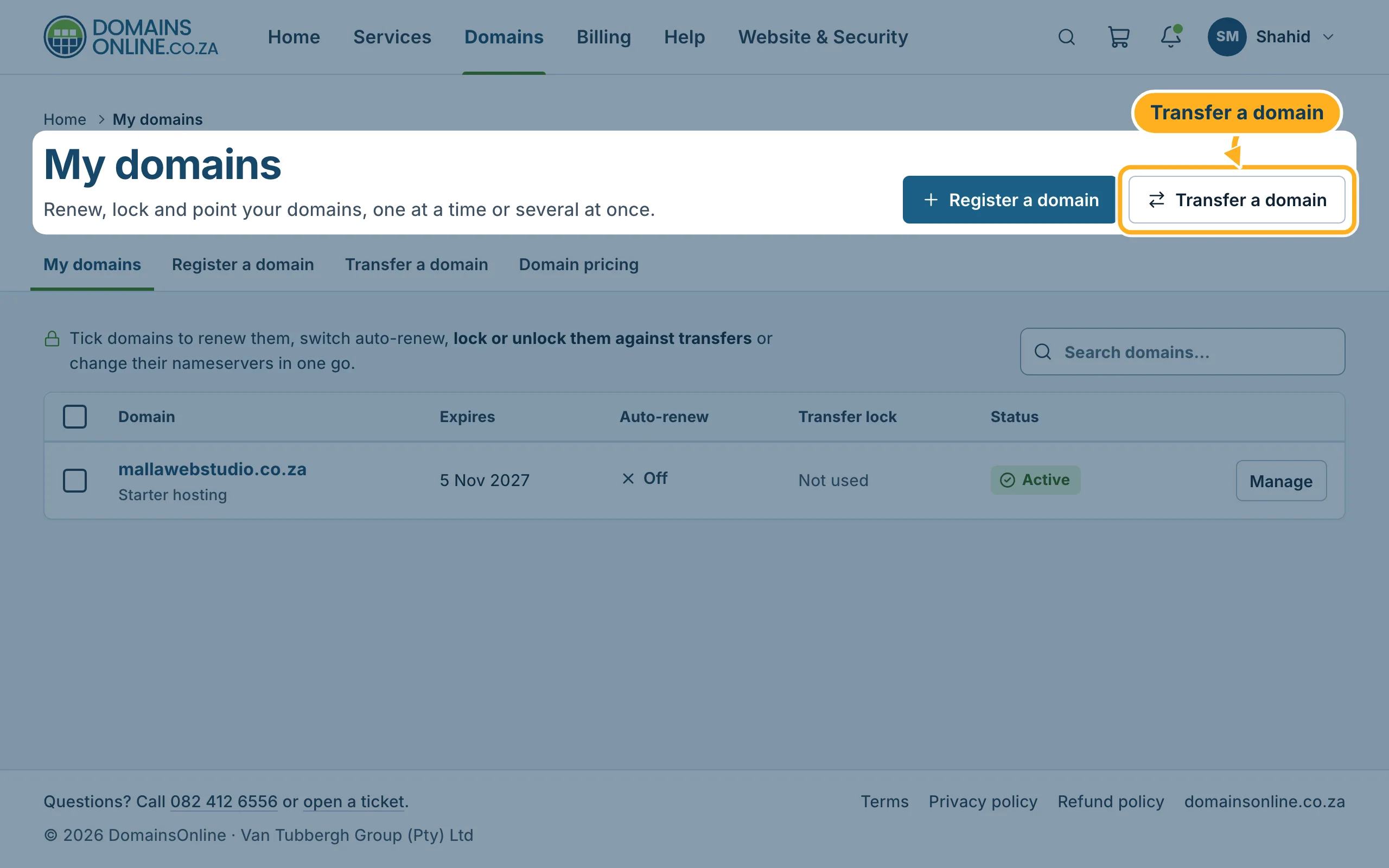
Sign in to the client area, click Domains in the menu at the top and then Transfer a domain.
-
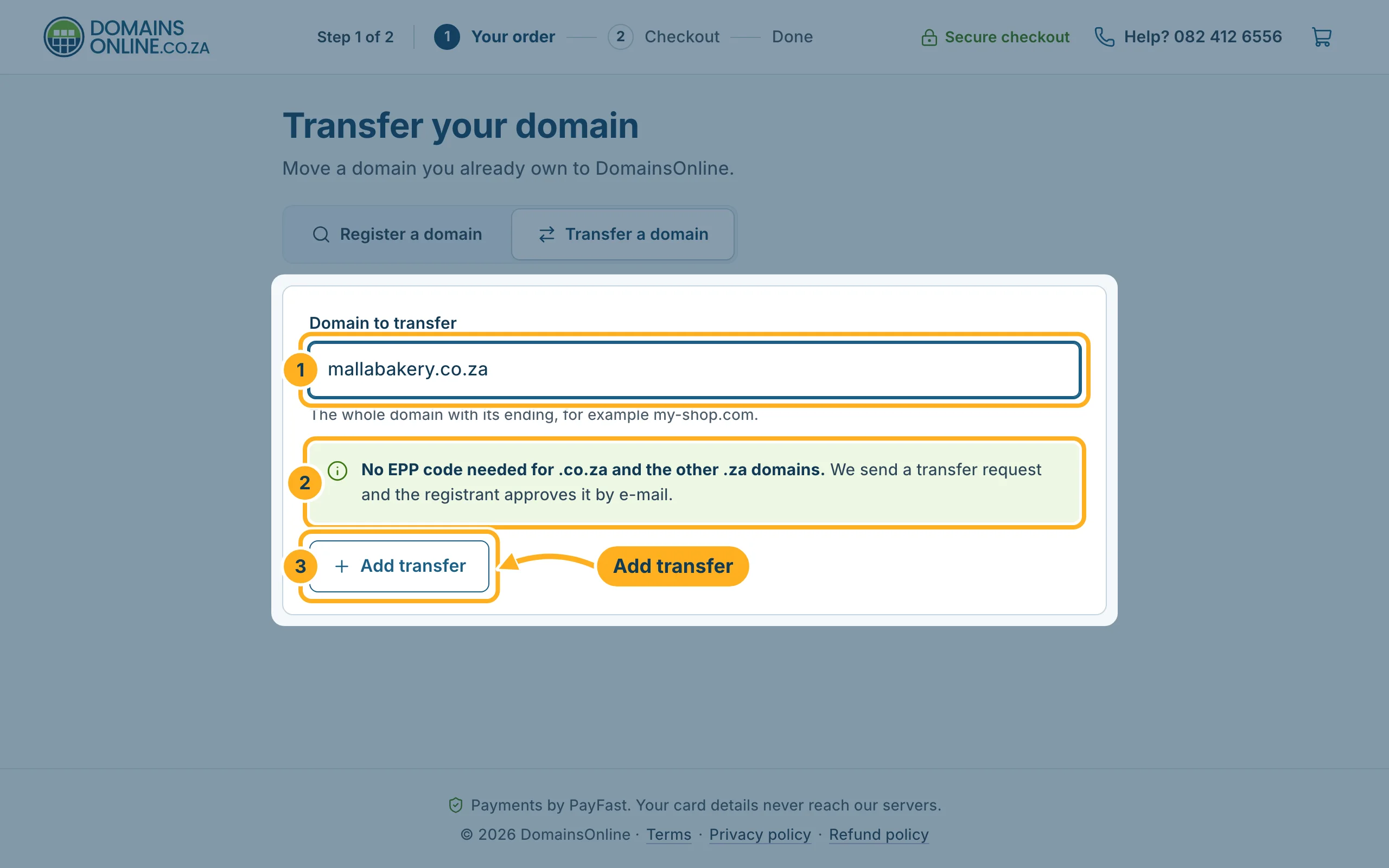
For a .co.za or other .za domain:
- Type the whole domain into Domain to transfer, for example
mallabakery.co.za. - The note No EPP code needed for .co.za and the other .za domains appears, and the EPP code field disappears.
- Click Add transfer.
- Type the whole domain into Domain to transfer, for example
-
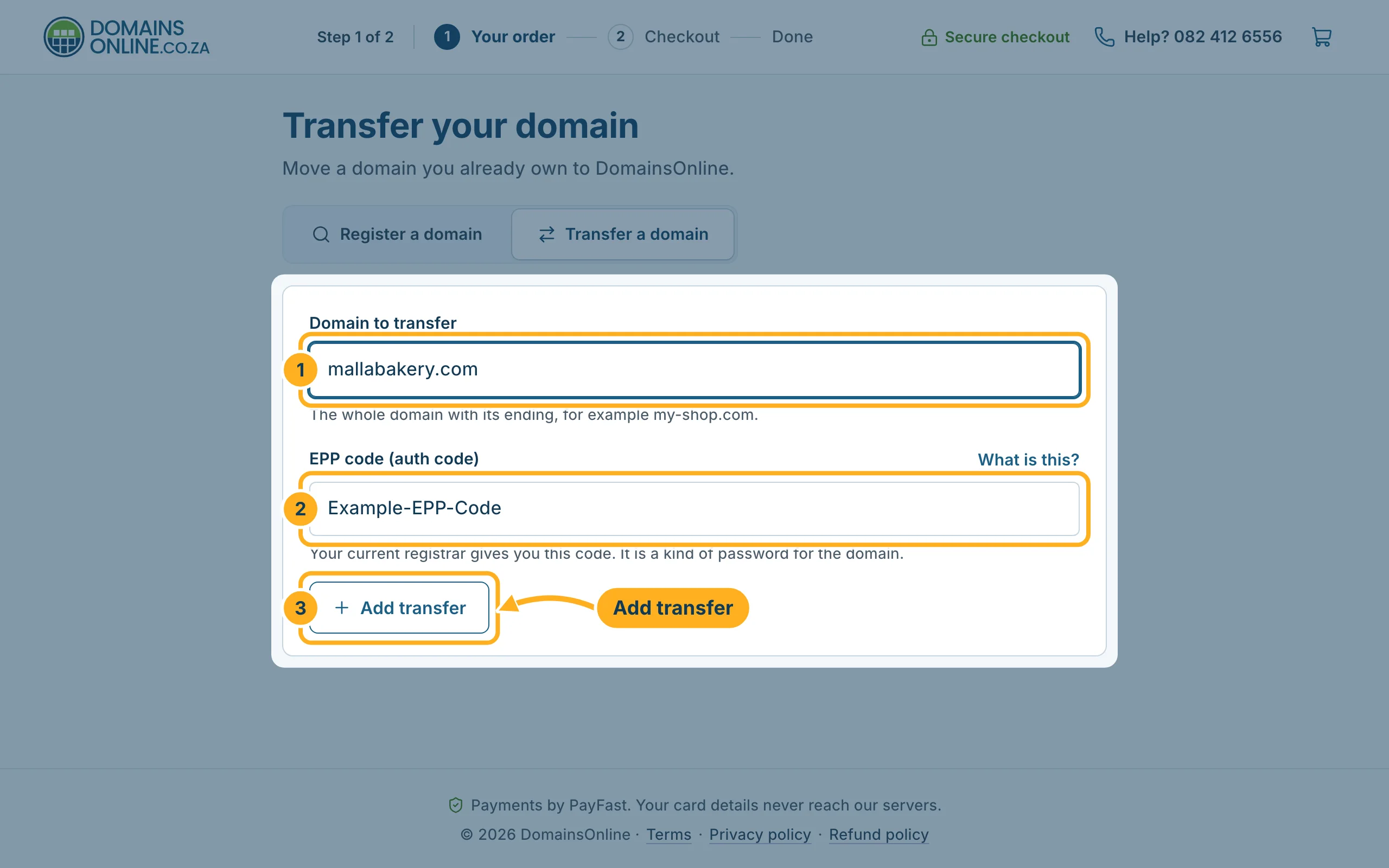
For a .com or other international domain:
- Type the whole domain into Domain to transfer.
- Paste the code from your current registrar into EPP code (auth code). What is this? next to the field explains the code.
- Click Add transfer.
-
Click Continue to checkout in the bar at the bottom and complete the order. Pay the invoice with PayFast – see Pay an invoice with PayFast. We then send the transfer request to the registry.
-
Approve the move: for a .co.za domain, the registrant gets an e-mail and approves the transfer there. For international domains, the EPP code is the approval. You get an e-mail when the transfer is done.
Something not working?
- The approval e-mail doesn't arrive: look in the spam folder of the registrant's mailbox. If the registrant address is out of date, ask your current registrar to update it first.
- The EPP code is not accepted: copy it again without spaces – it is case-sensitive. If it still fails, ask your current registrar for a new code and check that the domain is unlocked there.
Related articles
Need help? Open a ticket or call us on 082 412 6556.
