

A domain stays yours as long as you renew it before its expiry date. You can pay a renewal invoice that is already open, or renew a domain yourself ahead of time.

Watch the video (1 min 6 s, with narration) – or follow the steps below.
Pay an open renewal invoice
-
Click Domains in the menu at the top and click Manage next to the domain.
-
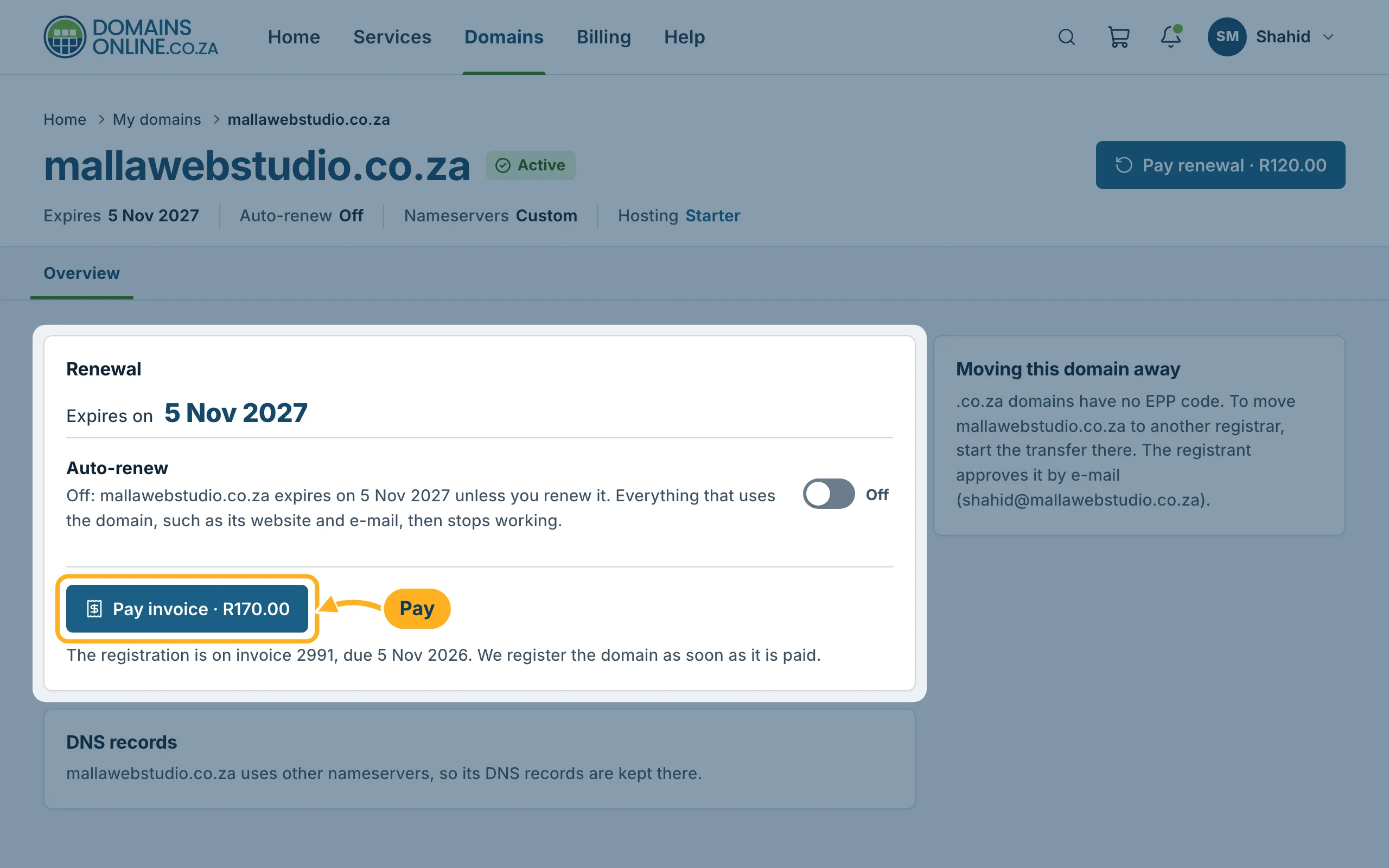
If an invoice for the domain is open, the Renewal card shows a pay button with the amount: Pay renewal for a renewal invoice, Pay invoice for a new registration or transfer. Click it.
-
The invoice opens. Pay it with PayFast – see Pay an invoice with PayFast.
Renew ahead of time
-
Click Domains in the menu at the top.
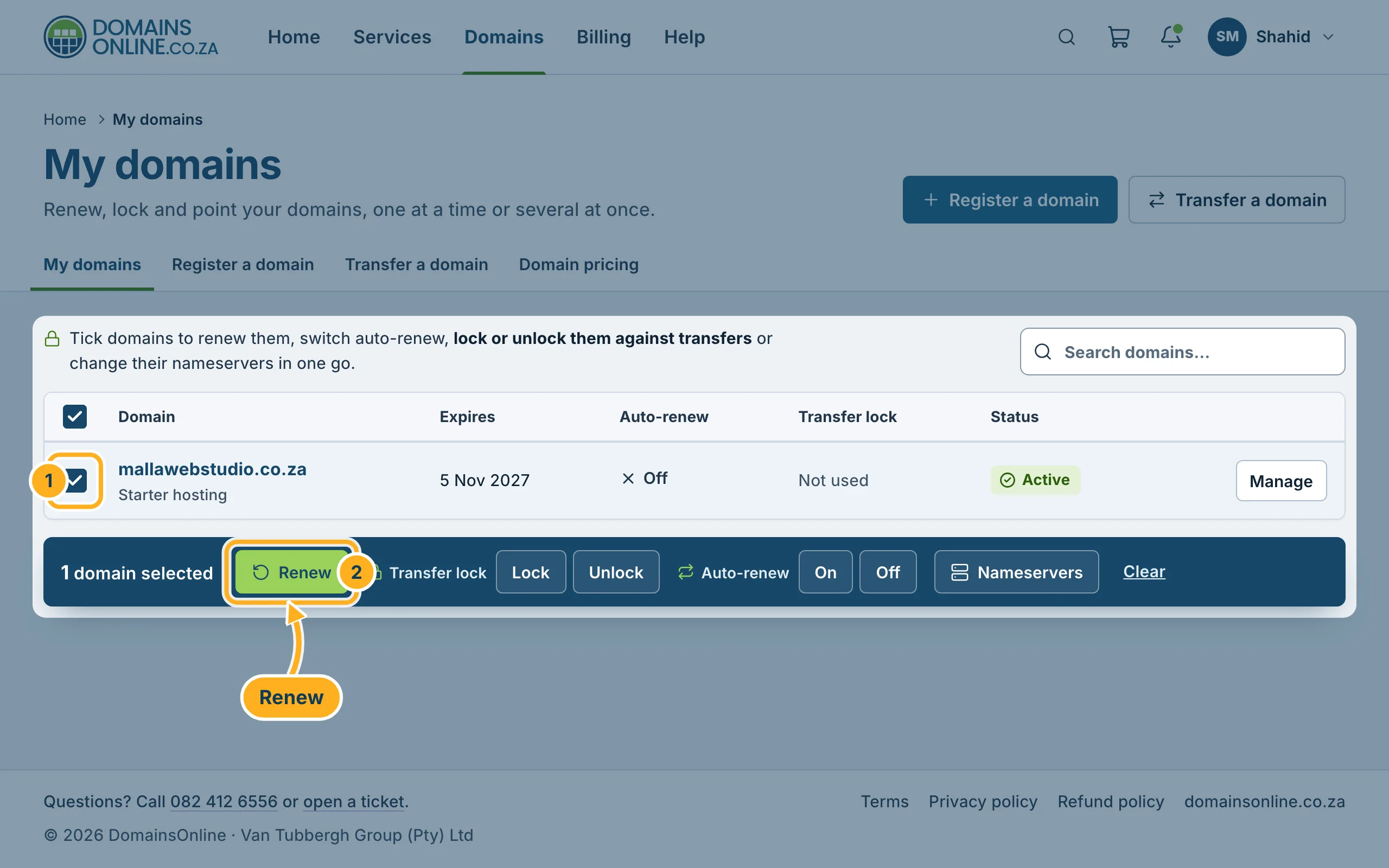
- Tick the box in front of the domain. You can tick several domains.
- Click Renew in the bar that appears below the list.
-
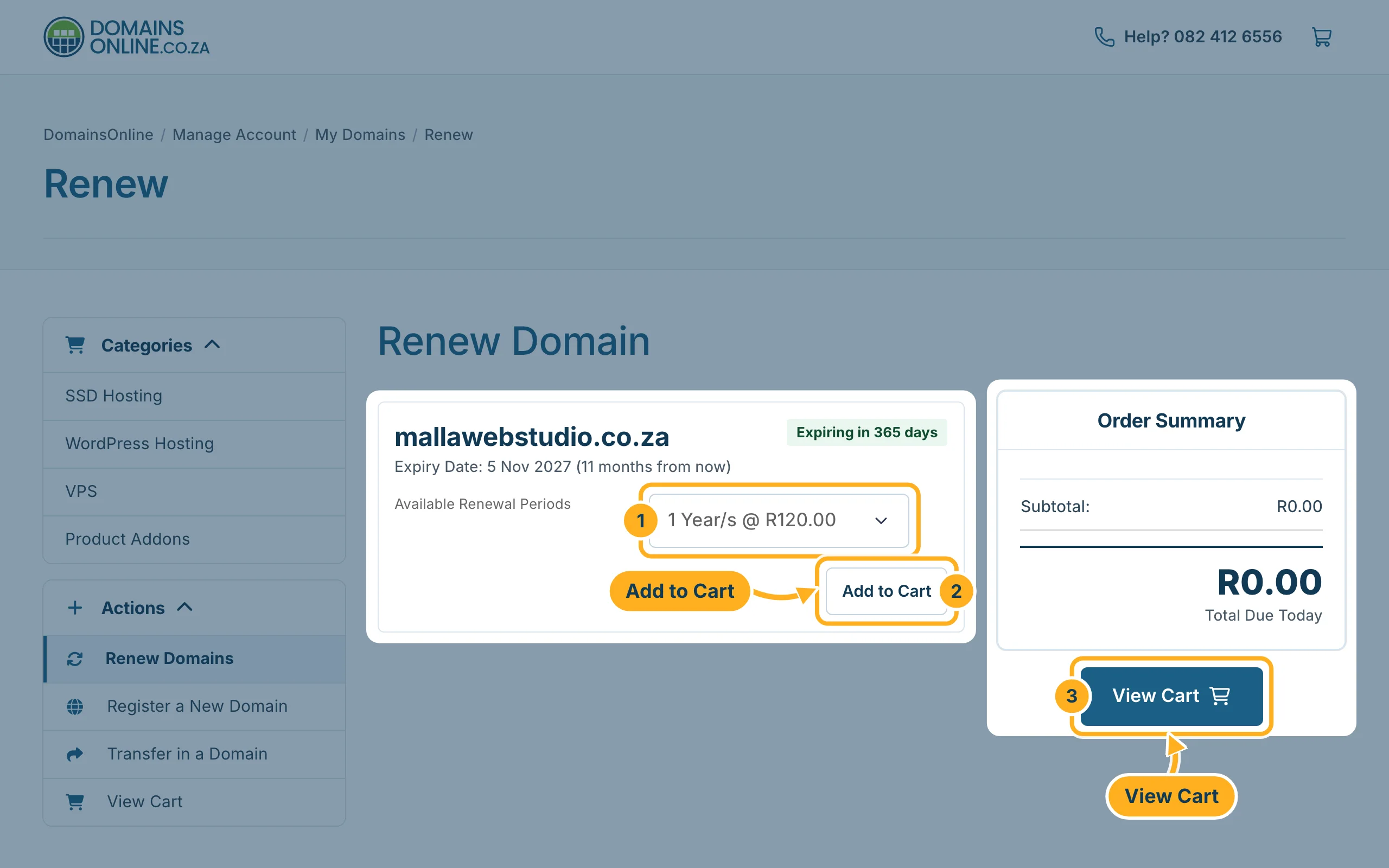
The page Renew Domain opens. It shows the expiry date of each domain.
- Under Available Renewal Periods, choose how long to renew for. The price is shown next to the period, for example 1 Year/s @ R120.00 for a .co.za domain.
- Click Add to Cart.
- Click View Cart on the right and continue to the checkout.
-
After the checkout you get an invoice. The domain is renewed once it is paid. See Pay an invoice with PayFast.
Something not working?
- There is no pay button on the Renewal card: no renewal invoice is open for this domain at the moment. Renew it ahead of time as described above, or wait for the invoice if auto-renew is on.
- The expiry date has already passed: open a ticket straight away and tell us the domain name.
Related articles
- Turn automatic renewal on or off
- My Domains: overview, expiry dates and status
- How billing works: invoice date, due date, renewals
Need help? Open a ticket or call us on 082 412 6556.
