

With auto-renew on, we renew your domain before it expires and send you the invoice. With auto-renew off, the domain expires on its expiry date unless you renew it yourself. New domains have auto-renew switched on.

Watch the video (48 s, with narration) – or follow the steps below.
Careful: when a domain expires, everything that uses it stops working – its website and its e-mail addresses too.
For one domain
-
Click Domains in the menu at the top and click Manage next to the domain.
-
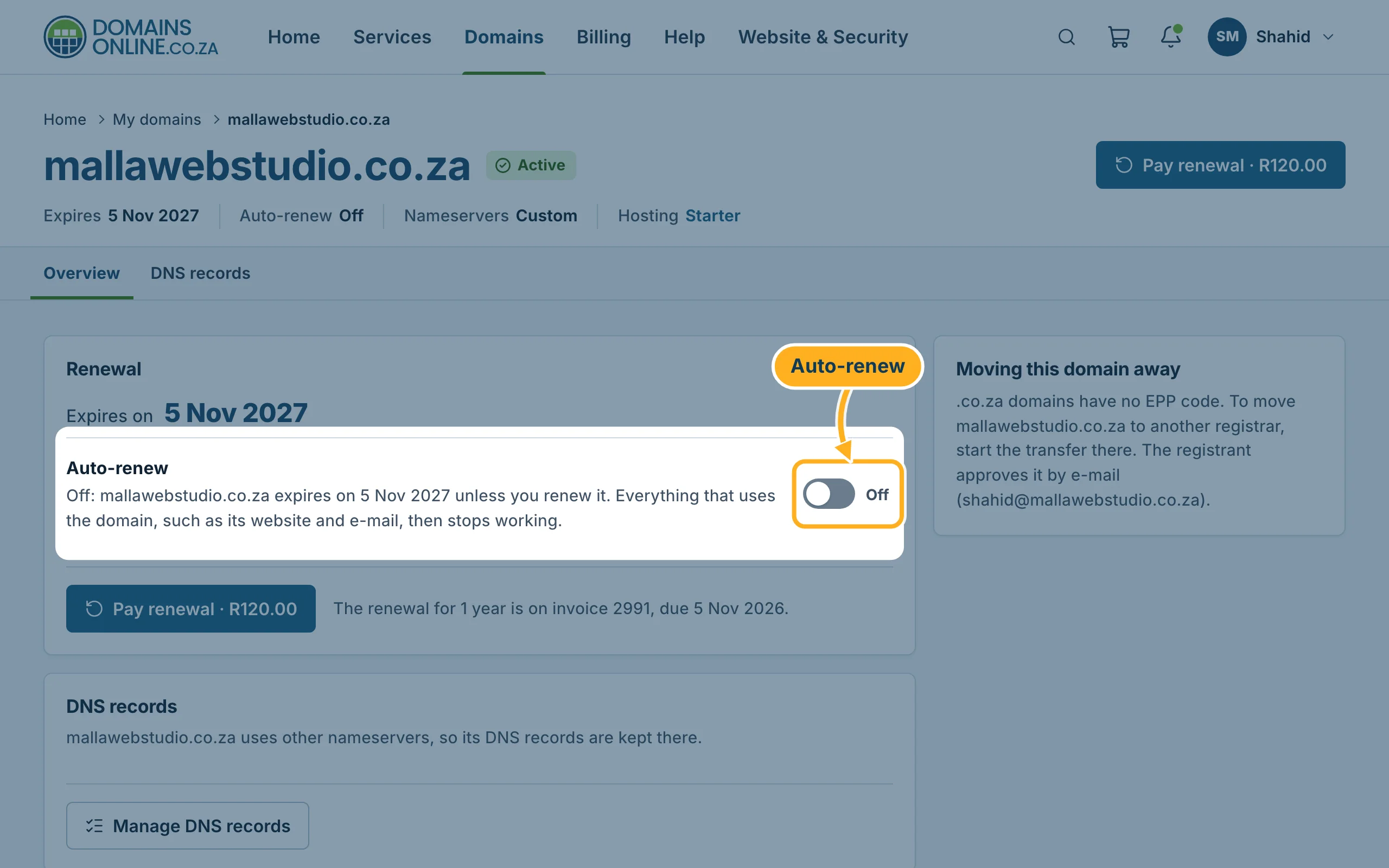
In the Renewal card, click the Auto-renew switch. It shows On or Off, and the text next to it says what happens:
- On: we renew the domain before its expiry date and send you the invoice.
- Off: the domain expires on its expiry date unless you renew it.
The change is saved straight away. There is no save button.
For several domains at once
-
Click Domains in the menu at the top.
- Tick the box in front of each domain you want to change.
- In the bar below the list, click On or Off next to Auto-renew.
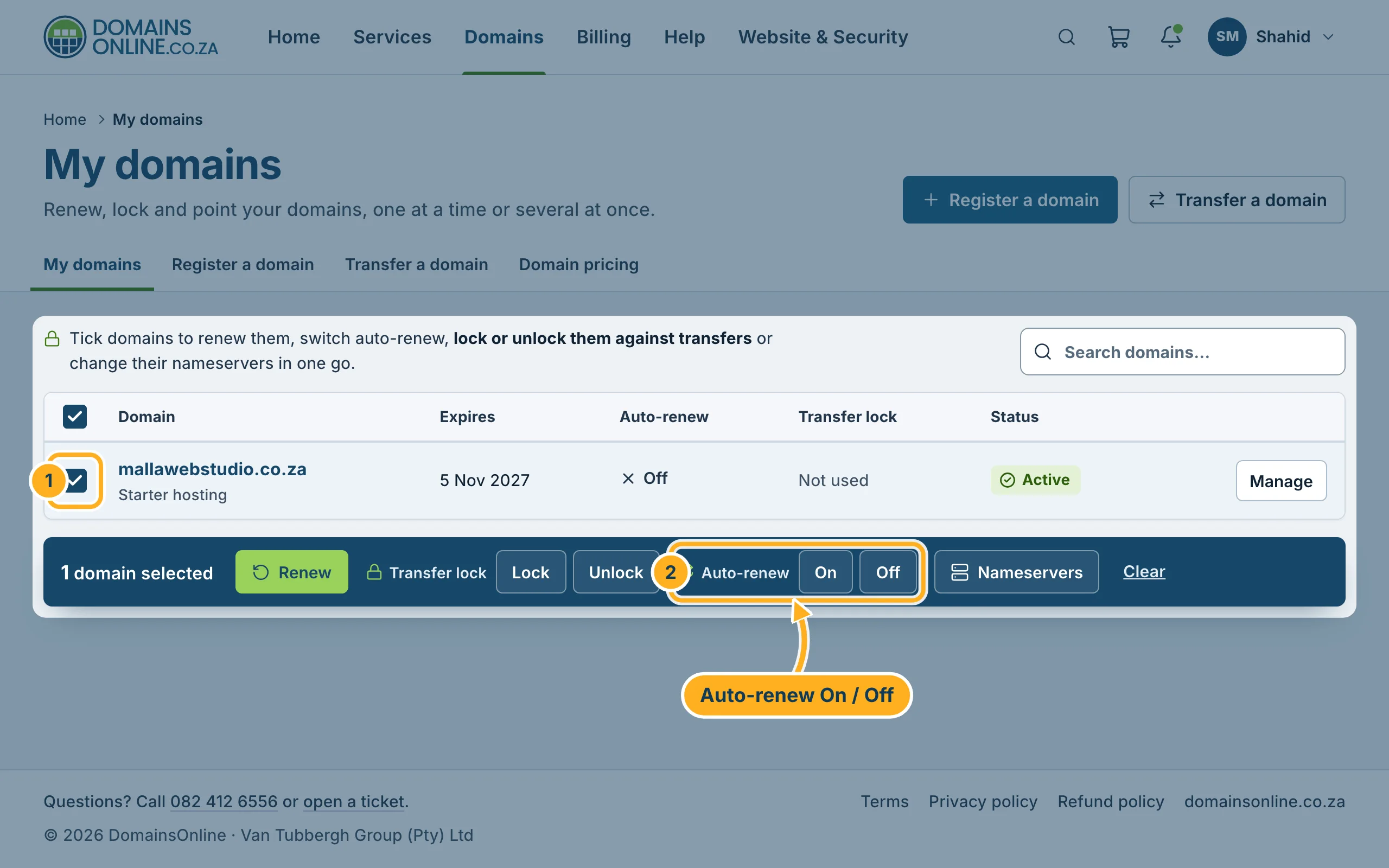
The column Auto-renew in the list shows the setting of each domain.
Something not working?
- The switch jumps back: the change could not be saved. Reload the page and try again. If it keeps happening, open a ticket.
- Auto-renew is on, but you still got an invoice to pay: that is how it works – auto-renew creates the renewal invoice for you, and the domain is renewed once the invoice is paid. See Renew a domain.
Related articles
- Renew a domain
- My Domains: overview, expiry dates and status
- How billing works: invoice date, due date, renewals
Need help? Open a ticket or call us on 082 412 6556.
