

If you can't remember your client area password, you can set a new one yourself. You need access to the e-mail address of your account.
Watch the video (39 s, with narration) – or follow the steps below.
Step by step
-
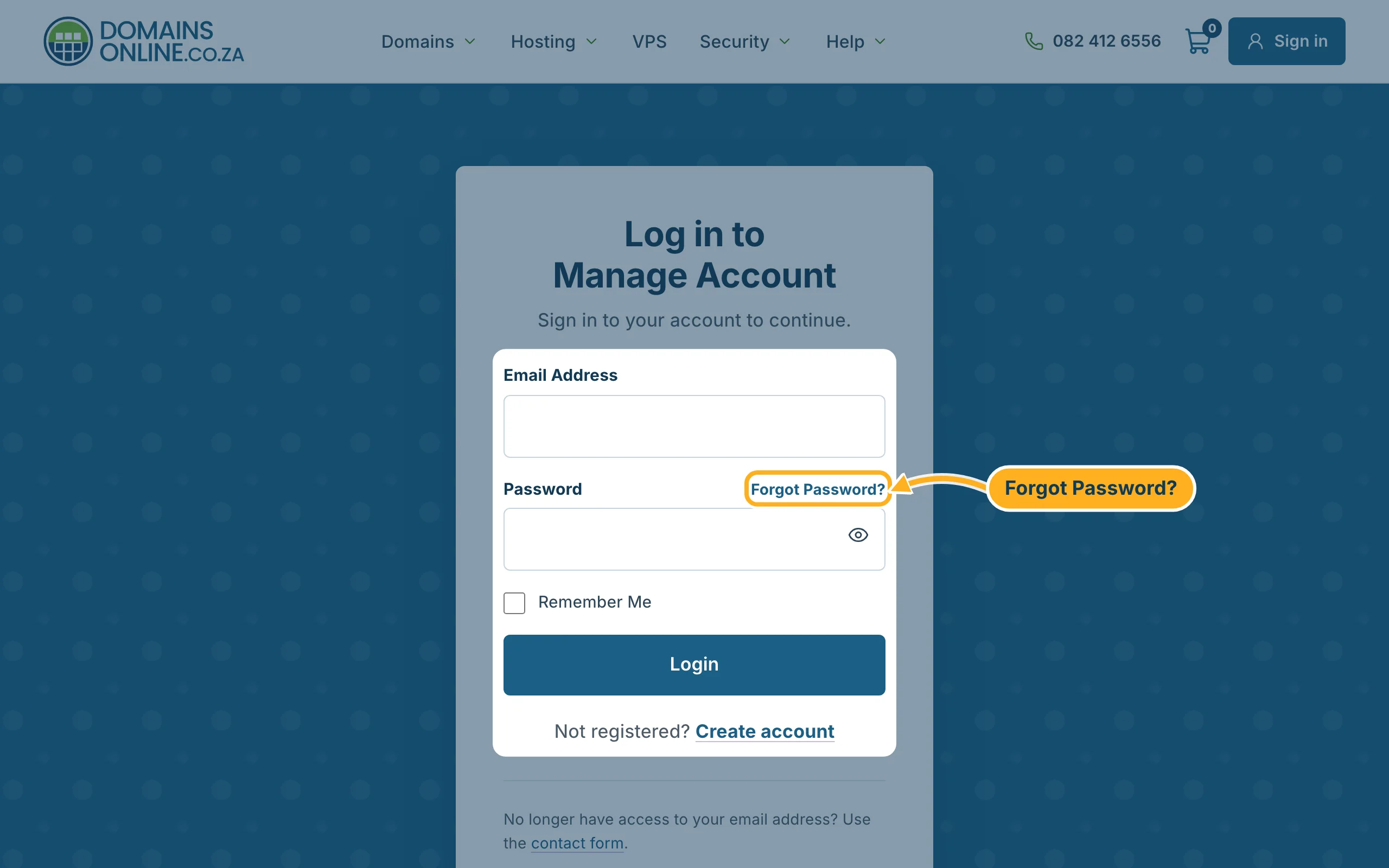
Open the login page and click Forgot Password? above the password field.
-
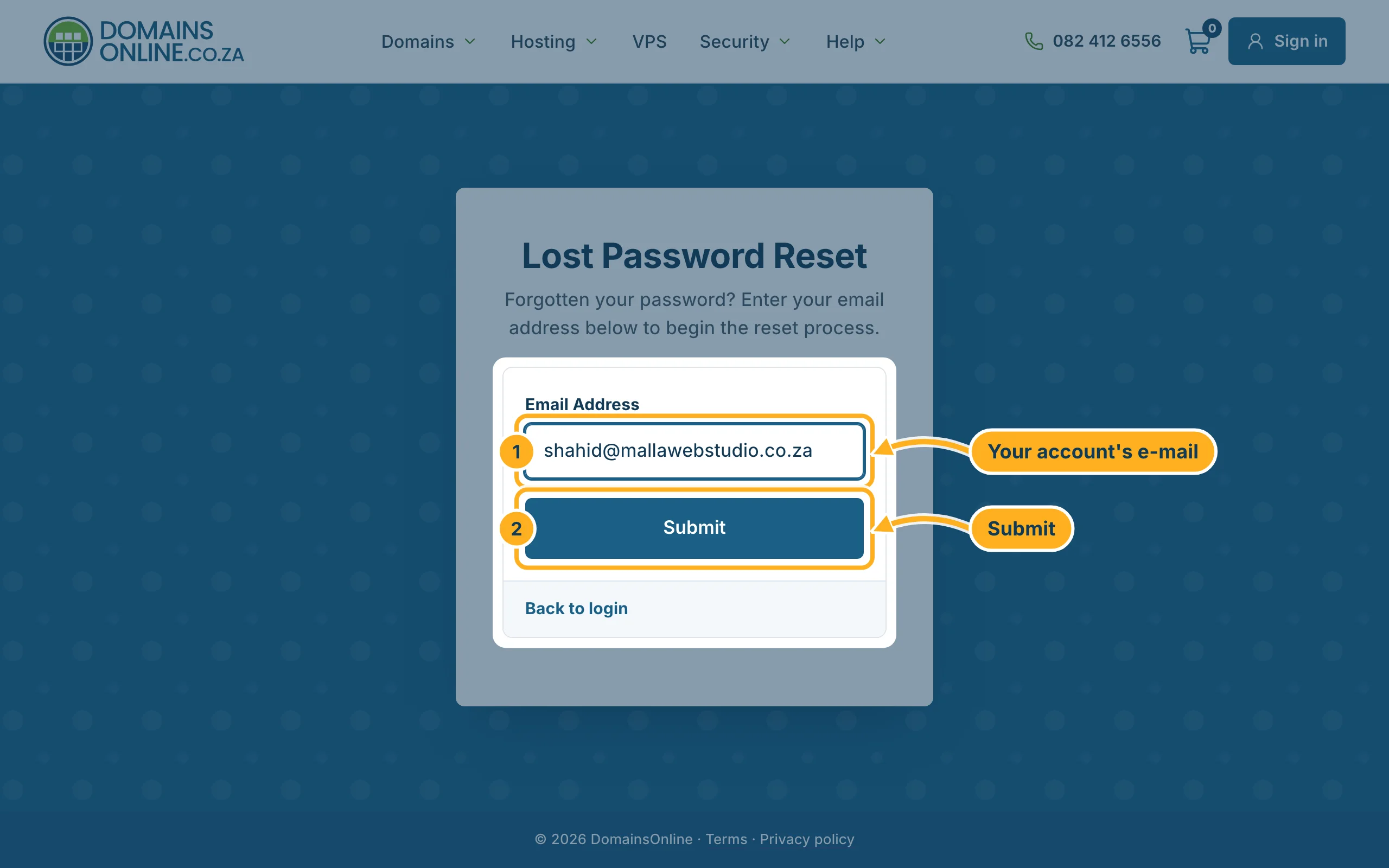
On the page Lost Password Reset, enter the e-mail address of your account and click Submit.
-
We send you an e-mail with a link. Open it and click the link.
-
Choose your new password, type it a second time and save it. Then sign in with the new password.
Careful: DomainsOnline never asks for your password by e-mail or phone. Only use the reset link if you asked for it yourself. See Spot phishing and fake DomainsOnline e-mails.
Something not working?
- No e-mail after a few minutes: look in your spam or junk folder. Check that you typed the address you registered with – for safety, the page doesn't tell you whether an address has an account.
- The link doesn't work any more: reset links only work for a limited time and only once. Start again at step 1.
- You no longer have access to the e-mail address: contact us. We will check that the account is yours before we change anything.
Related articles
Need help? Send us a message or call us on 082 412 6556.
