

If you no longer know the password of your WordPress admin user, you can set a new one in Softaculous – without the old password and without a reset e-mail.
Watch the video (1 min 0 s, with narration) – or follow the steps below.
Good to know: this works for WordPress sites installed with Softaculous. If you still receive e-mail at the WordPress admin address, Lost your password? on the WordPress login page works too.
Step by step
-
Open cPanel (see Log in to cPanel from the client area) and click Softaculous Apps Installer under Software.
-
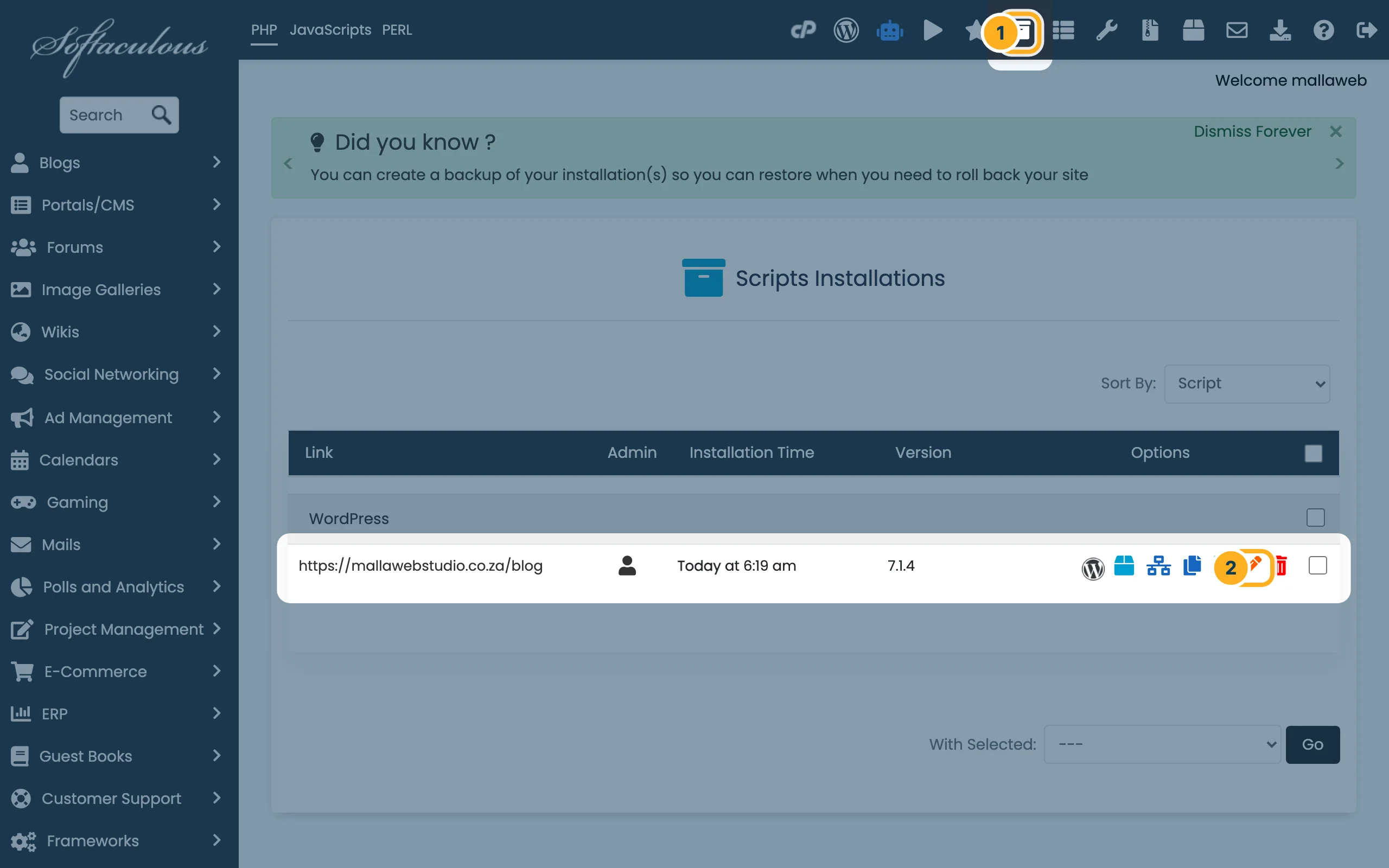
Open the list of your installations and edit your site:
- In the dark bar at the top of Softaculous, click the box icon. The page Scripts Installations opens.
- In the row of your site, click the orange pencil under Options.
-
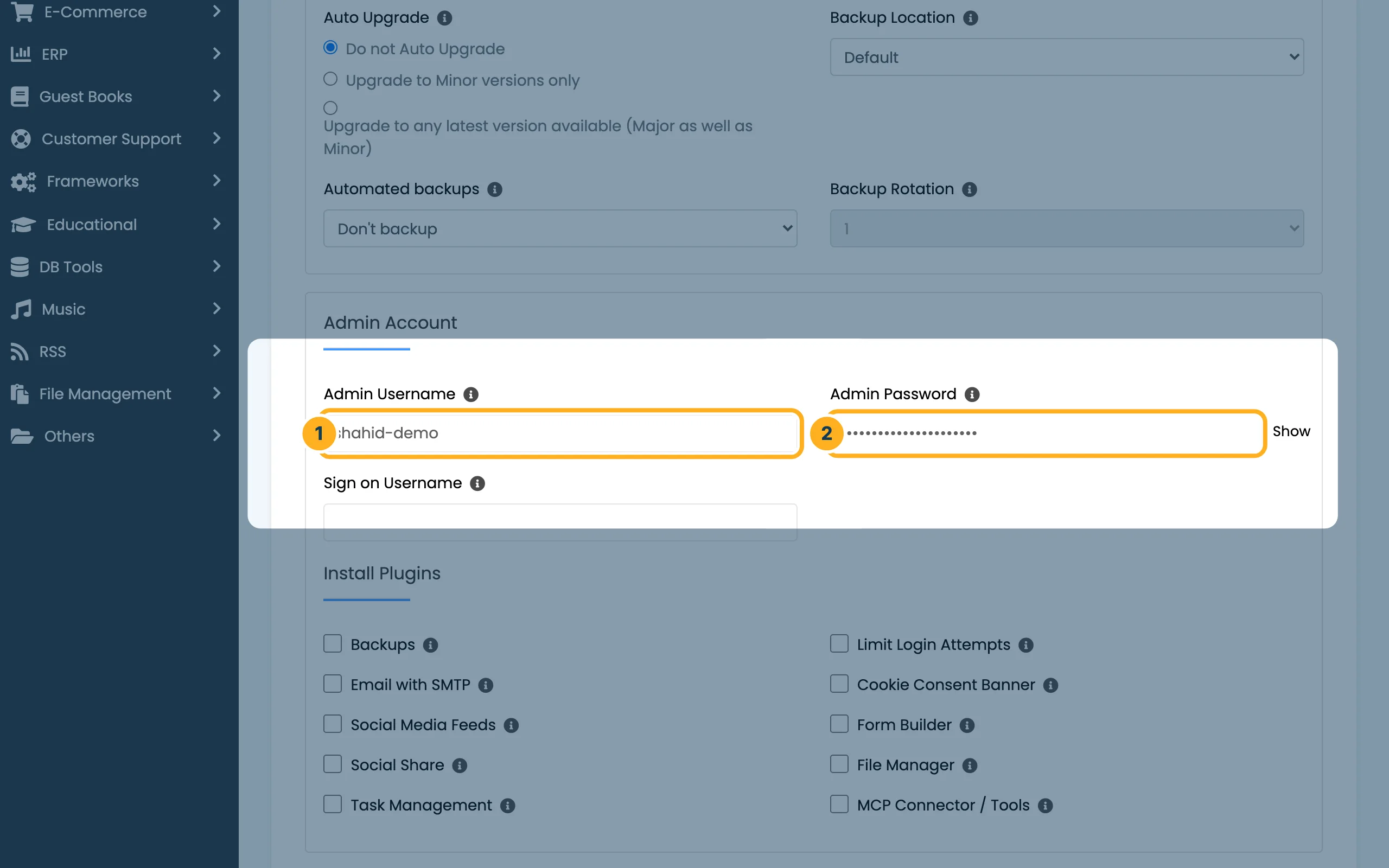
The page Edit Installation Details opens. Leave the fields at the top as they are and scroll down to Admin Account:
- Admin Username – the WordPress user whose password you want to change, for example the admin username you chose during the installation.
- Admin Password – the new password. Click Show to check what you typed. See Strong passwords.

-
Scroll to the end of the page and click Save Installation Details. Then sign in to WordPress with the new password.
Something not working?
- You don't know the admin username: open the dashboard with Login in WordPress Manager (see Log in to your WordPress dashboard) and look under Users. There you can also set a new password for any user.
- Your site isn't in the list: it wasn't installed with Softaculous. Use Lost your password? on the WordPress login page, or open a ticket.
Related articles
Need help? Open a ticket or call us on 082 412 6556.
