

Your hosting includes free SSL certificates. cPanel's AutoSSL requests them for your domains and renews them by itself, so your site can open with https:// and a padlock. This article shows where you check the certificates and how you start a check yourself.
Watch the video (1 min 11 s, with narration) – or follow the steps below.
Check your certificates
-
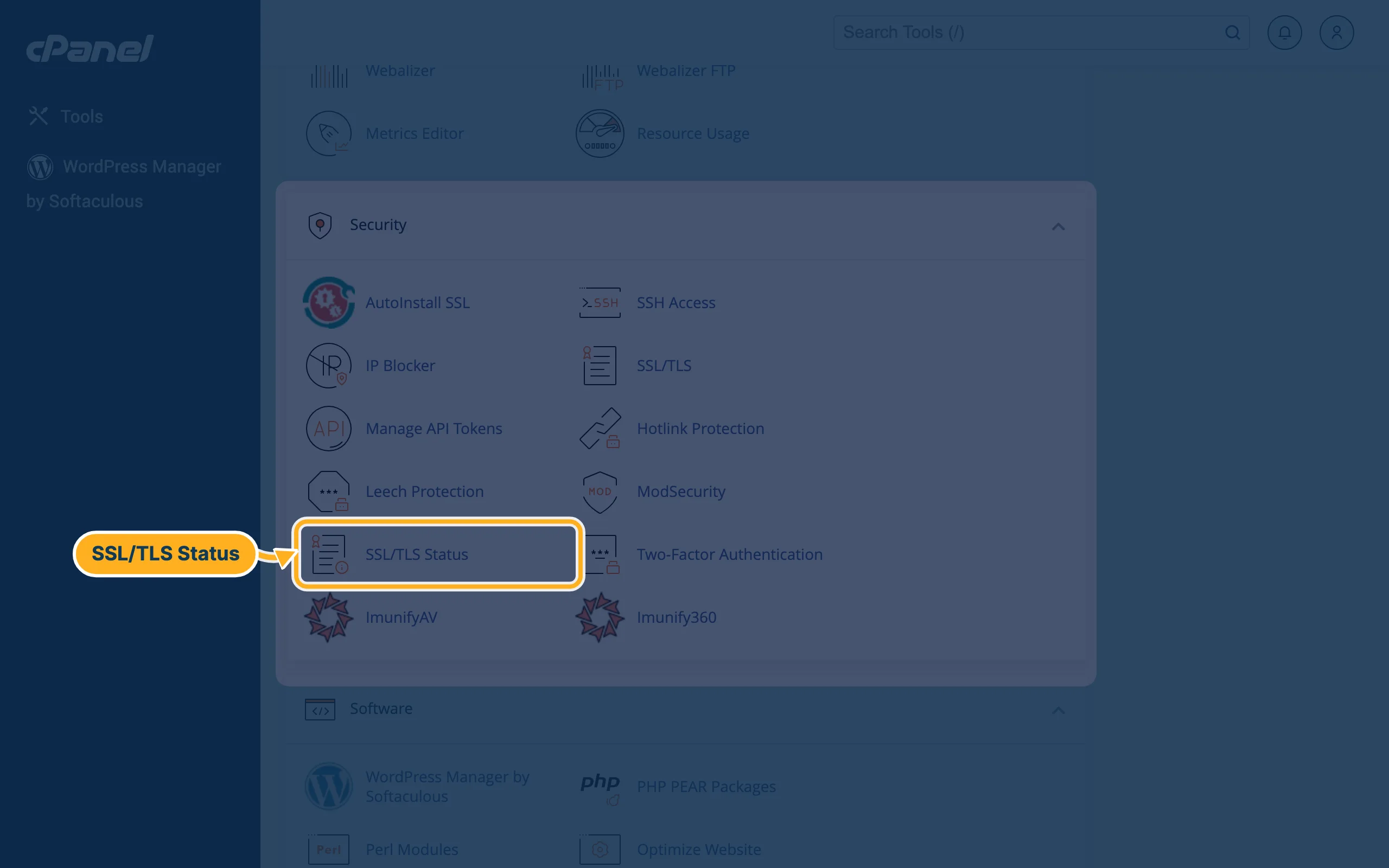
Open cPanel (see Log in to cPanel from the client area). In the section Security, click SSL/TLS Status.
-
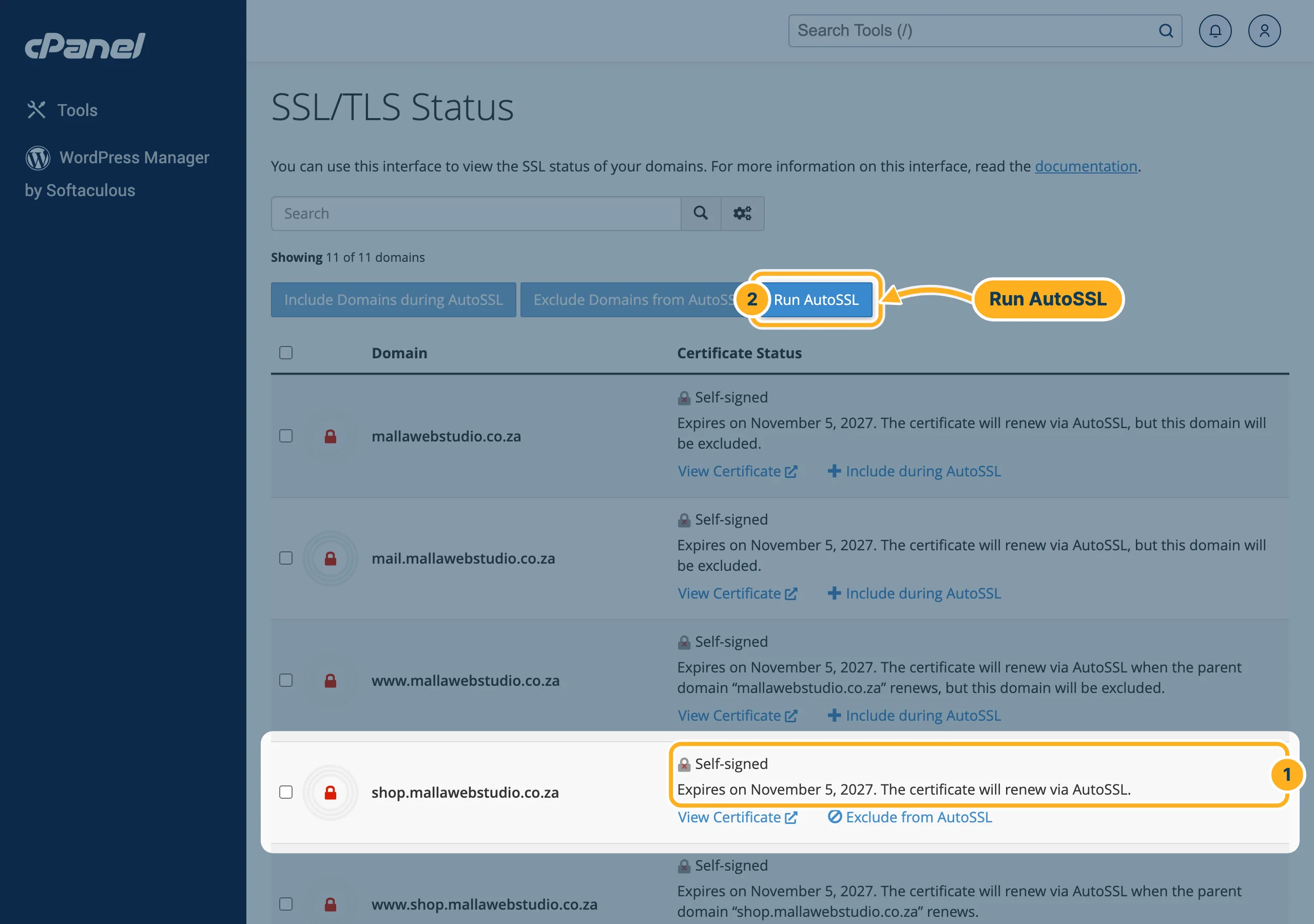
The page lists all your domains and subdomains, including the addresses cPanel adds for mail and webmail. For each one:
- Certificate Status shows which certificate the domain has, when it expires and whether AutoSSL will renew it. Self-signed and a red padlock mean that the domain has no trusted certificate yet: visitors would see a warning.
- Click Run AutoSSL to start a check for all domains straight away, for example after you have added a domain or changed its DNS. The button shows AutoSSL is in progress … while it runs. When it says The AutoSSL check has completed, the page reloads with the new status.
“This domain will be excluded”
If the status of a domain ends with but this domain will be excluded, AutoSSL skips it and doesn't get a certificate for it. To change that, click Include during AutoSSL below the status, then click Run AutoSSL. Exclude from AutoSSL does the opposite – use it only for a domain that doesn't point to us.
Something not working?
- The status stays “Self-signed” after Run AutoSSL: check that the domain points to your hosting with us – our nameservers are ns1–ns4.supercp.com. See Use a domain you have with another provider. If the domain has only just been moved, wait and run AutoSSL again later.
- The certificate is fine, but the site still opens with http://: see Always open your site with https://.
- The browser shows a warning although the certificate is valid: see SSL warnings in the browser – causes and fixes.
Related articles
- Always open your site with https://
- SSL warnings in the browser – causes and fixes
- Why isn't my domain working yet? (DNS propagation)
Need help? Open a ticket or call us on 082 412 6556.
