

You don't need a client account to ask us something – for example before you order. The contact form opens a ticket in our Sales department, and we answer by e-mail.

Watch the video (1 min 4 s, with narration) – or follow the steps below.
Step by step
-
Click Contact us at the bottom of any page of our website, under Company, or open domainsonline.co.za/contact.php. The page Open a ticket opens with the Sales department.
-
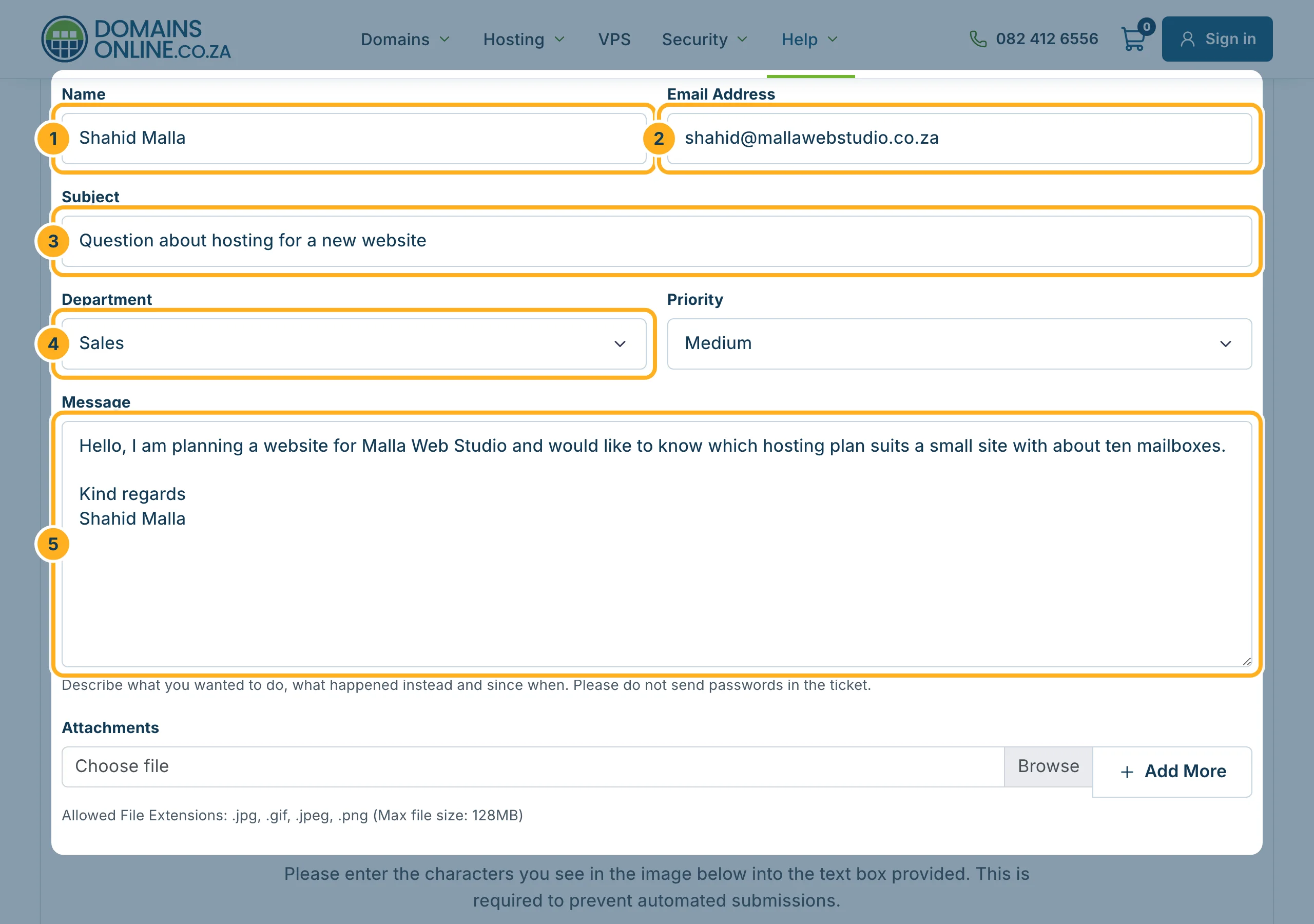
Fill in the form:
- Name
- Email Address – our answer goes there, so check it carefully.
- Subject – a short summary of your question.
- Department – Sales is already selected. Choose Support for a technical problem or Billing for a question about an invoice.
- Message – your question. For a problem, describe what you wanted to do, what happened instead and since when.
Under Attachments you can add pictures, for example a screenshot (.jpg, .jpeg, .gif or .png). Leave Priority on Medium unless it is urgent.
-
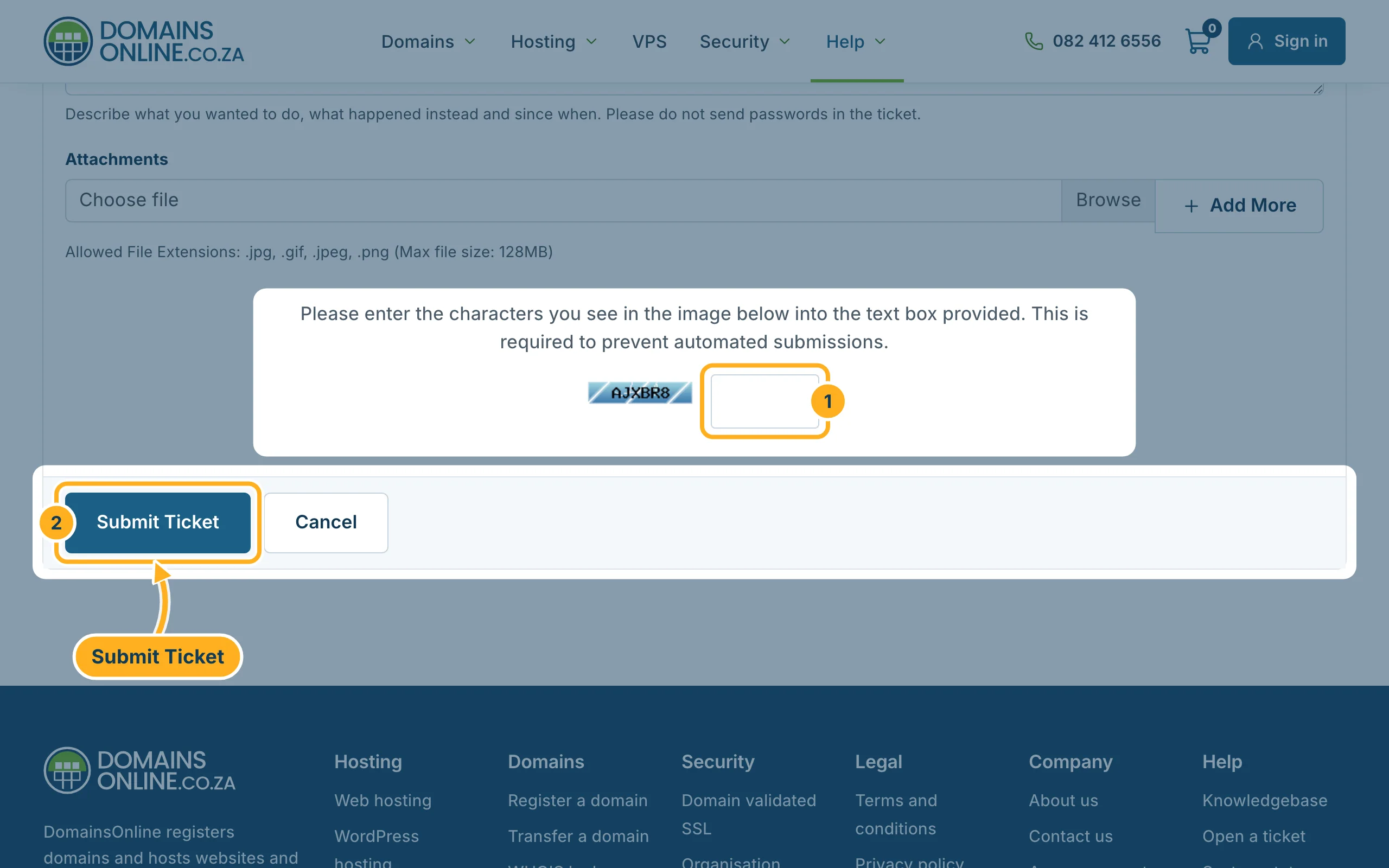
Send the message:
- Type the characters from the picture into the box next to it.
- Click Submit Ticket.
We reply to the e-mail address you entered. Never put passwords in the message – we don't need them.
Something not working?
- The form shows a red message: a required field is empty or the characters from the picture were wrong. Correct it and click Submit Ticket again.
- A file is not accepted: only pictures can be attached (.jpg, .jpeg, .gif, .png). Paste text, such as an error message, into the message instead.
- No answer in your inbox: look in your spam or junk folder, and check that you typed your e-mail address correctly.
Related articles
Prefer to talk? Call us on 082 412 6556 or e-mail info@domainsonline.co.za.
