

If a domain or website registered or hosted with DomainsOnline sends spam, tries to steal passwords or card details, spreads malware or shows illegal content, tell us with the abuse form. You don't need an account for it.
Watch the video (1 min 21 s, with narration) – or follow the steps below.
Step by step
-
Click Report abuse at the bottom of any page of our website, under Legal, or open domainsonline.co.za/abuse.php.
-
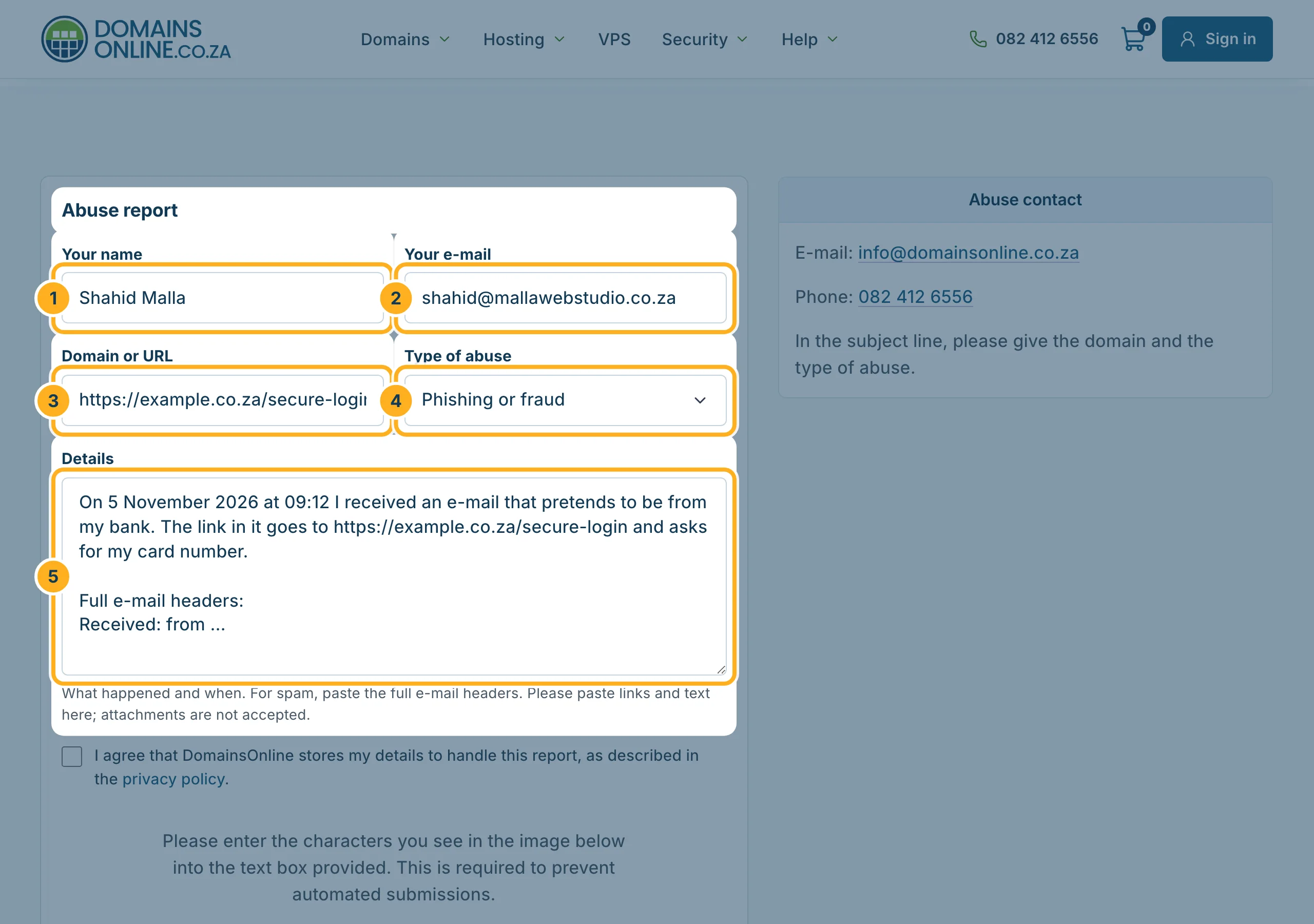
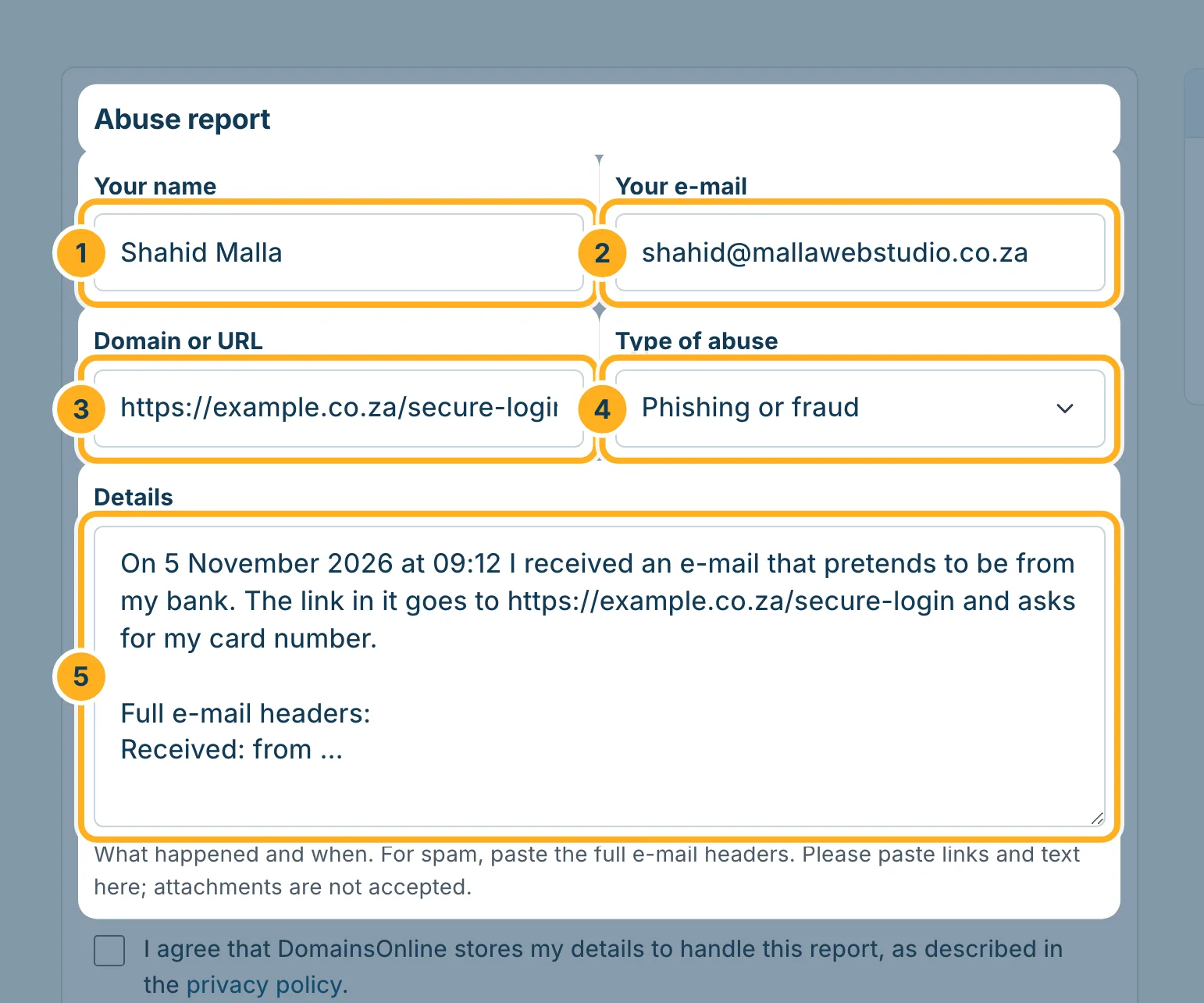
Under Abuse report, fill in:
- Your name
- Your e-mail – in case we have questions about your report.
- Domain or URL – the domain or the full web address, for example the link from a phishing e-mail.
- Type of abuse – Spam, Phishing or fraud, Malware or a hacked website, Copyright or trademark infringement, Illegal content or Other.
- Details – what happened and when. For spam, paste the full e-mail headers. Paste links and text here: attachments are not accepted.
-
Finish the report:
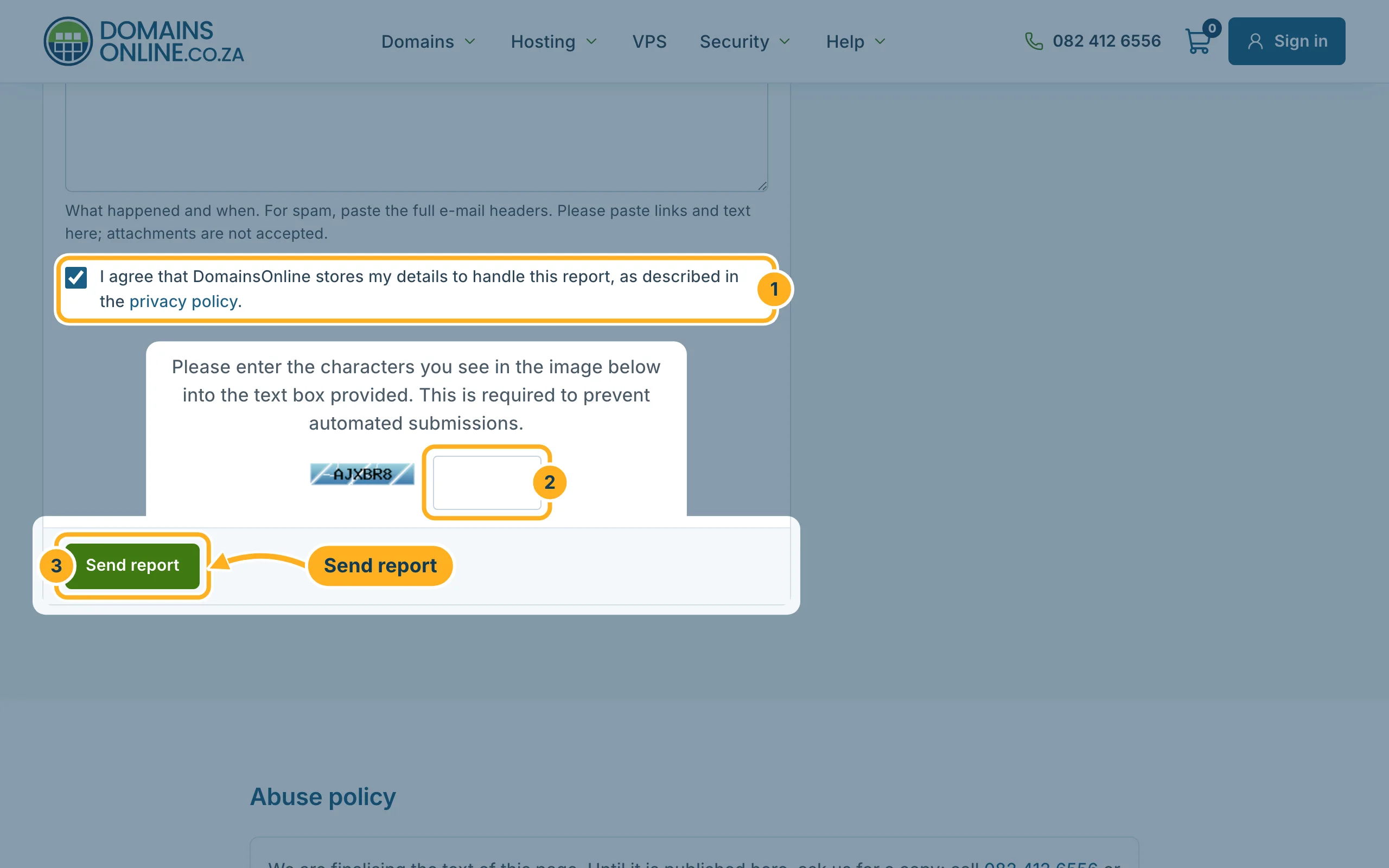
- Tick I agree that DomainsOnline stores my details to handle this report.
- Type the characters from the picture into the box next to it.
- Click Send report.
Report by e-mail or phone
You can also write to info@domainsonline.co.za or call 082 412 6556. In the subject line, give the domain and the type of abuse.
Where to find the e-mail headers
The headers show where a spam e-mail really came from. Most e-mail programs show them with an option such as “Show original”, “View source” or “Message source”. Copy all of it into Details.
Related articles
- Spot phishing and fake DomainsOnline e-mails
- Scan your site for malware (Imunify360)
- Contact us without an account
Need help with your own account? Open a ticket or call us on 082 412 6556.
