

Ordering web hosting takes two steps: Your order (plan, domain and extras) and Checkout (your details and payment with PayFast). You don't need an account first – the checkout creates one for you.
Watch the video (2 min 25 s, with narration) – or follow the steps below.
Step by step
-
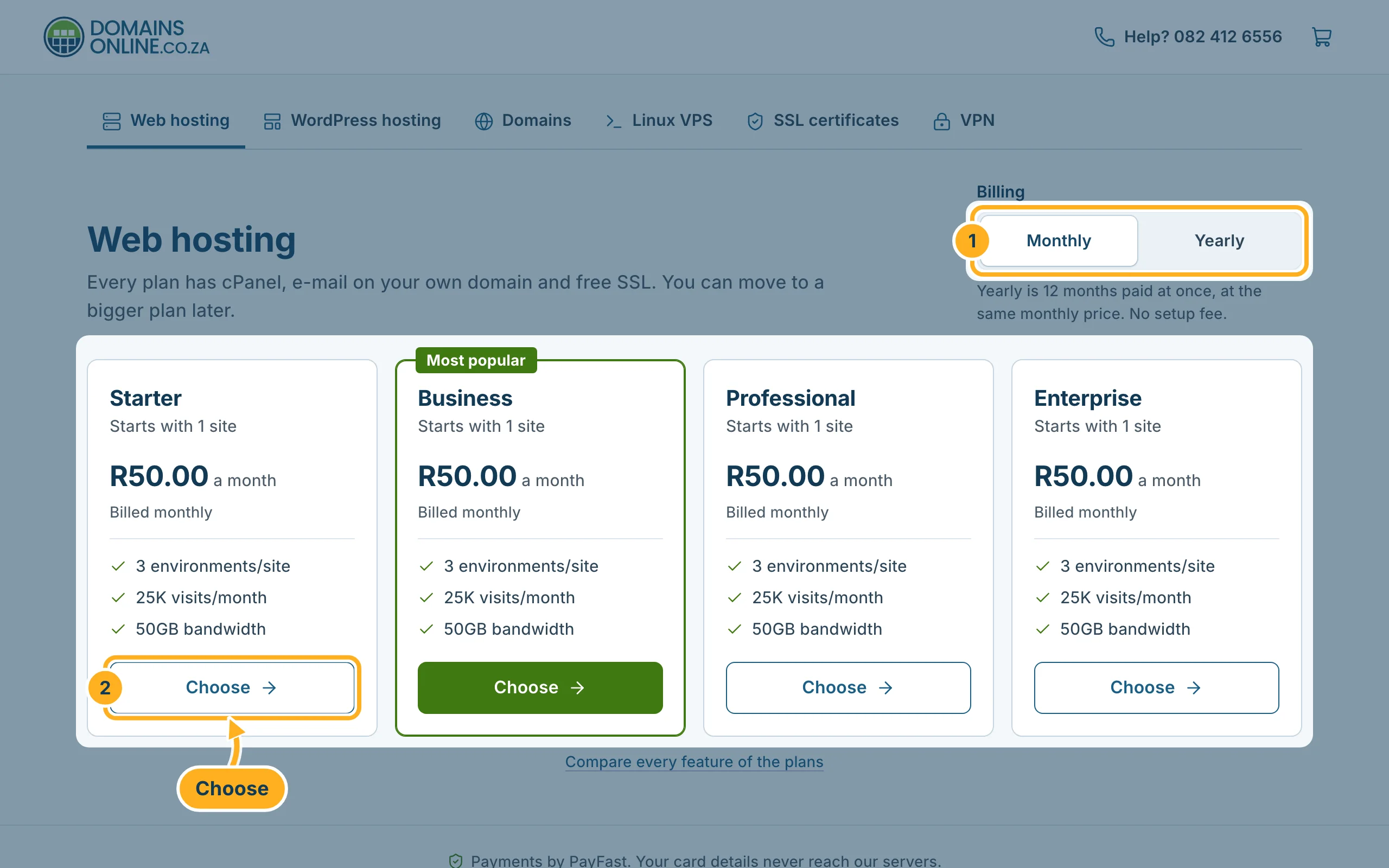
Open the web hosting plans. You also get there with Buy now on our web hosting page, or with Order hosting in the client area.
- Choose Monthly or Yearly. Yearly is 12 months paid at once, at the same monthly price.
- Click Choose under the plan you want.
-
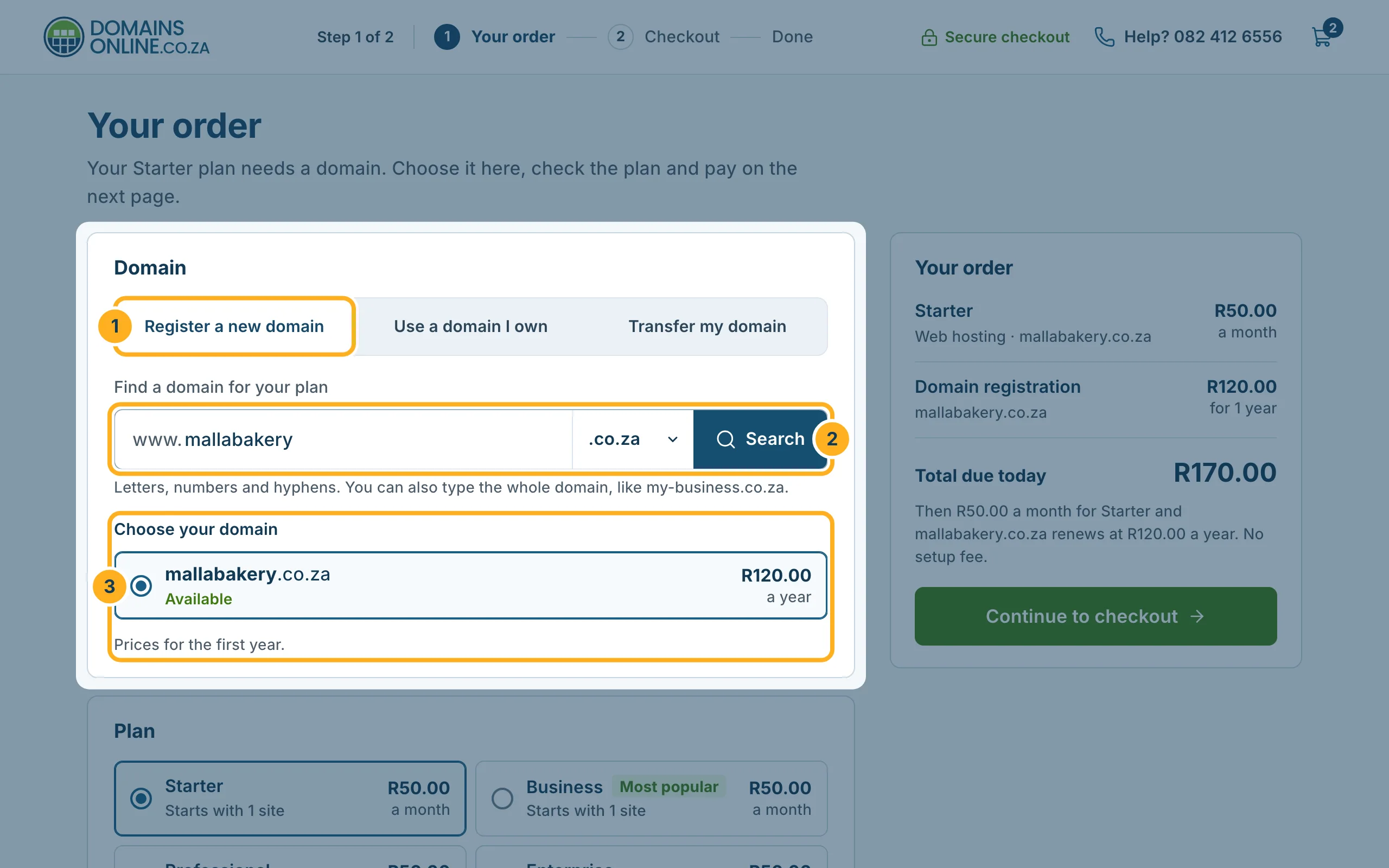
On Your order, choose the domain for your hosting:
- Register a new domain – for a domain you don't have yet.
- Type the name you want, choose the ending (for example .co.za) and click Search.
- Under Choose your domain, select a domain that shows Available. Its price for the first year is shown next to it.
Already have a domain? Choose Use a domain I own and type it in – the page then shows the nameservers to set at your current provider after the order (see Use a domain you have with another provider). To move the domain to us, choose Transfer my domain (see Transfer a domain to DomainsOnline).
If you are not signed in, a security check may appear before the search results.
-
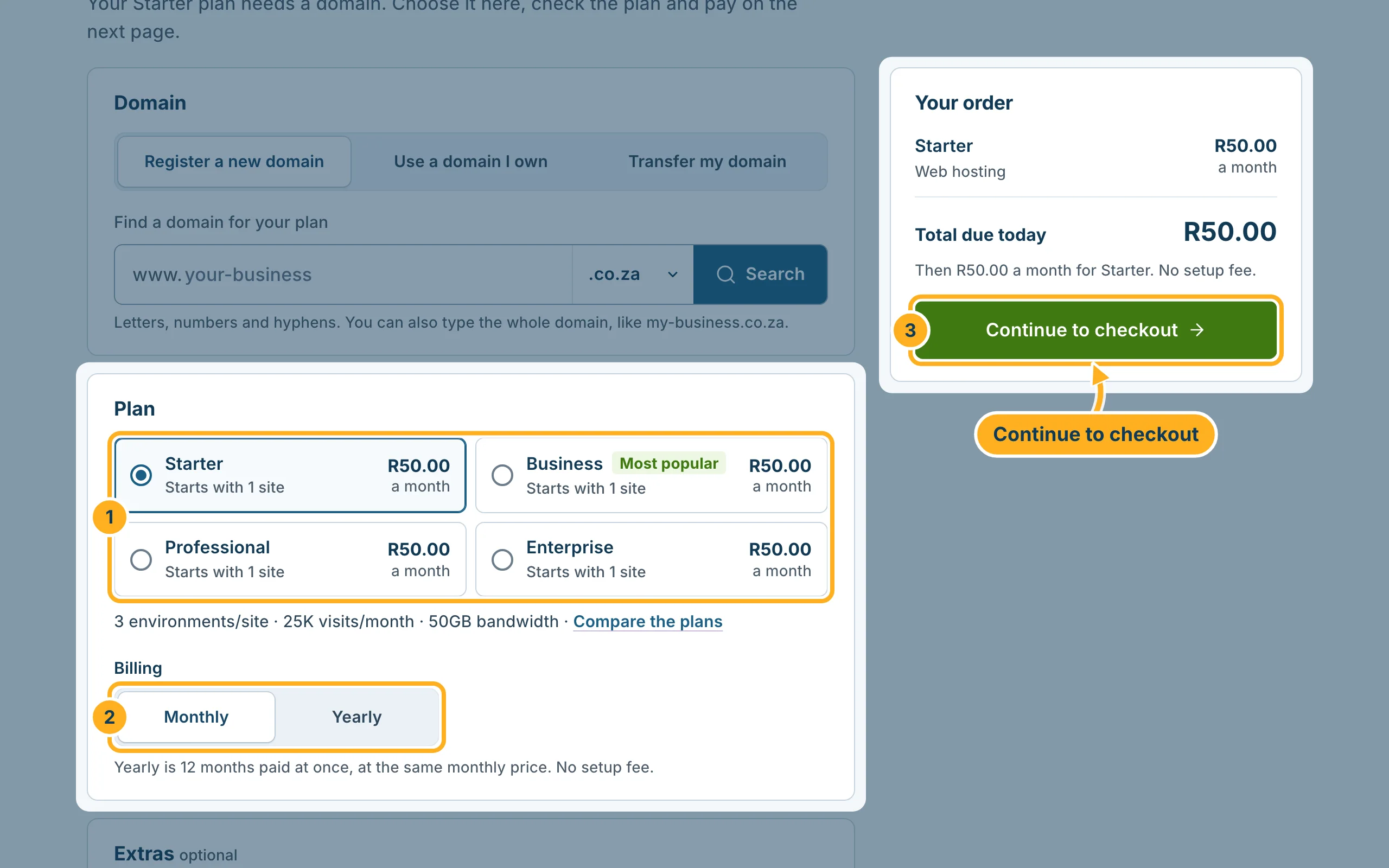
Further down on the same page:
- Under Plan, check the plan – you can still change it here.
- Under Billing, check Monthly or Yearly.
- Click Continue to checkout. Your order next to it shows what you pay today and later.
Below the plan, Extras are optional, for example an SSL certificate from RapidSSL, e-mail spam filtering or CodeGuard backups. Tick one only if you want it – every plan already includes a free SSL certificate.
-
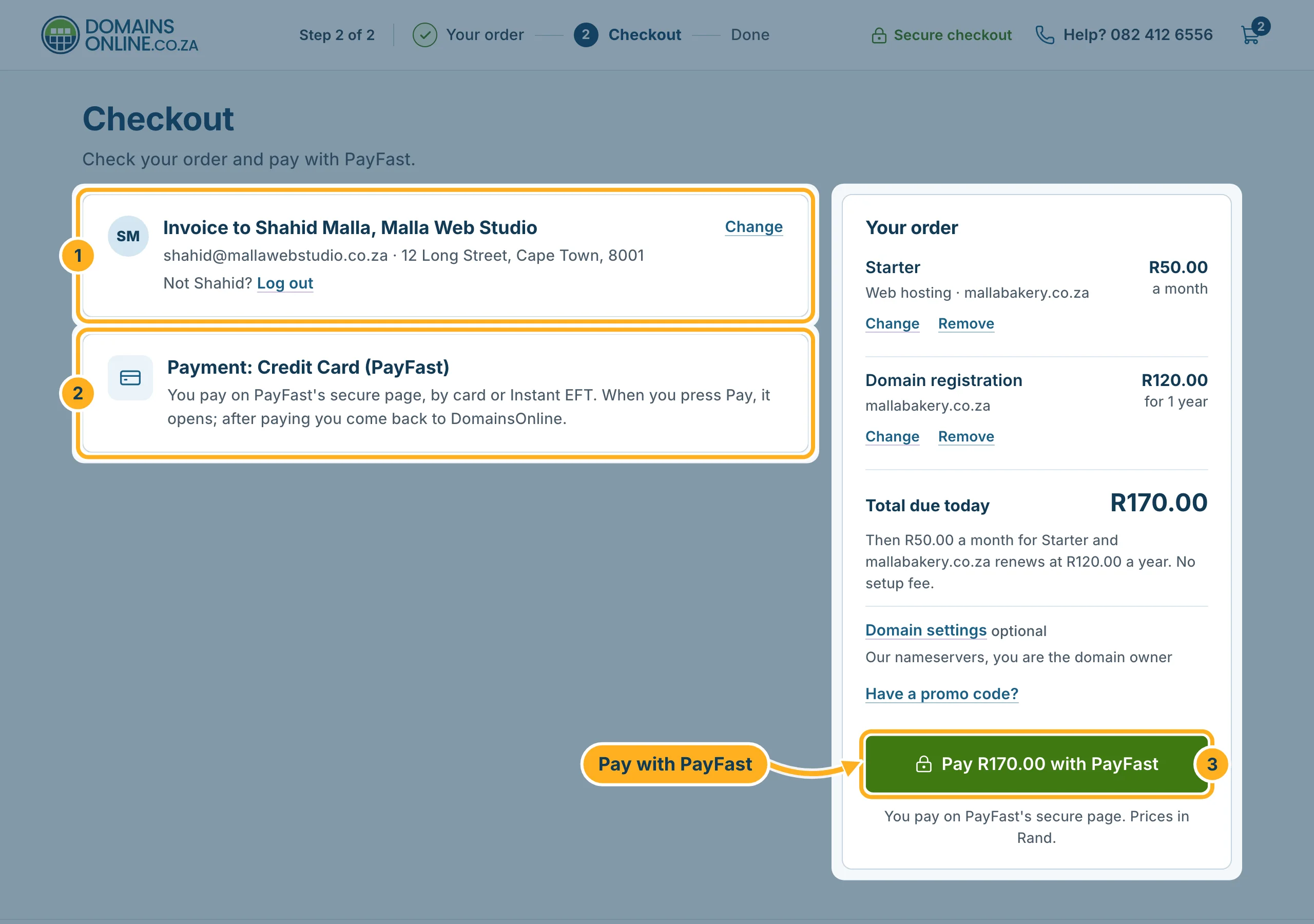
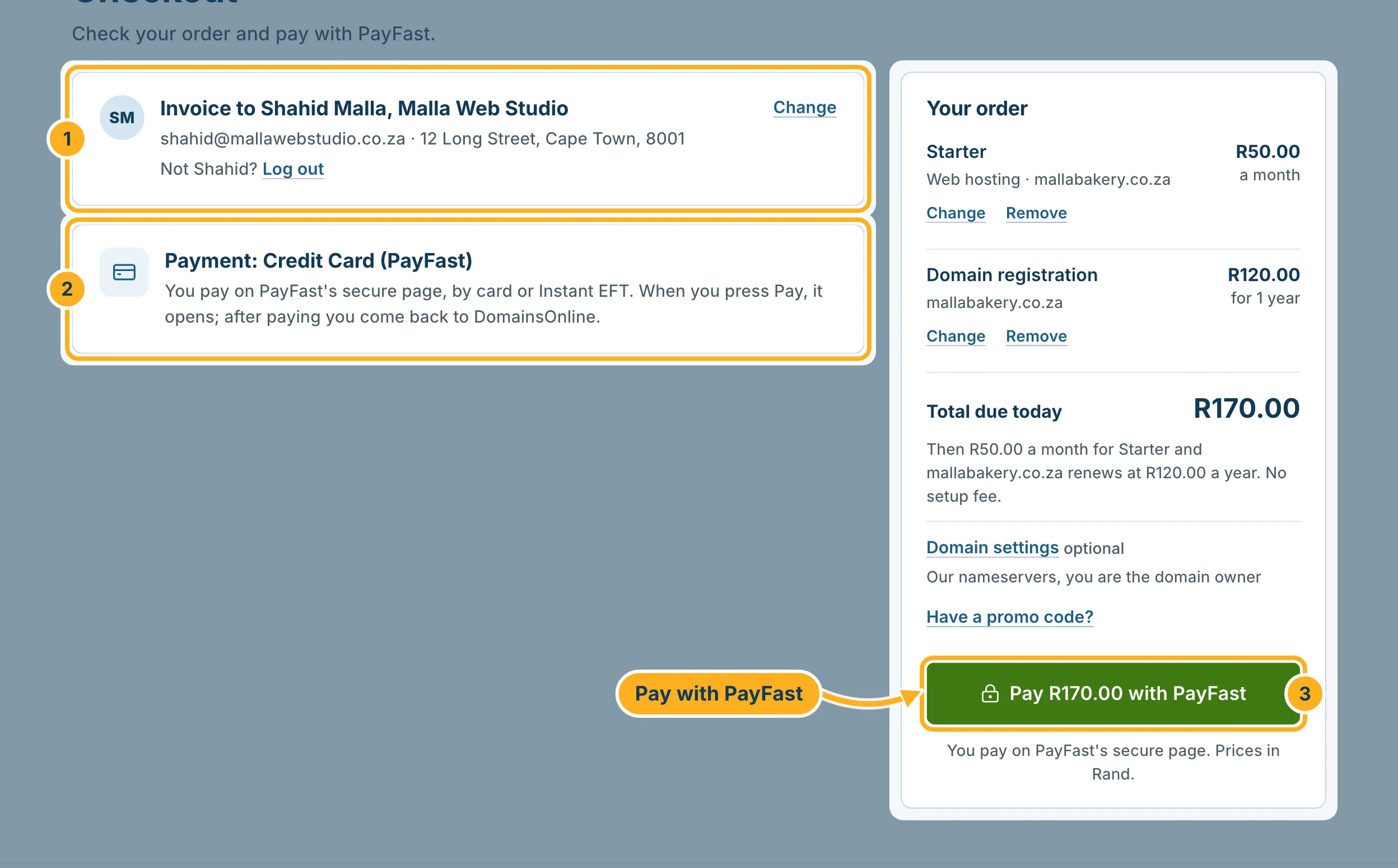
On Checkout:
- New customer: fill in your details – name, e-mail address, mobile number and address – and choose a password for the client area. Already a customer? Click Log in at the top of the form.
- Signed in: check who the invoice goes to; Change opens your account details.
- Check your name and address for the invoice.
- Payment is by PayFast, our only payment method.
- Check the total and click Pay … with PayFast. PayFast's secure page opens; after paying you come back to DomainsOnline.
What happens after you have paid: After your order: what happens next.
Something not working?
- The domain you want is taken: try another ending, for example .africa or .com, or a slightly different name.
- A red message on the page: it names what is missing, for example a domain for your plan. Fill it in and click Continue to checkout again.
- The PayFast page closed before you paid: your order stays with an unpaid invoice – see Pay an invoice with PayFast.
Related articles
Need help? Open a ticket in the Sales department or call us on 082 412 6556.
