

WordPress hosting is cPanel hosting for WordPress websites. You order it in the same two steps as our other hosting: Your order and Checkout.
Watch the video (55 s, with narration) – or follow the steps below.
Step by step
-
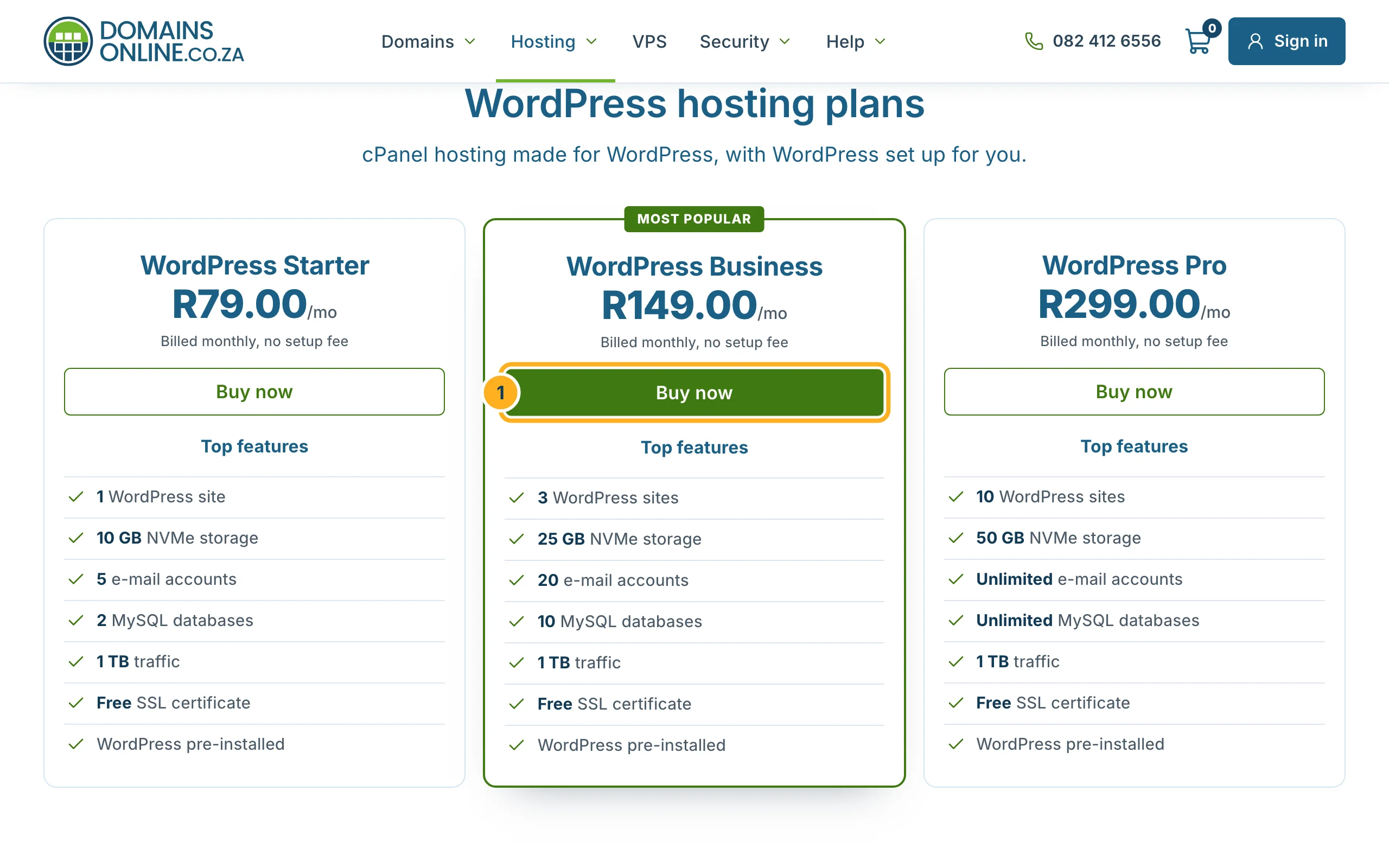
Open our WordPress hosting page. It shows WordPress Starter, WordPress Business and WordPress Pro with their prices and features. Click Buy now under the plan you want.
-
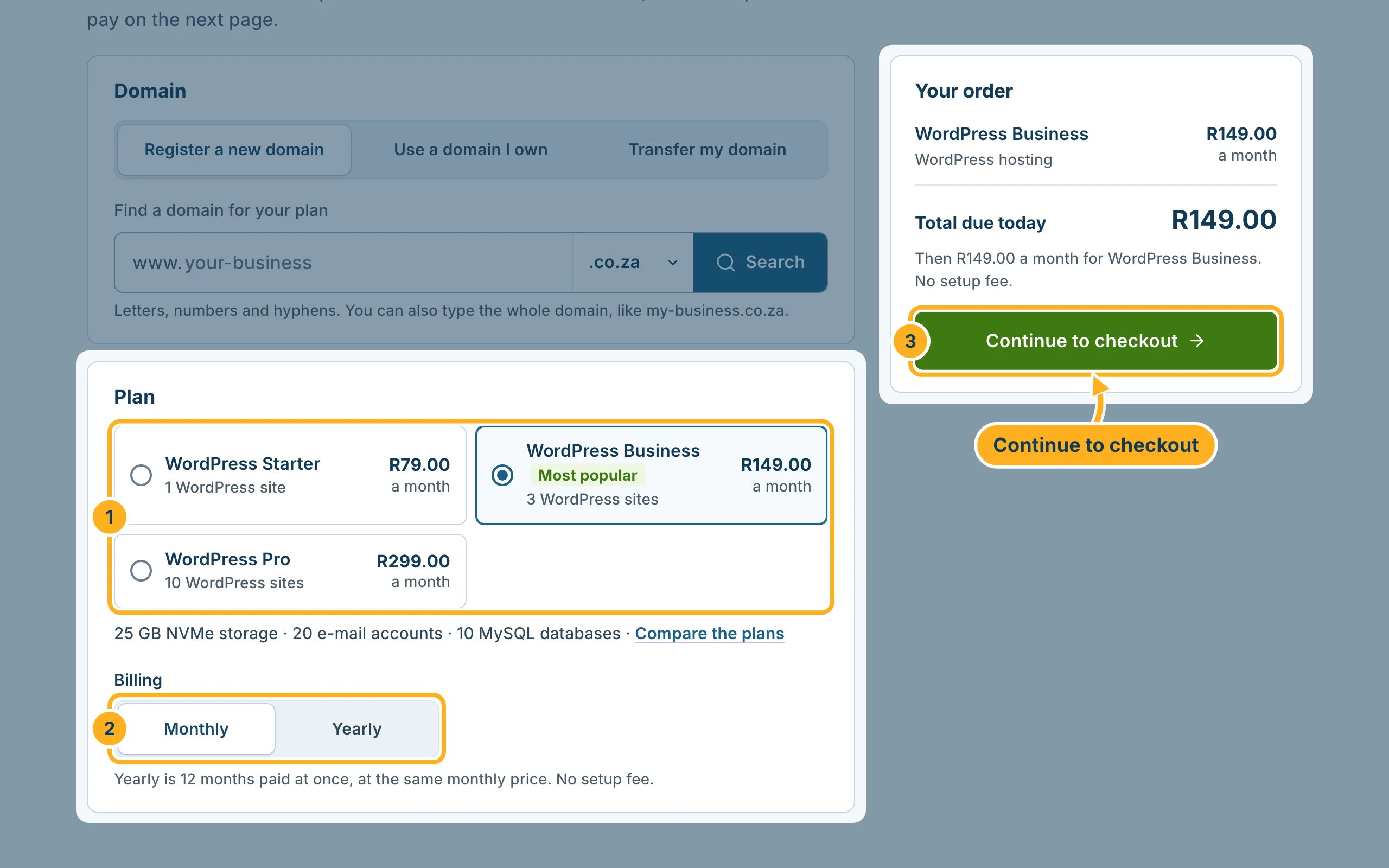
On Your order, first choose the domain for your site under Domain: register a new one, use a domain you own or transfer your domain. This works exactly as for web hosting – see step 2 of Order web hosting step by step.
-
Then check your order:
- Under Plan, check the WordPress plan – the line below the plans shows its storage, e-mail accounts and databases.
- Under Billing, choose Monthly or Yearly. Yearly is 12 months paid at once, at the same monthly price, with no setup fee.
- Click Continue to checkout.
-
On Checkout, fill in your details (or log in if you are already a customer) and pay with PayFast – see step 4 of Order web hosting step by step.
After your order
Once the invoice is paid, your hosting is set up and you receive a welcome e-mail with your cPanel details – see After your order: what happens next. Then open your site's dashboard as described in Log in to your WordPress dashboard.
Something not working?
- WordPress is not on your site: install it in cPanel with Softaculous – see Install WordPress with Softaculous – or open a ticket.
- You need more sites or storage later: you can move to a bigger WordPress plan – see Upgrade or downgrade your plan.
Related articles
Need help? Open a ticket in the Sales department or call us on 082 412 6556.
