

One login can open several client accounts – for example your own business and a business that invited you as a user. You choose which account you work in, and you can switch at any time.
Watch the video (44 s, with narration) – or follow the steps below.
Step by step
-
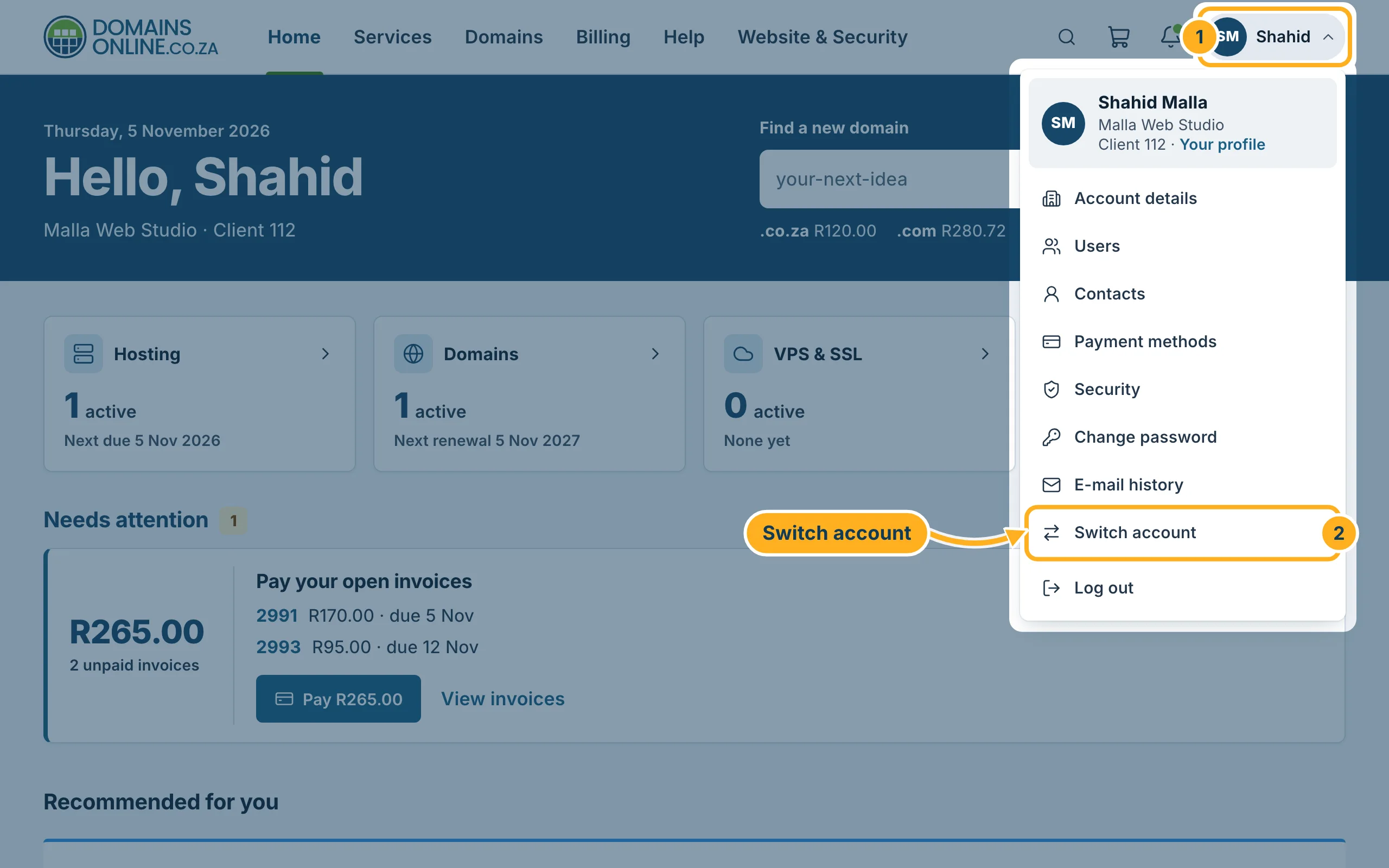
Sign in to the client area, click your initials and name at the top right and choose Switch account.
-
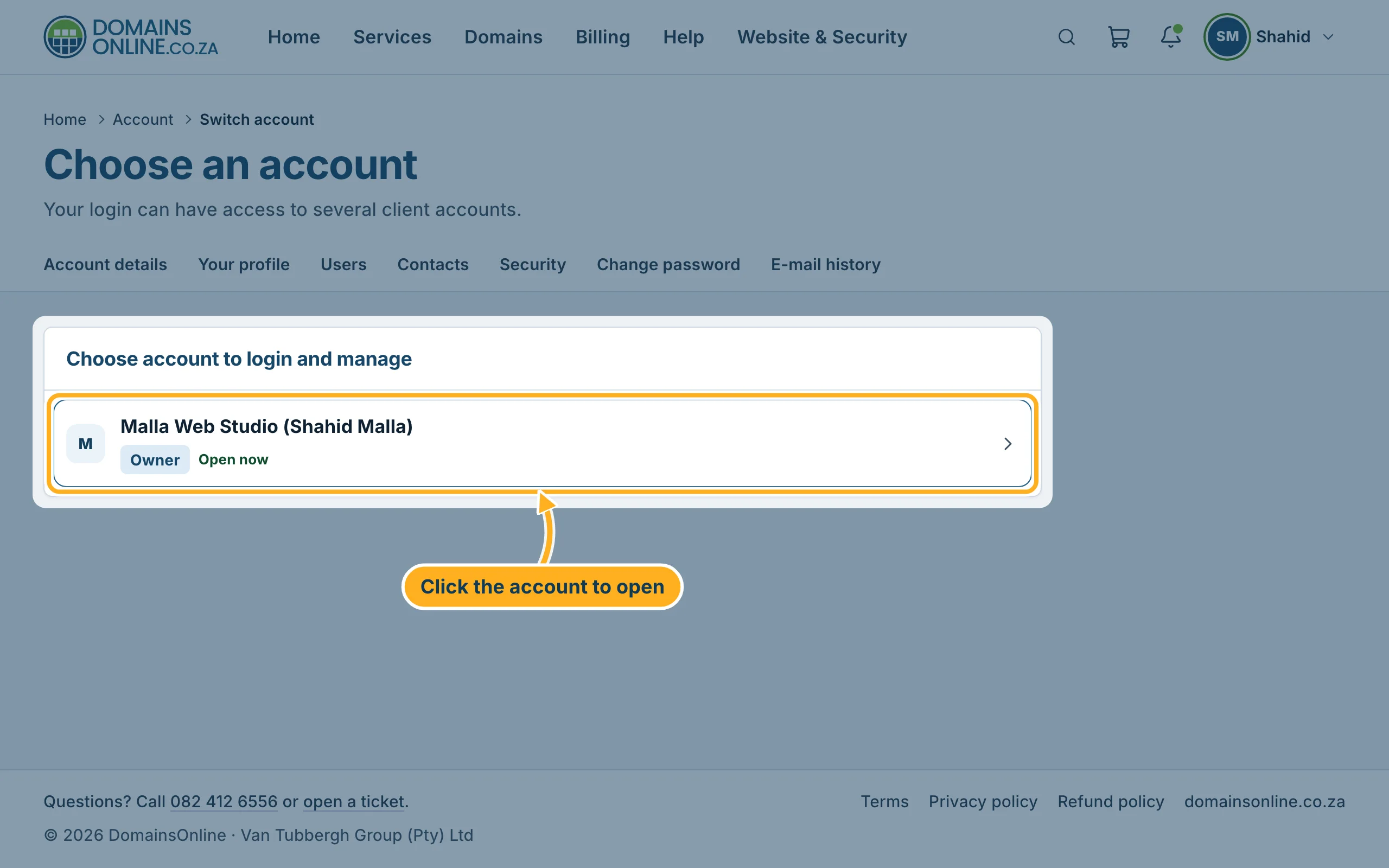
The page Choose an account lists every client account your login can open. The account that is open right now shows Open now; Owner marks the accounts that belong to you. Click the account you want to work in.
The client area then shows the services, domains, invoices and tickets of that account. What you can see and do there depends on the permissions the account owner gave you.
Good to know
- If your login has access to only one account, the list shows just that one, as in the picture.
- To give someone else access to your account, invite them – see Invite other users and choose what they may do.
Related articles
- Invite other users and choose what they may do
- Change the e-mail address you sign in with
- The DomainsOnline client area at a glance
Need help? Open a ticket or call us on 082 412 6556.
