

In the WordPress dashboard you write pages and posts, change the design and manage plugins. You can open it from cPanel with one click, or sign in on your site with your WordPress username and password.
Watch the video (1 min 17 s, with narration) – or follow the steps below.
One click from cPanel
-
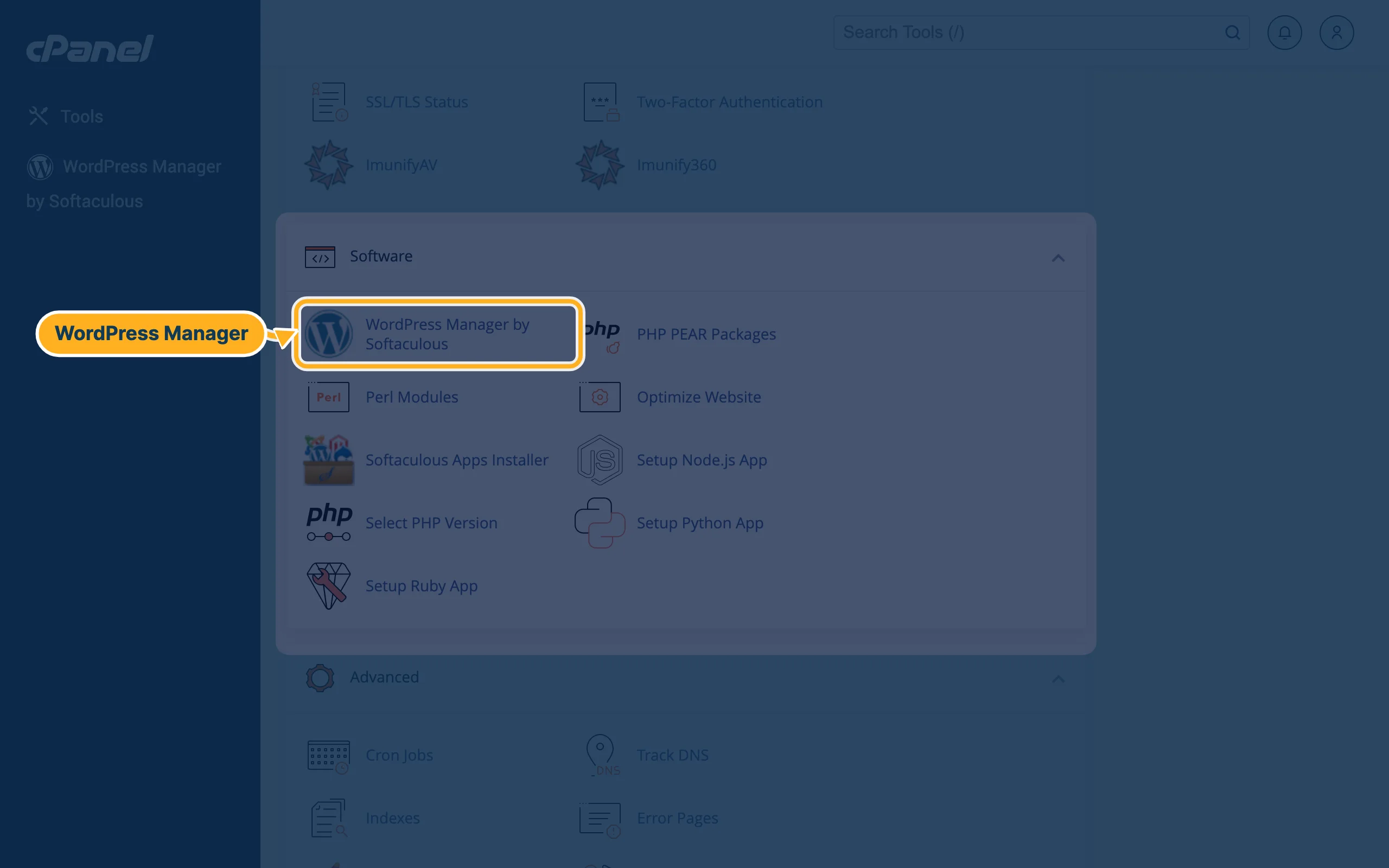
Open cPanel (see Log in to cPanel from the client area). In the section Software, click WordPress Manager by Softaculous. You also find it in the menu on the left of cPanel.
-
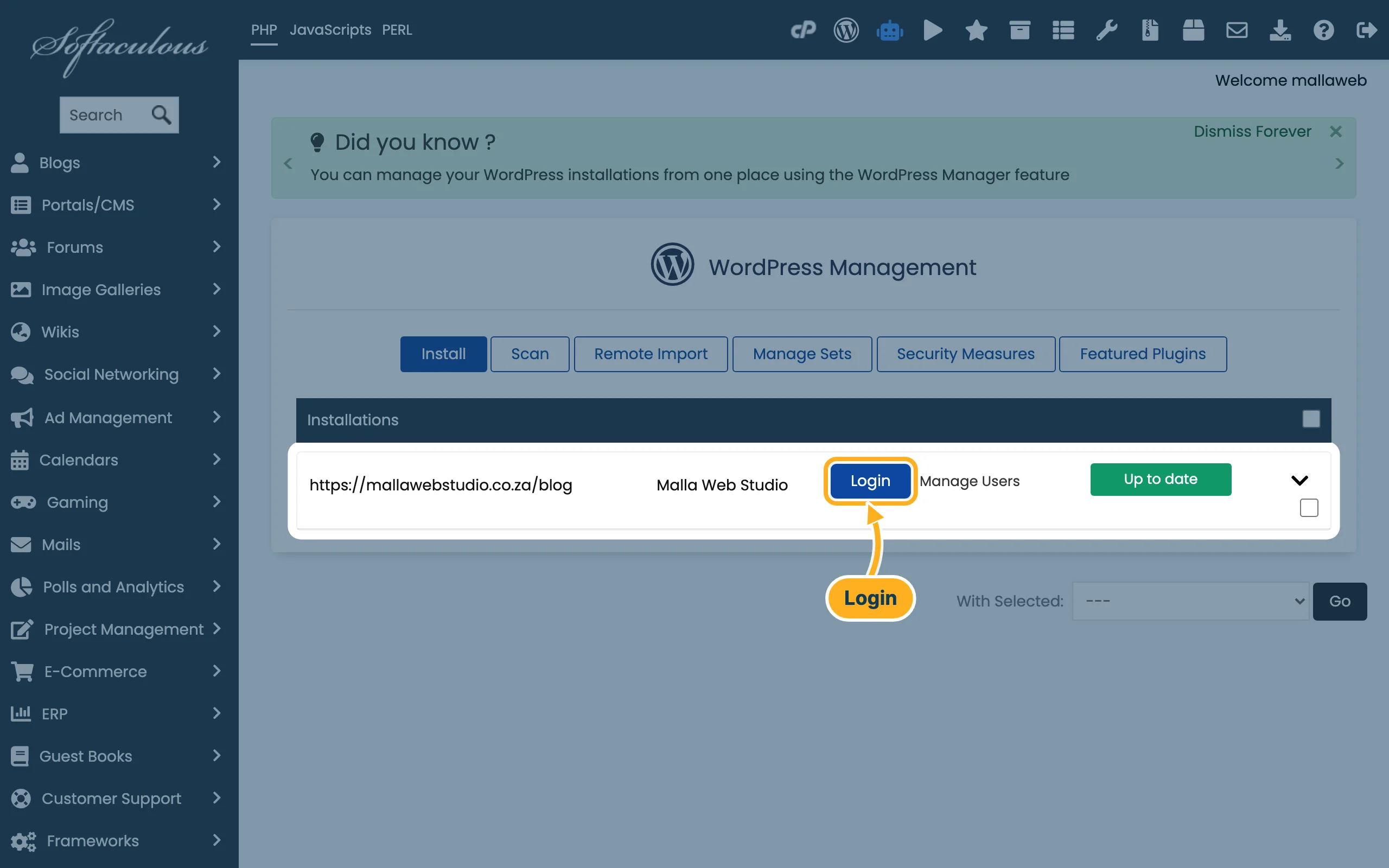
WordPress Management lists your WordPress sites. Click Login next to the site. You don't need the WordPress password for this.
-
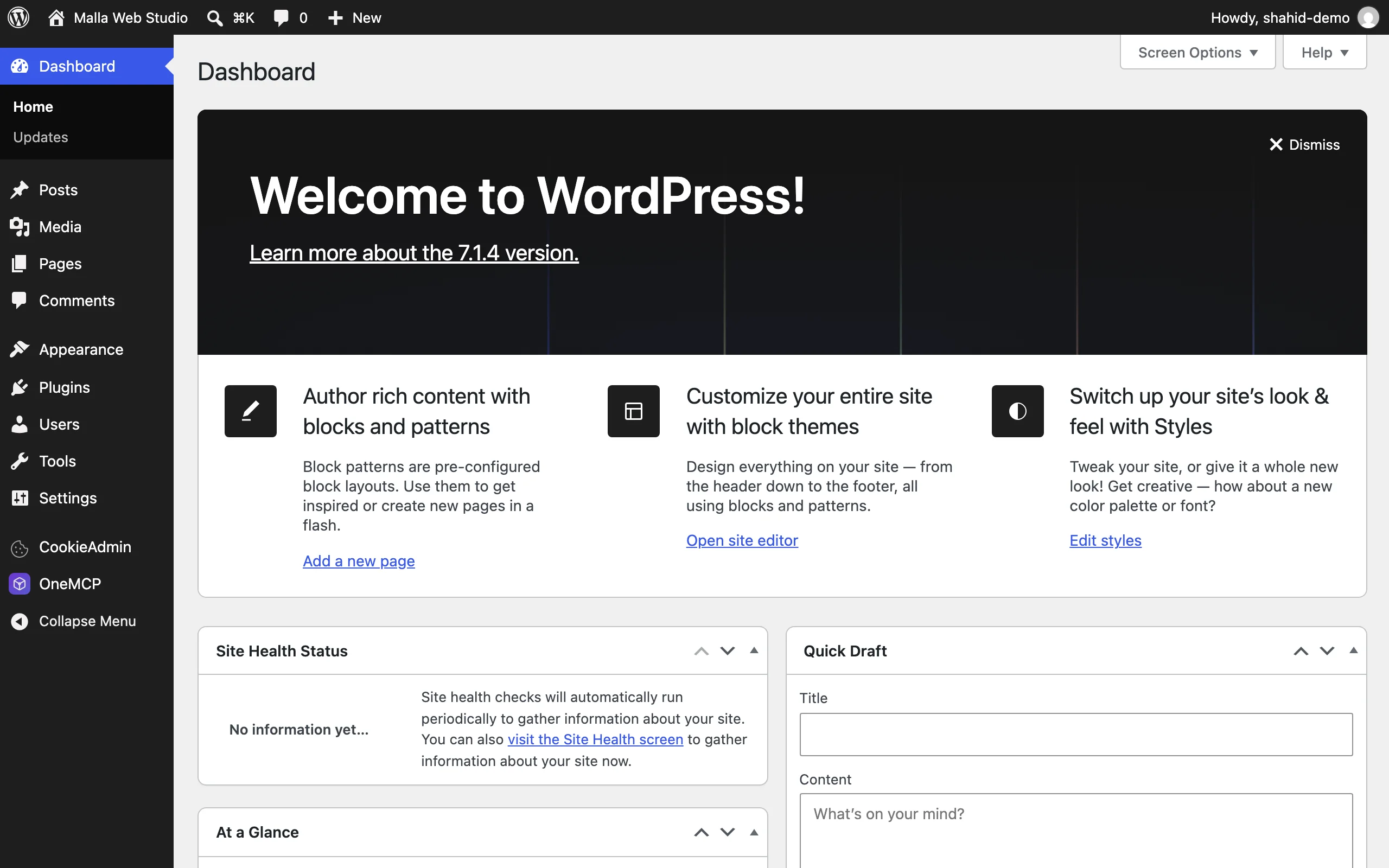
The WordPress dashboard opens, signed in with the admin user of your site:
Sign in on your site
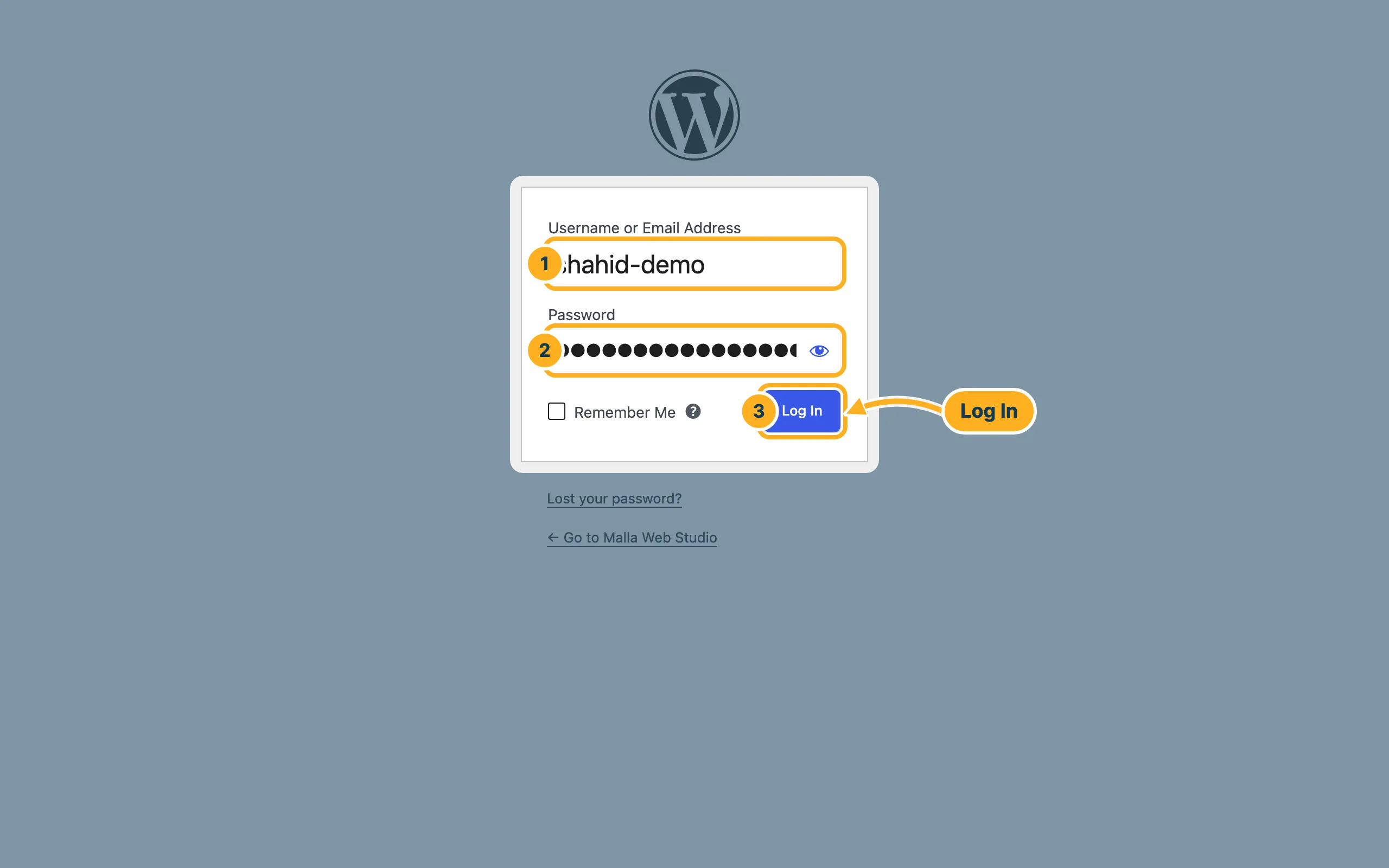
Add /wp-admin/ to the address of your site, for example https://mallawebstudio.co.za/wp-admin/ – or https://mallawebstudio.co.za/blog/wp-admin/ if WordPress is in a folder. The login page opens:
- Username or Email Address – the admin username you chose when you installed WordPress.
- Password – your WordPress password (not your cPanel or client area password).
- Click Log In.
Something not working?
- You forgot the WordPress password: click Lost your password? on the login page to get a reset link by e-mail, or set a new password in Softaculous: Reset your WordPress admin password.
- Your site isn't listed in WordPress Management: WordPress was not installed with Softaculous. Click Scan on that page to look for existing installations, or sign in on your site as described above.
- The login page doesn't open at all: see WordPress is slow or shows an error – first aid.
Related articles
- Install WordPress with Softaculous
- Reset your WordPress admin password
- Update WordPress, themes and plugins
Need help? Open a ticket or call us on 082 412 6556.
