

With webmail you read and write your e-mail in the browser, on any computer, without setting anything up. You need the full e-mail address and the password of the mailbox.
Watch the video (1 min 34 s, with narration) – or follow the steps below.
Open webmail
-
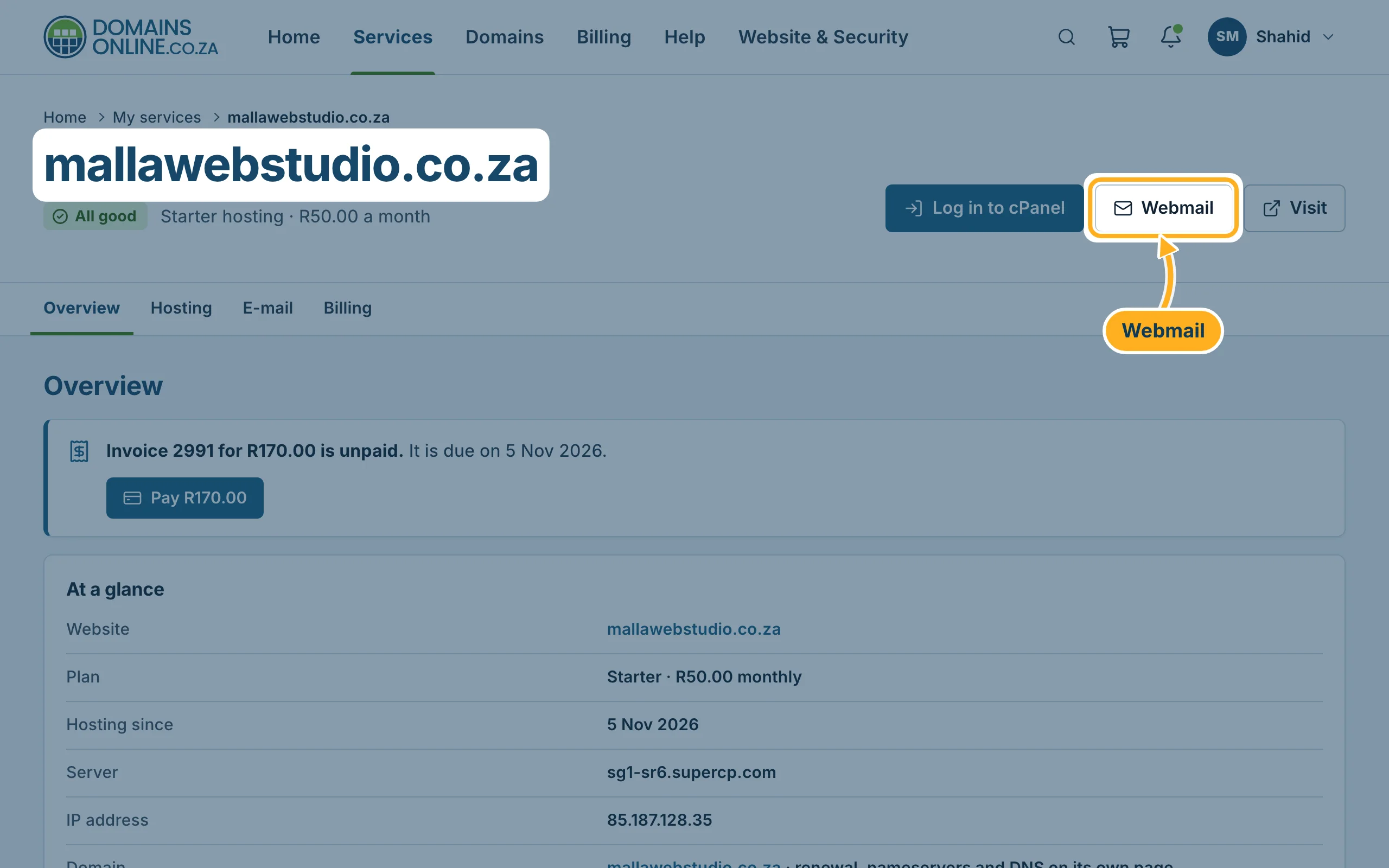
Sign in to the client area, open Services and click your hosting. At the top of the service page, click Webmail. Webmail opens in a new tab. (You can also open the webmail address above directly.)
-
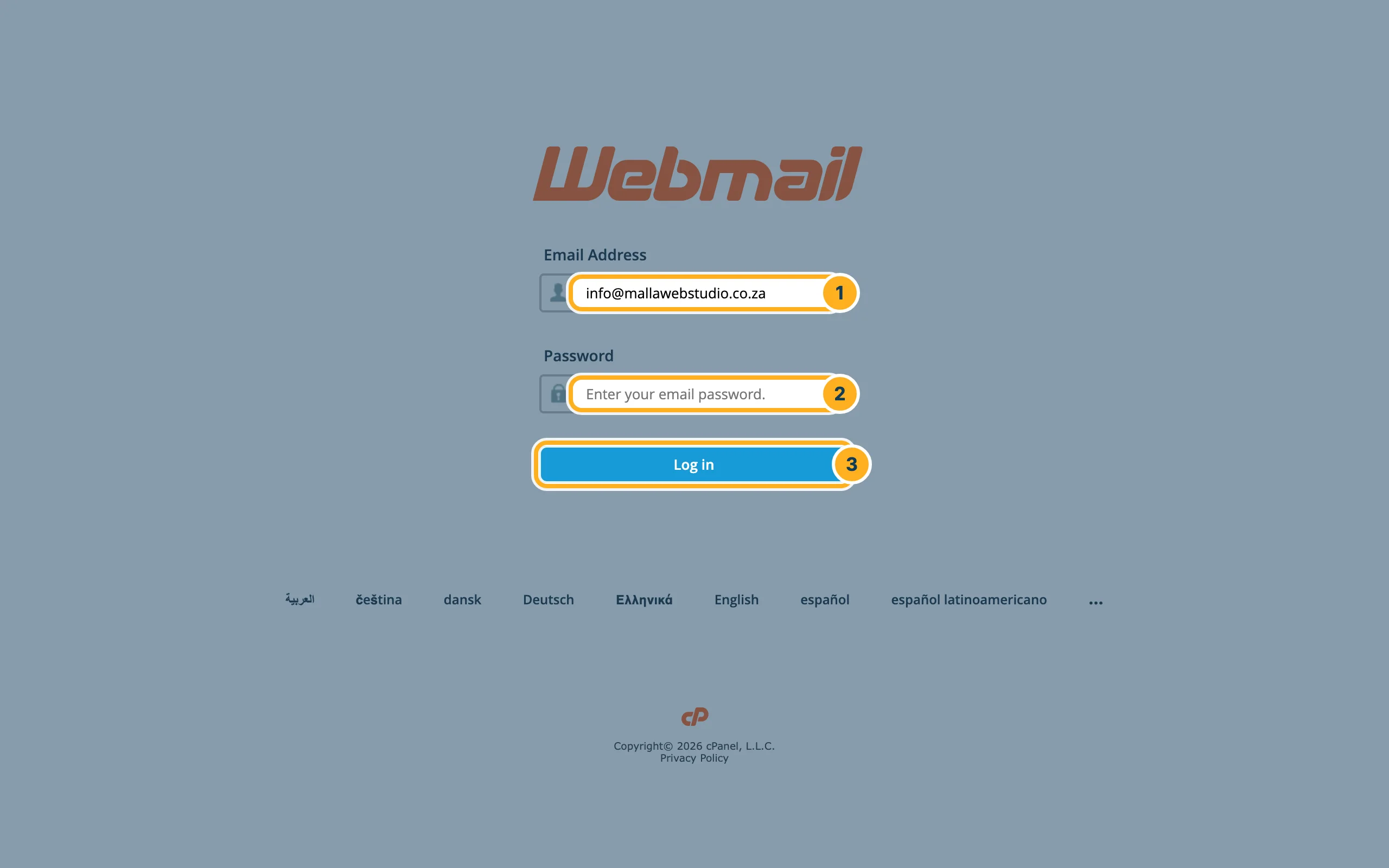
On the webmail sign-in page, enter:
- Email Address – the full address, for example info@mallawebstudio.co.za.
- Password – the password of this mailbox (not your client area password).
- Click Log in.
-
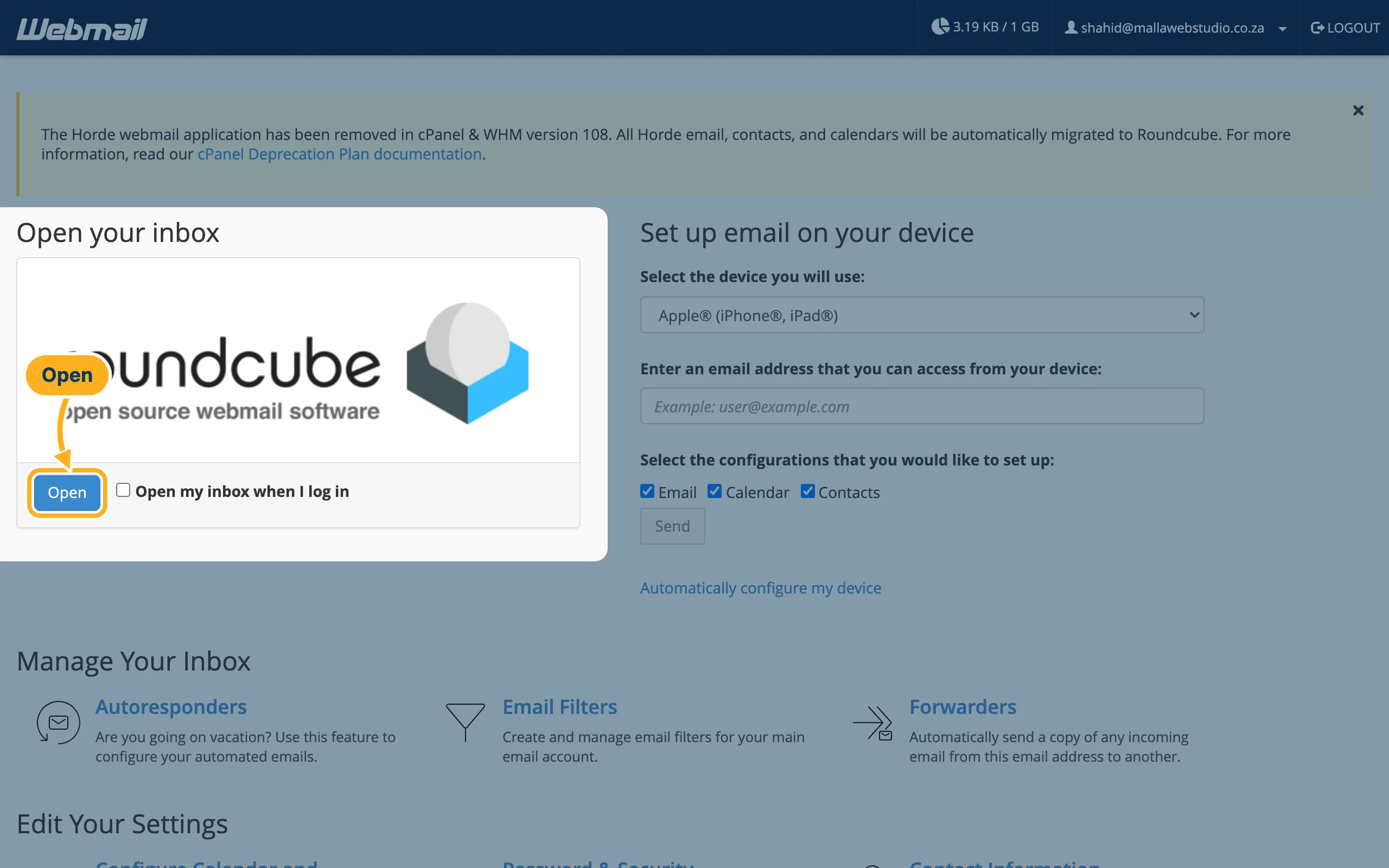
The webmail start page opens. Under Open your inbox, click Open. Tick Open my inbox when I log in if you want to skip this page next time.
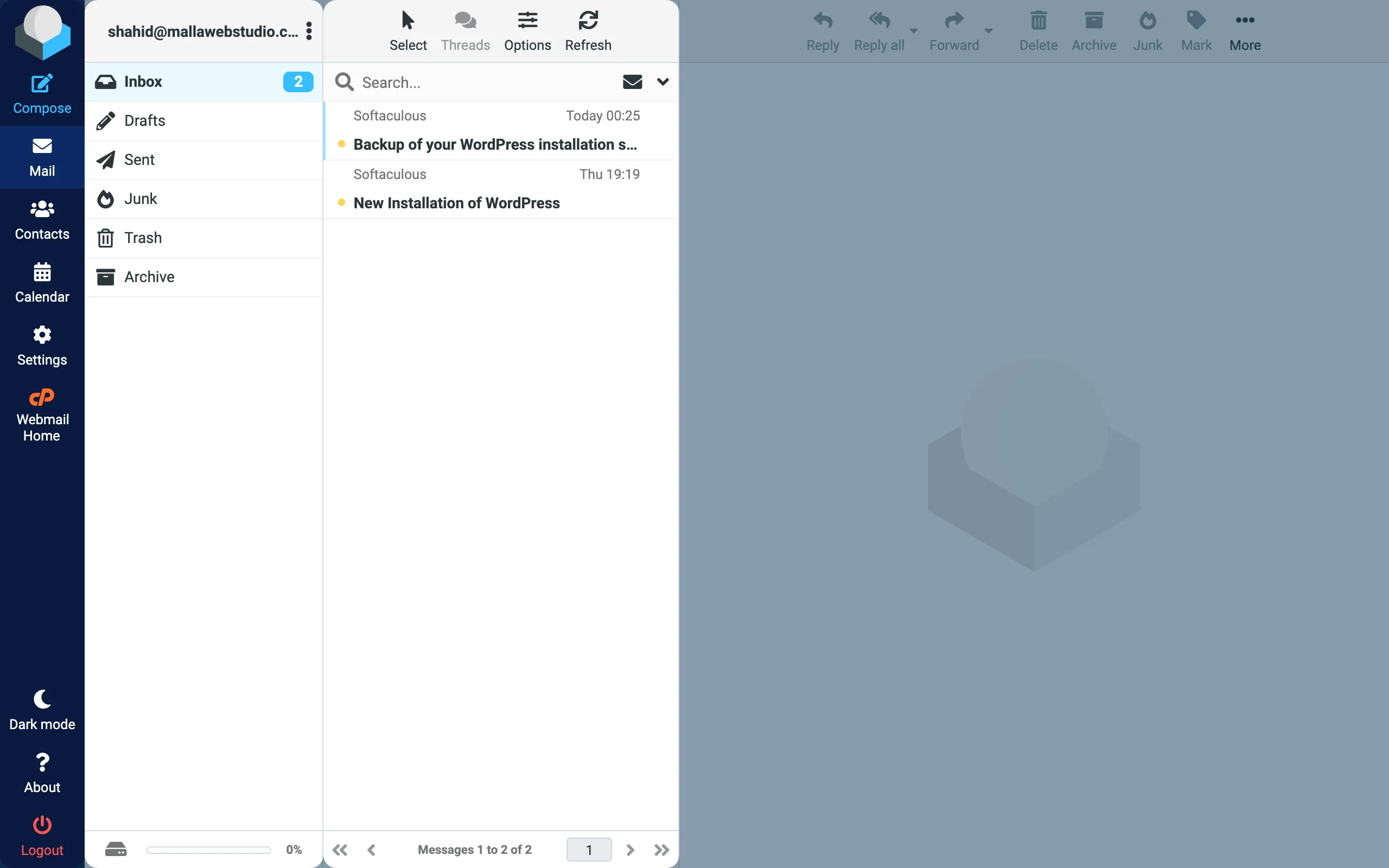
Your inbox in Roundcube
Webmail uses Roundcube. The screen has three parts:
- Menu on the left: Compose to write a new e-mail, Mail, Contacts, Calendar and Settings. Webmail Home takes you back to the start page, Logout signs you out.
- Folders: Inbox, Drafts, Sent, Junk (spam), Trash and Archive. The bar at the bottom shows how full the mailbox is.
- Message list: click a message to read it on the right. Above it you find Reply, Forward, Delete and more.
When you're done, click Logout at the bottom left – always on a computer that other people use too.
Open webmail from cPanel
If you manage the mailboxes in cPanel, go to Email Accounts and click Check Email next to a mailbox. Webmail opens for that mailbox. See Create an e-mail account.
More settings on the start page
The webmail start page also has Autoresponders, Forwarders, Email Filters, Spam Filters and Password & Security for this mailbox. See Out-of-office reply (autoresponder) and Change a mailbox password.
Something not working?
- The sign-in fails: check that you typed the full e-mail address and the mailbox password. If you're not sure, set a new password in cPanel – see Change a mailbox password.
- An e-mail you expected isn't in the inbox: look in Junk – see Spam filters.
- The mailbox is full: see Mailbox size and storage.
Related articles
Need help? Open a ticket or call us on 082 412 6556.
