

All tickets you opened while signed in are in the client area under Help. There you read our answers, reply and close a ticket when your question is solved.

Watch the video (1 min 28 s, with narration) – or follow the steps below.
See your tickets
-
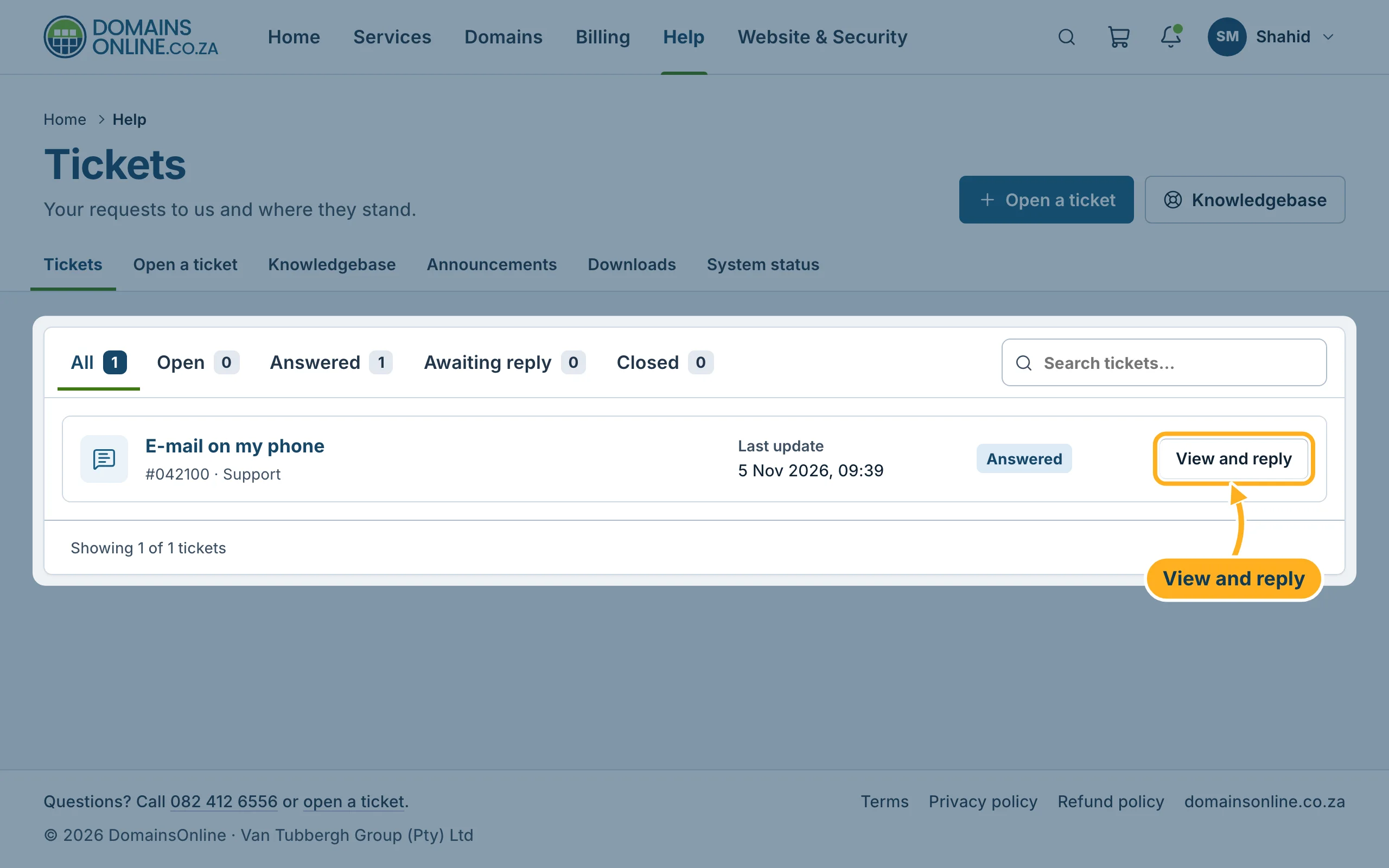
Sign in to the client area and click Help in the top menu. The tab Tickets lists your tickets with their number, department, last update and status. The tabs All, Open, Answered, Awaiting reply and Closed filter the list, and Search tickets… finds a ticket.
Click View and reply next to a ticket to open it.
-
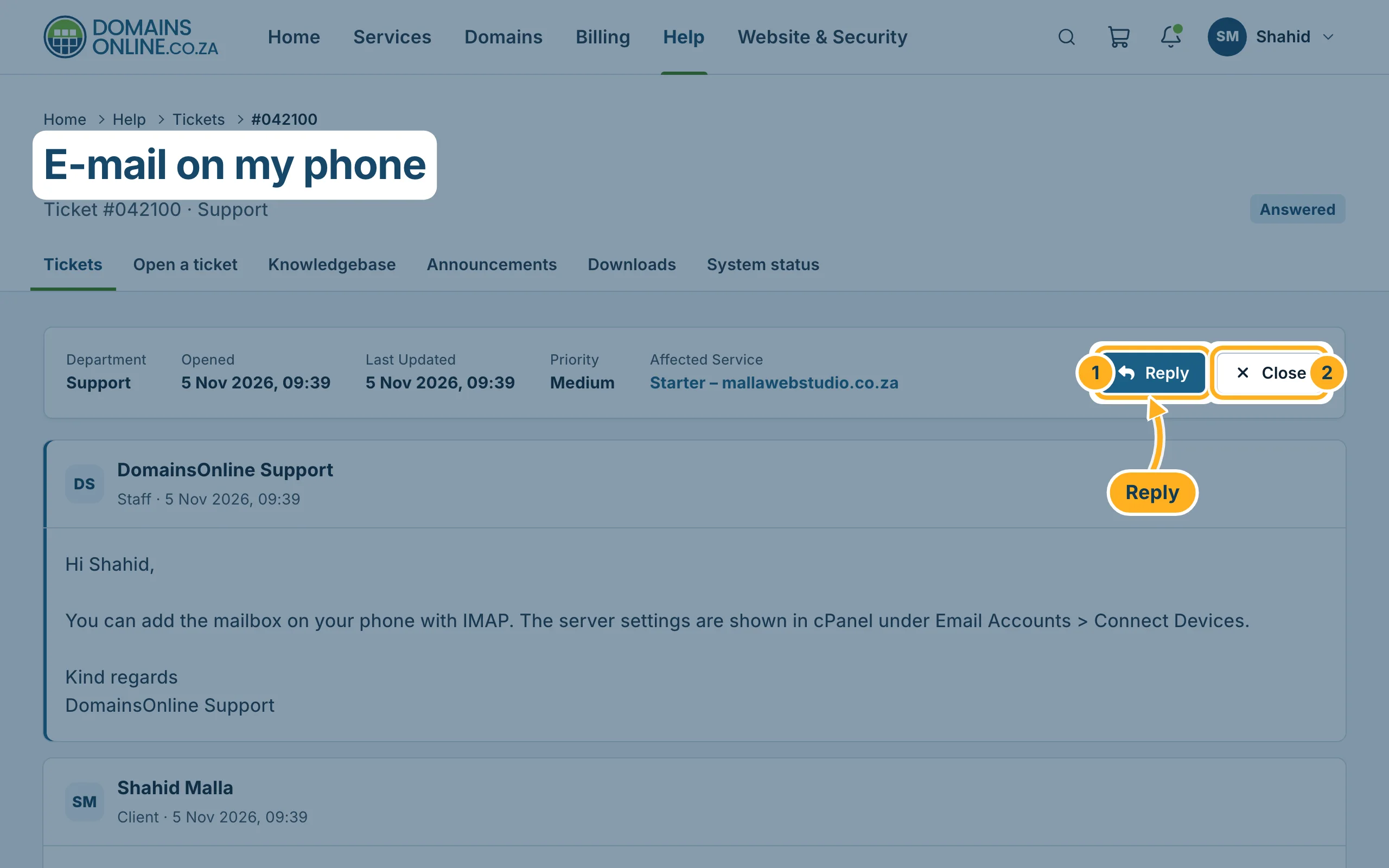
At the top of the ticket you see the department, when it was opened and last updated, the priority, the affected service and the status, for example Answered. Below are the messages, the newest at the top. Our answers are marked Staff.
- Reply takes you to the reply box at the bottom of the page.
- Close closes the ticket.
Reply to a ticket
-
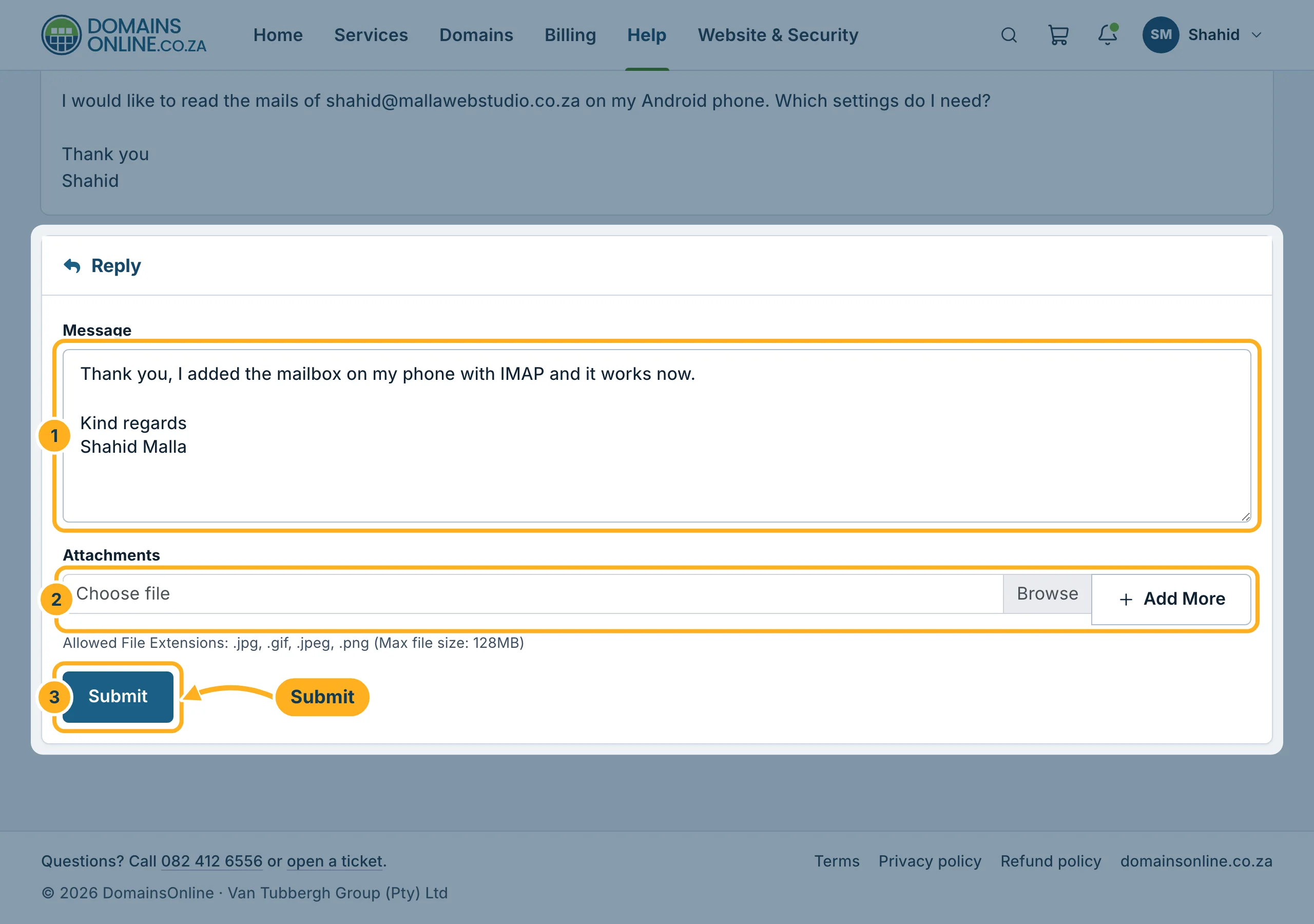
Under Reply at the bottom of the ticket:
- Type your answer into Message.
- If you want, add a screenshot under Attachments (.jpg, .gif, .jpeg or .png).
- Click Submit.
Please reply in the same ticket instead of opening a new one about the same problem – then we have the whole history in one place.
Close a ticket
When your question is solved, click Close at the top of the ticket. Only close it when you don't need anything else on that topic. Closed tickets stay in your list under the tab Closed.
Something not working?
- A ticket is missing from the list: click the tab All. If you have more than one client account, check that you are in the right one – see Switch between client accounts.
- A file is not accepted: only pictures can be attached (.jpg, .jpeg, .gif, .png).
Related articles
Prefer to talk? Call us on 082 412 6556.
