

The page My services lists your hosting and other services with their status, price and next due date. From there you open each service or go straight to cPanel.
Watch the video (1 min 7 s, with narration) – or follow the steps below.
Open your services
-
Sign in to the client area and click Services in the top menu. The page My services opens:
- The filter buttons All, Active, Pending and Cancelled. The number next to each shows how many services you have with that status. Use Search services… on the right to find a service by its domain or plan name.
- The status of the service – see the table below.
- What you pay and when the next invoice is due, for example R50.00 a month and Next due 5 Nov 2026.
- Manage opens the page of the service. cPanel next to it opens cPanel in a new tab without a password.
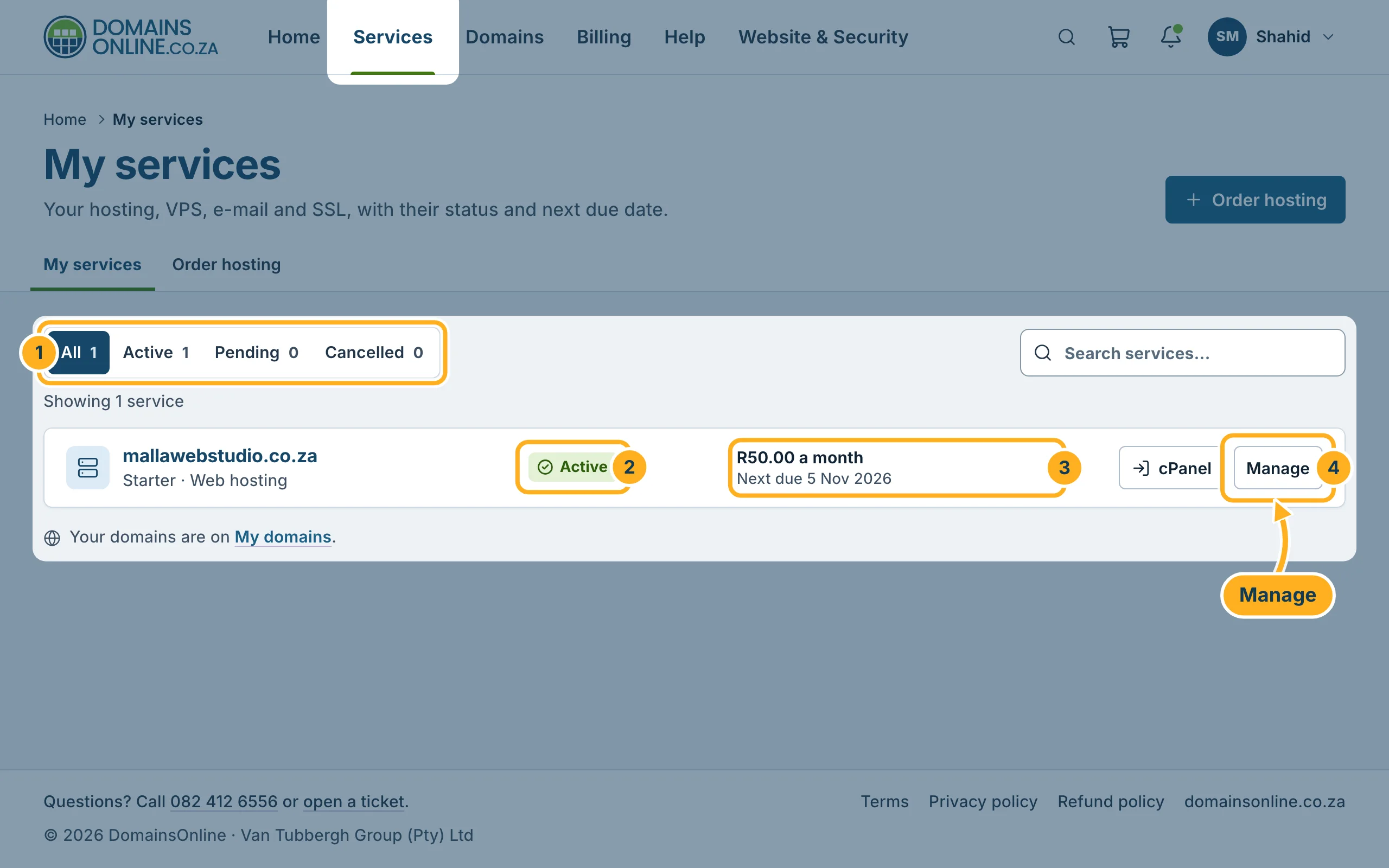
Each row shows the domain of the service in bold and, below it, the plan, for example Starter · Web hosting. Your domains themselves are not on this page – they are under Domains (link My domains below the list).
What the status means
| Status | Meaning |
|---|---|
| Active | The service is set up and running. You can use cPanel, e-mail and your website. |
| Pending | You have ordered the service, but it is not set up yet. See After your order: what happens next. |
| Cancelled | The service has been cancelled and is no longer running. |
On your phone
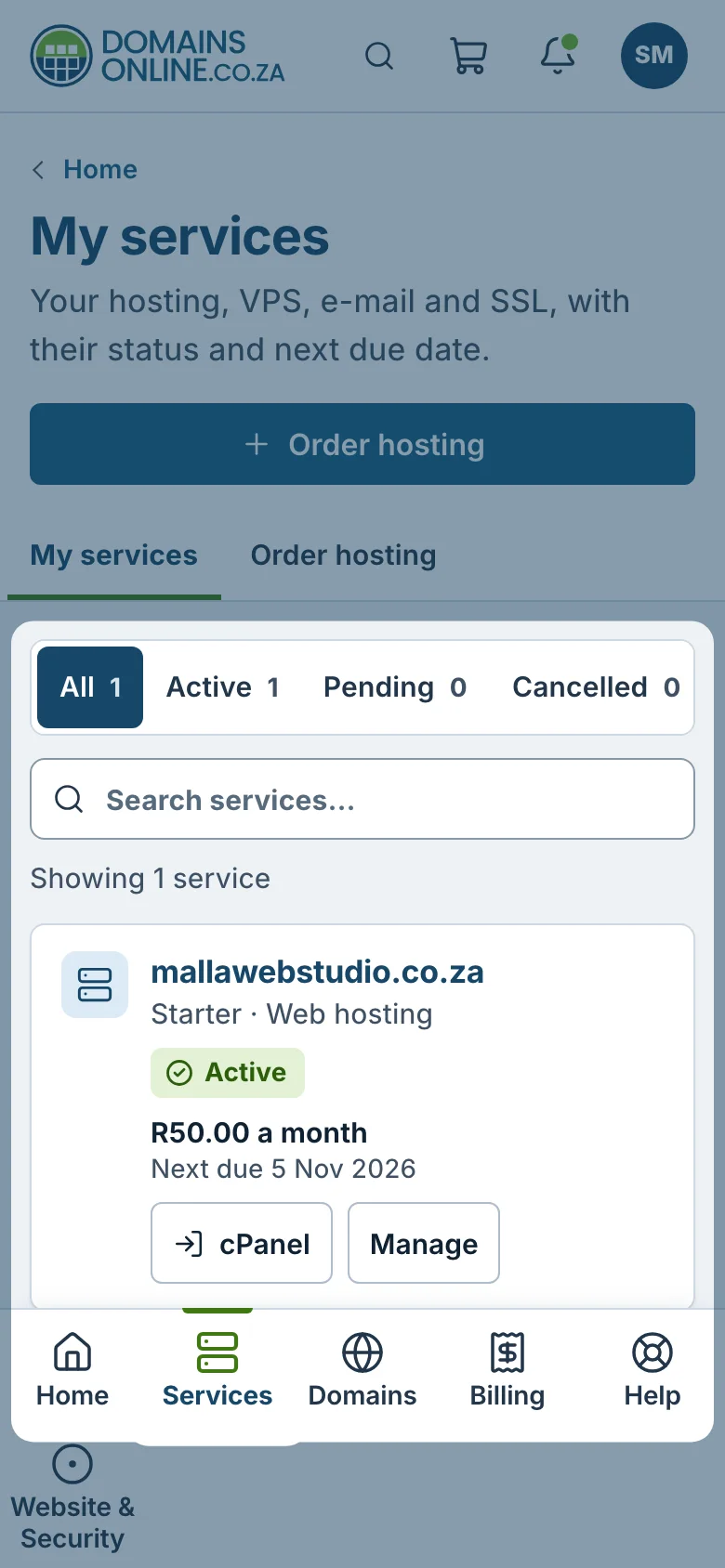
On a phone the menu moves to the bar at the bottom of the screen. Tap Services there. The list shows the same information, one service below the other.
Also on the home page
The client area home page shows your services too: the tile Hosting at the top counts your active hosting services and shows the next due date, and the box Hosting & services lists them with the same cPanel and Manage buttons. Click All services to get to the full list.
Something not working?
- A service you ordered is missing: click All – a filter may be switched on. If the service still isn't there, check that you are signed in to the right client account (see Switch between client accounts).
- Your service stays on Pending: look under Billing for an unpaid invoice of your order and pay it – see Pay an invoice with PayFast. If the invoice is paid and the service is still pending, open a ticket.
Related articles
- Your hosting service page (plan, due date, cPanel login)
- Log in to cPanel from the client area
- How billing works: invoice date, due date, renewals
- Request a cancellation
Need help? Open a ticket or call us on 082 412 6556.
