

cPanel is where you manage your website files, e-mail accounts and databases. From the client area you open it with one click, without typing a password.
Watch the video (1 min 20 s, with narration) – or follow the steps below.
From the client area (recommended)
-
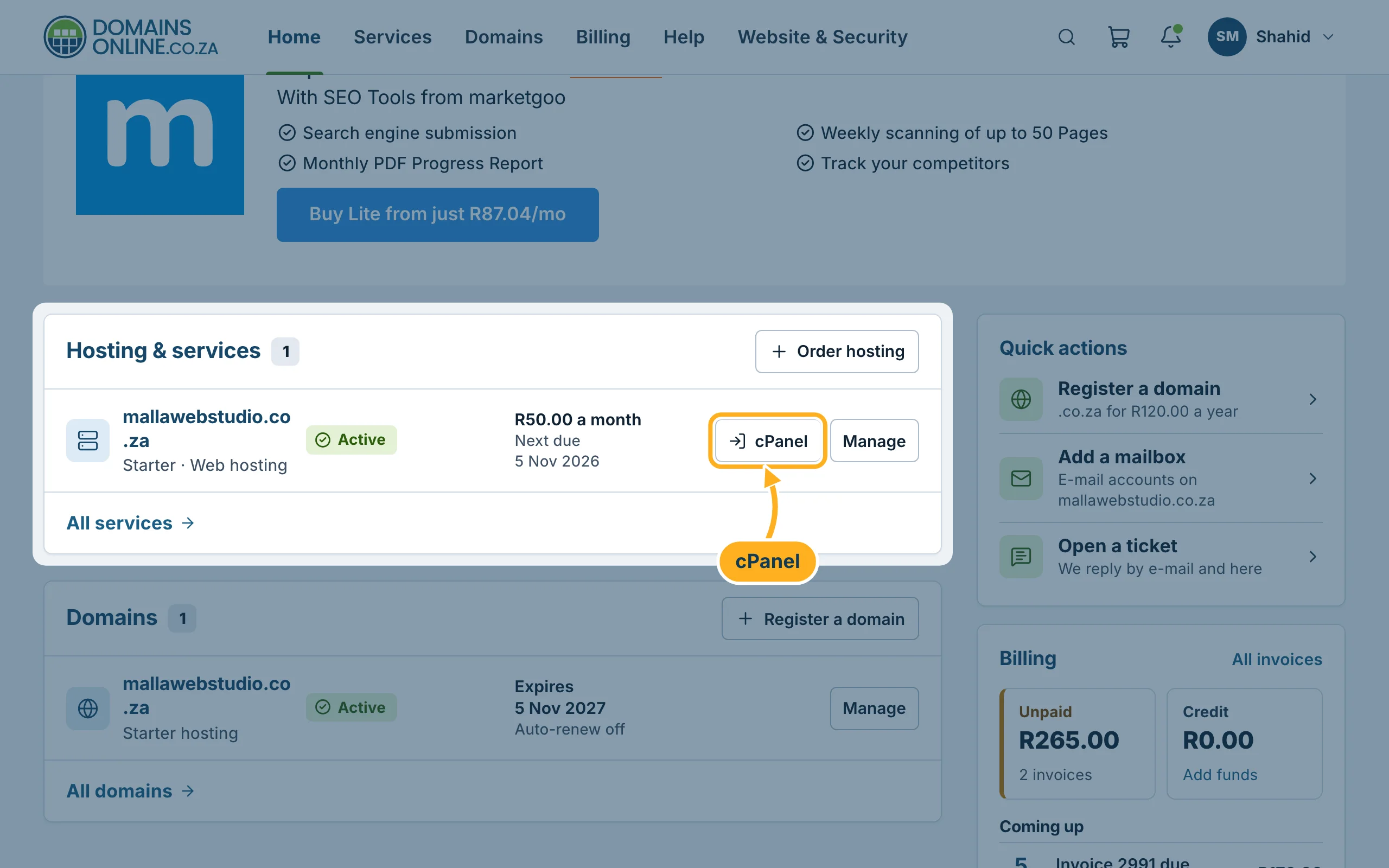
Sign in to the client area. On the home page, in the box Hosting & services, click cPanel next to your website. The same button is on the page My services.
-
Or open the page of your service (Manage) and click Log in to cPanel at the top right.
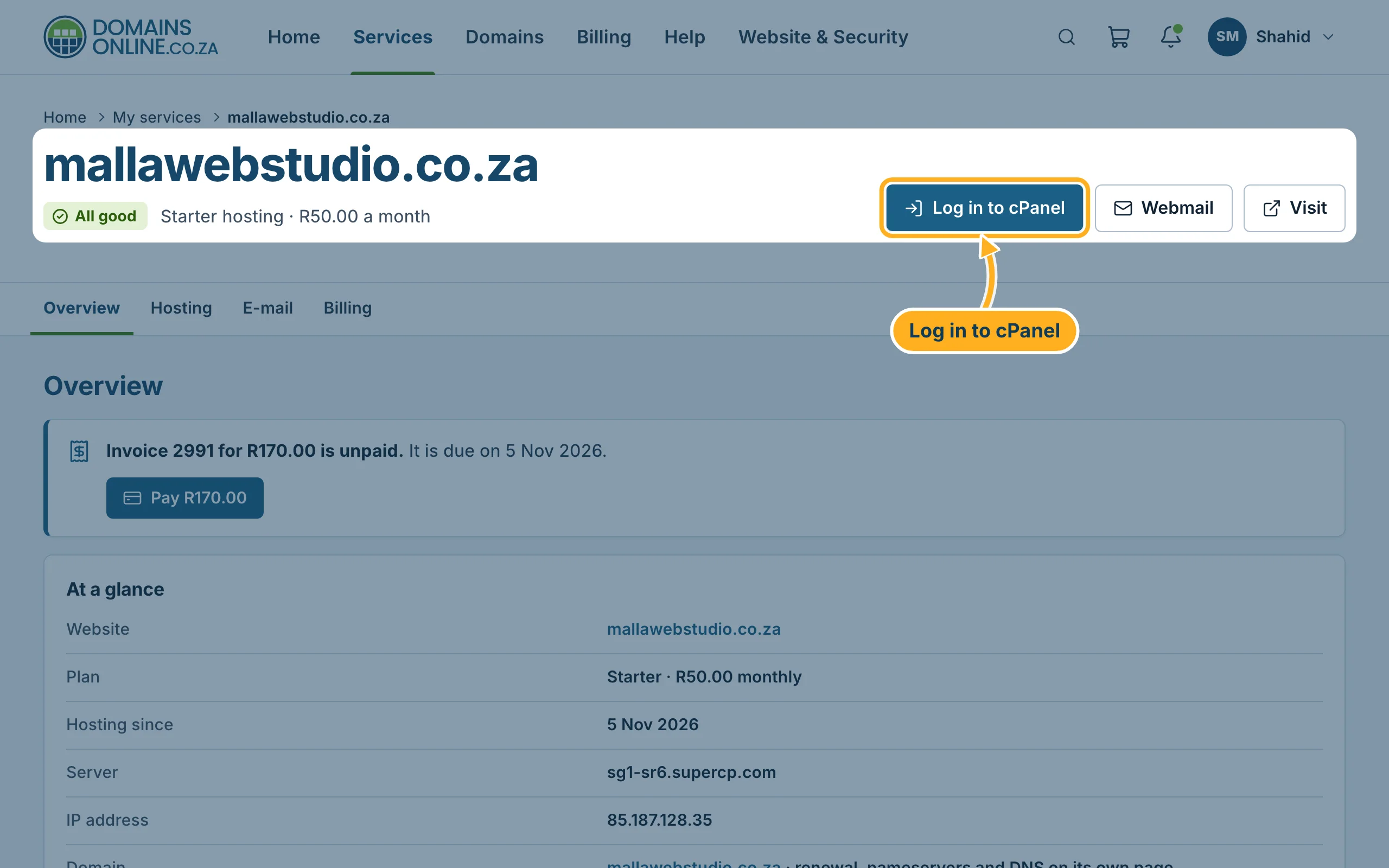
cPanel opens in a new tab, already signed in. On the service page, under Hosting > Open in cPanel, you can also open a single tool directly, for example File Manager or E-mail accounts – see Your hosting service page (plan, due date, cPanel login).
Sign in to cPanel directly
You can also sign in without the client area, for example in an emergency:
-
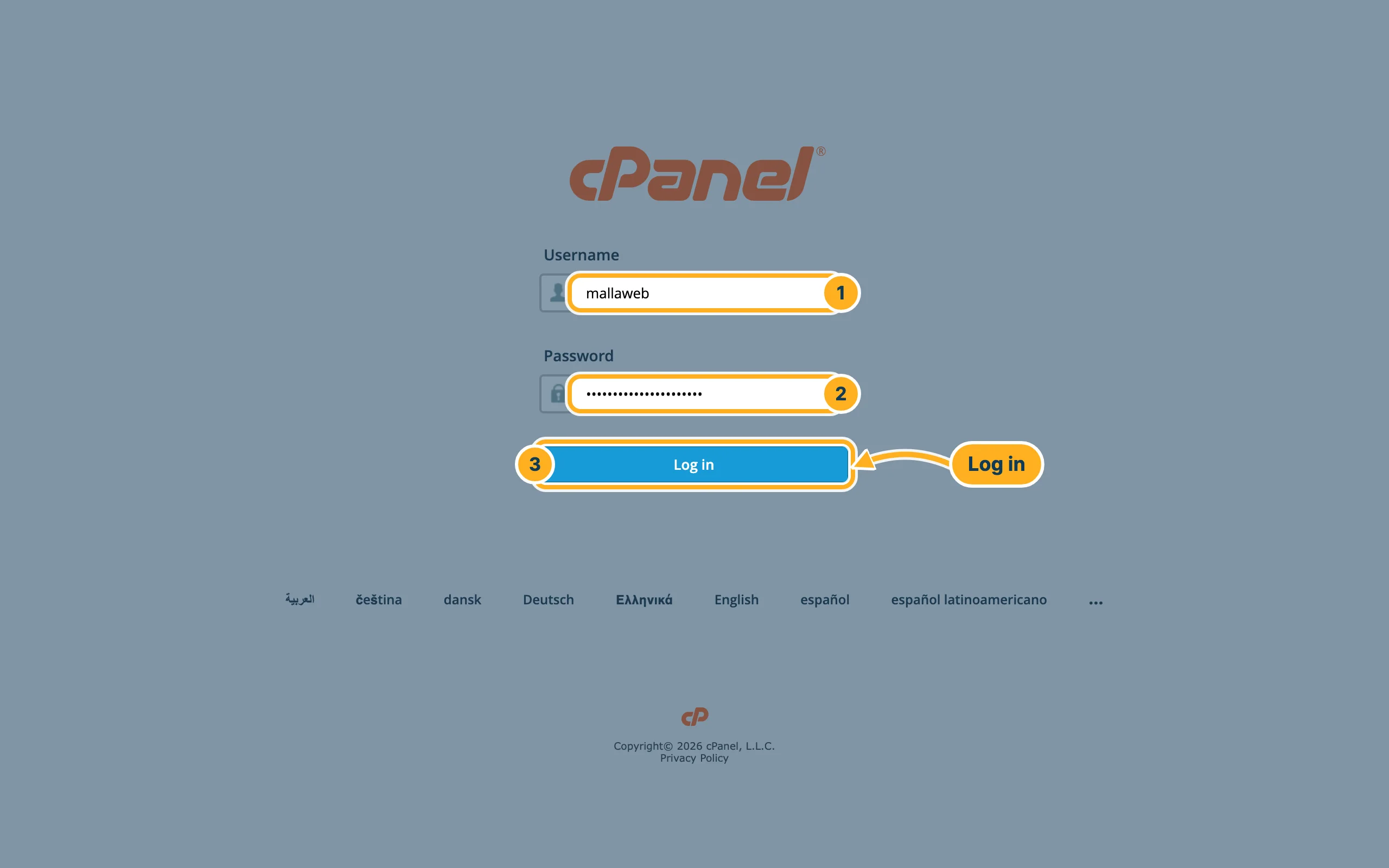
Open https://sg1-sr6.supercp.com:2083. Fill in:
- Username – your cPanel username. You find it on your service page under Login details > cPanel username.
- Password – your cPanel password.
- Click Log in.
Don't know your cPanel password? You don't need it for the buttons in the client area. To set a new one, open your service page and click Change the cPanel password under Login details. As the page says, this password is for cPanel and FTP, not for your mailboxes.
Log out of cPanel
-
In cPanel:
- Click the person symbol at the top right. A menu opens.
- Click Log Out at the bottom of the menu.
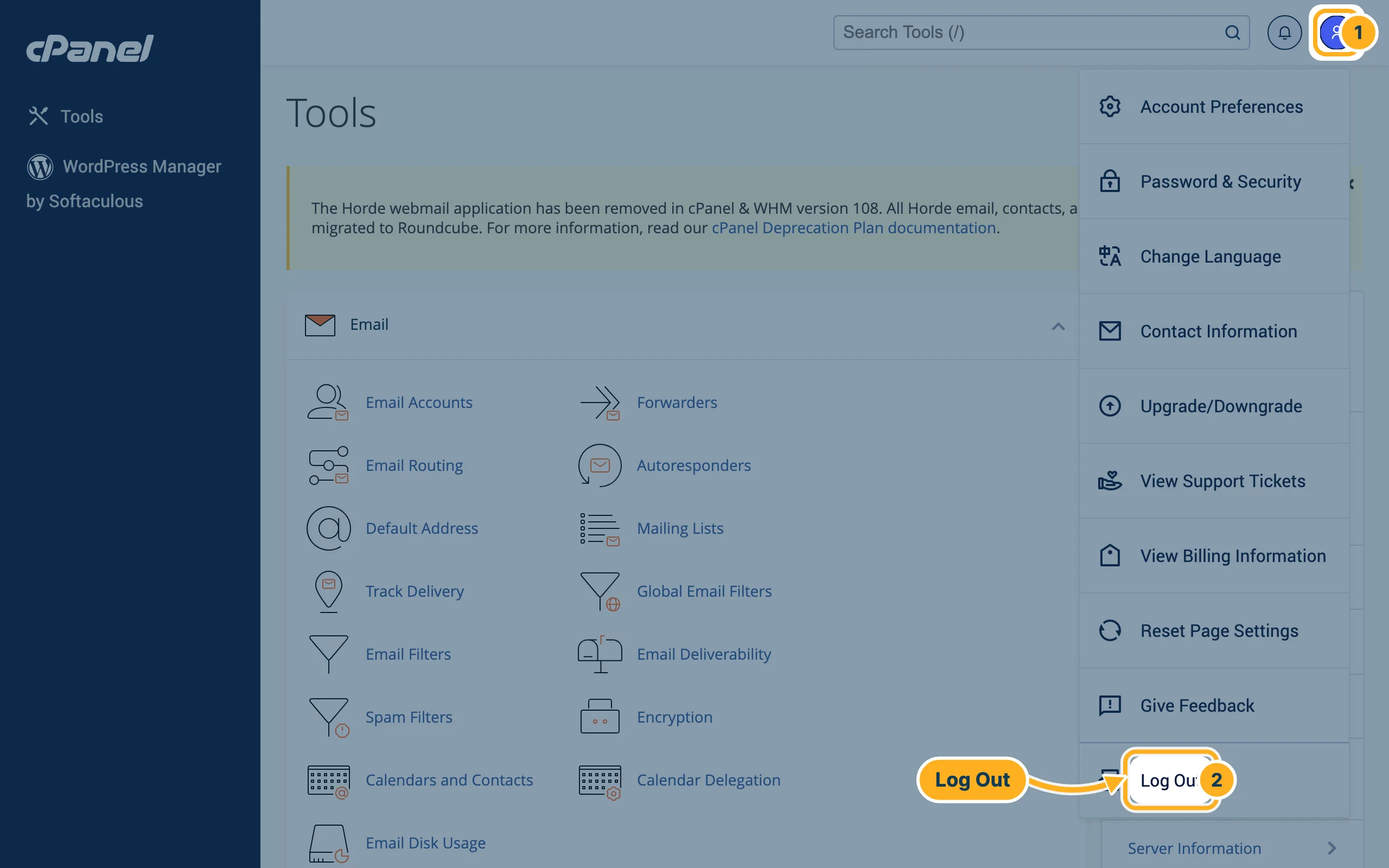
Always log out on a computer that other people use too.
Related articles
- cPanel at a glance
- Your hosting service page (plan, due date, cPanel login)
- Two-factor authentication for cPanel
- Sign in and sign out
Need help? Open a ticket or call us on 082 412 6556.
