

If you no longer need a hosting service, you can ask us to cancel it in the client area. You choose whether it ends at the end of the paid period or straight away.

Watch the video (1 min 25 s, with narration) – or follow the steps below.
Careful: when the service ends, your website, mailboxes and databases on it are deleted, and we cannot restore them. Download a backup of everything you want to keep first – see Back up and restore your site (JetBackup 5).
Step by step
-
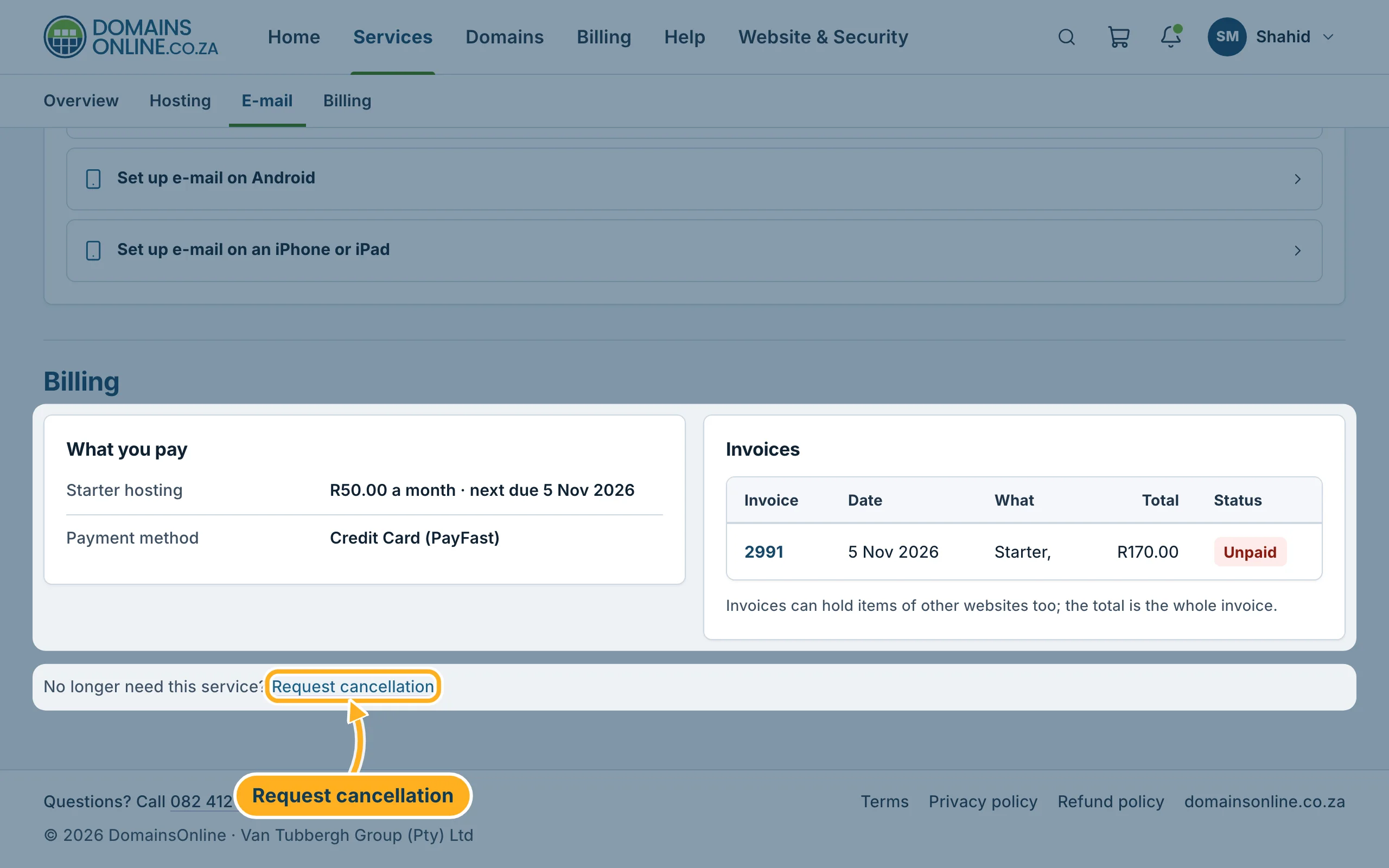
Click Services in the top menu, then Manage next to the service. At the bottom of the service page, click Request cancellation.
-
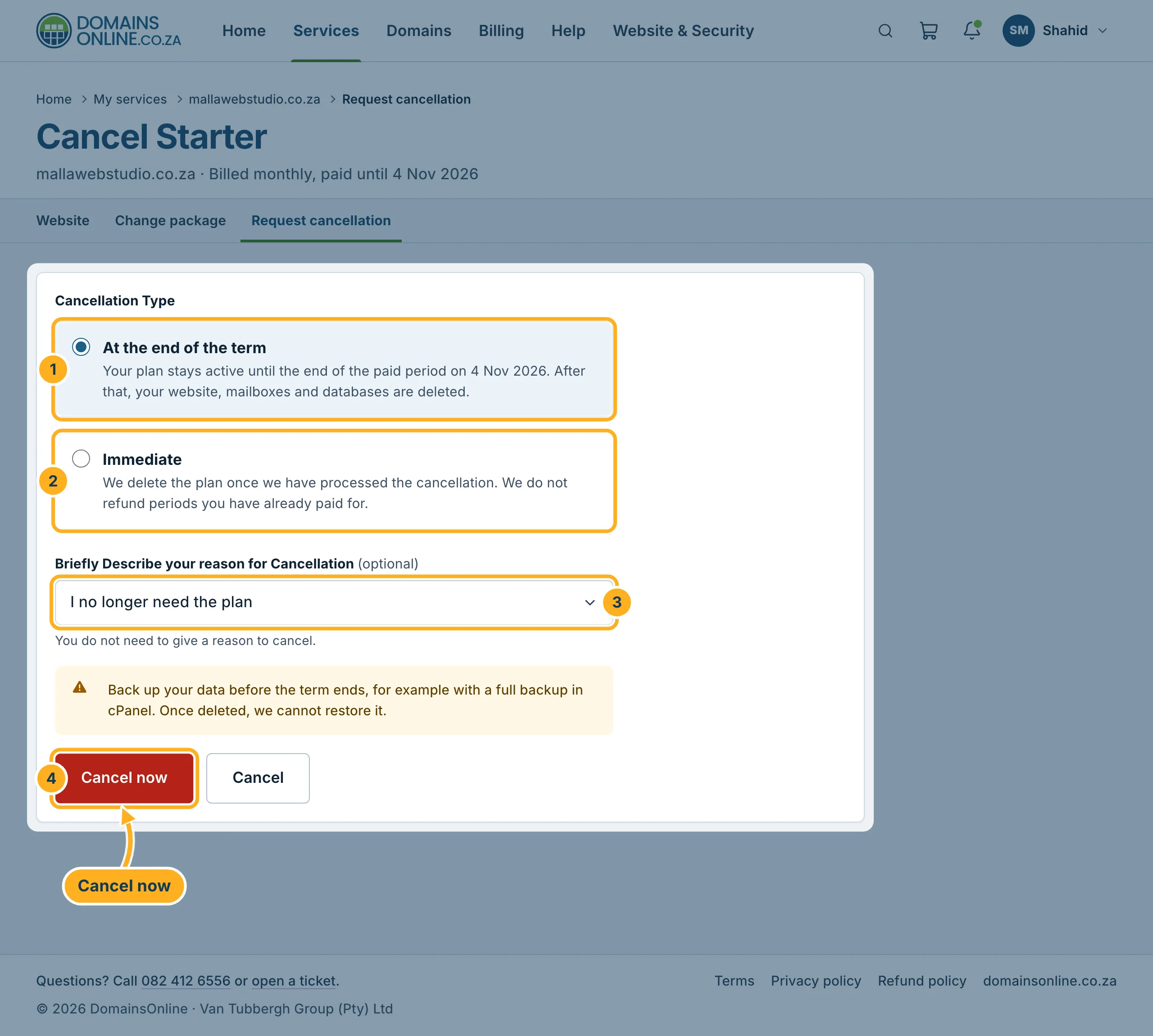
The page Cancel with the name of your plan opens. Below the title you see until when the service is paid. Fill in the form:
- At the end of the term – the plan stays active until the end of the period you have paid for. After that, the website, mailboxes and databases are deleted.
- Immediate – we delete the plan once we have processed the cancellation. Periods you have already paid for are not refunded.
- Briefly Describe your reason for Cancellation – optional. Choose a reason from the list or leave Prefer not to say.
- Click Cancel now to send the request. The button Cancel next to it only takes you back to the service page without cancelling anything.
Good to know
- Your domain has its own entry under Domains, with its own renewal. To stop a domain renewing, see Turn automatic renewal on or off.
- Our refund rules are in the refund policy. See also Refunds and cancellations.
Related articles
Need help? Open a ticket or call us on 082 412 6556.
