

You sign in to the client area with the e-mail address of your login. You change it on the page Your profile. You need your current password for this.
Watch the video (49 s, with narration) – or follow the steps below.
Step by step
-
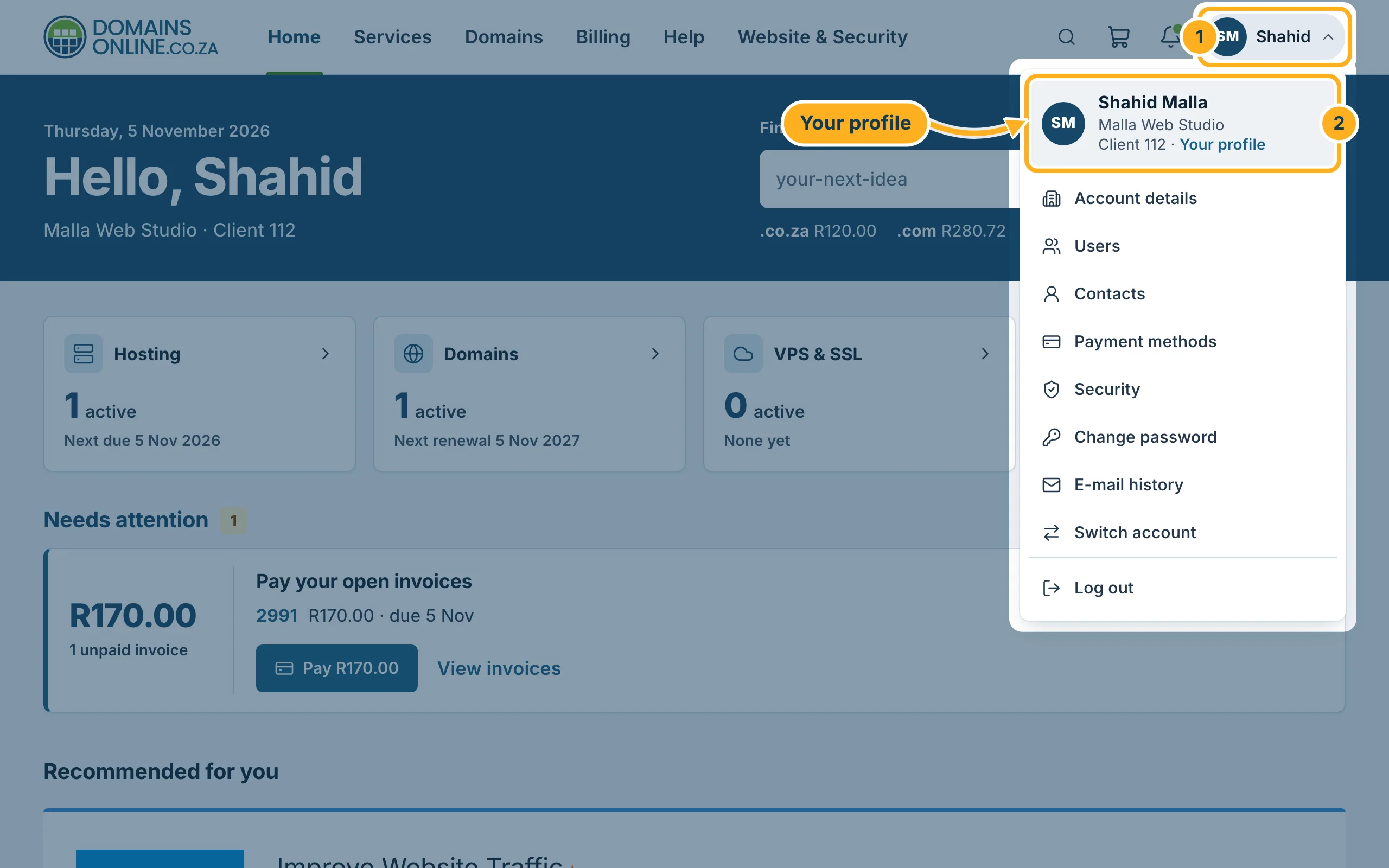
Sign in to the client area and click your initials and name at the top right. In the menu, click your name at the top (with the link Your profile).
-
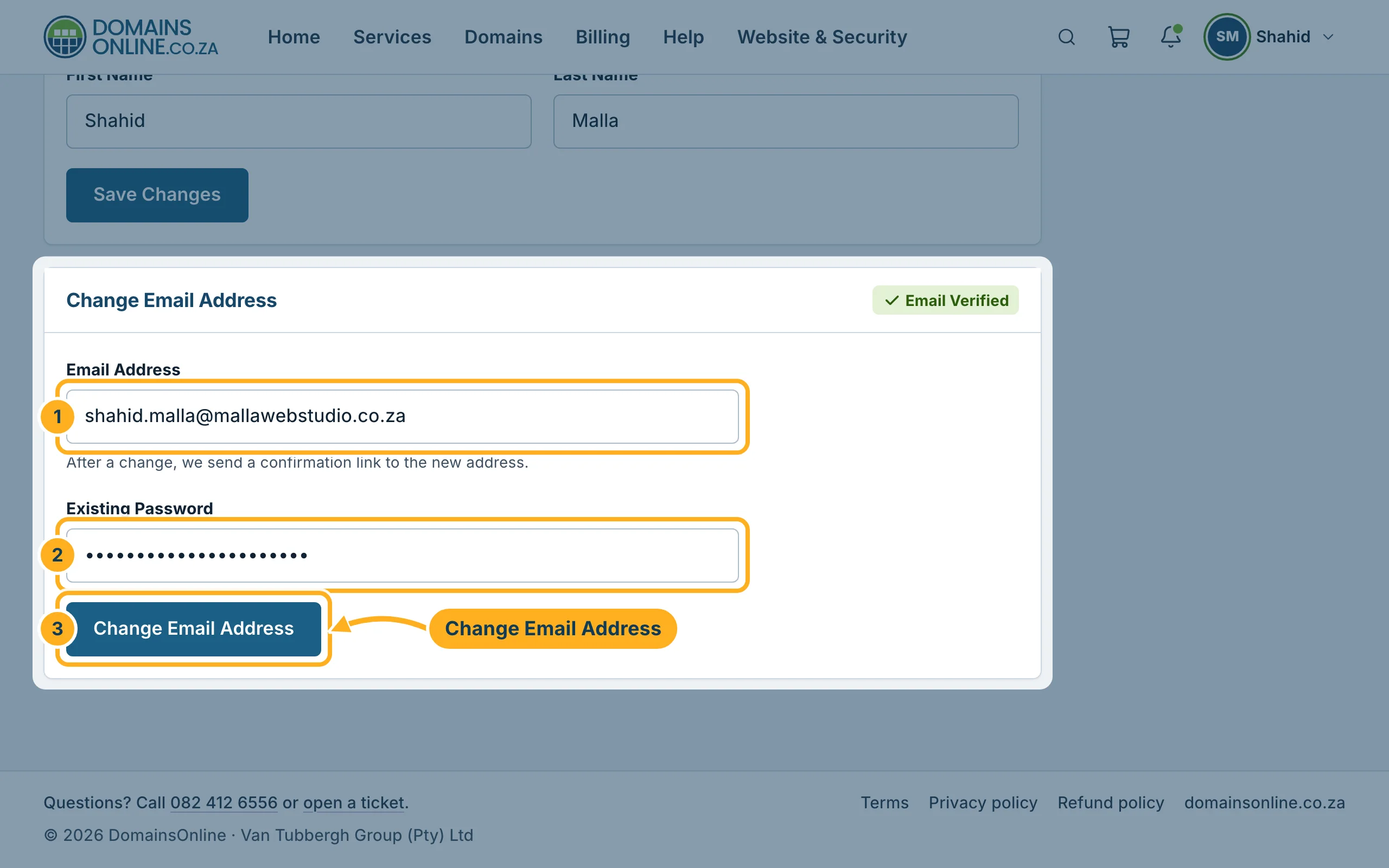
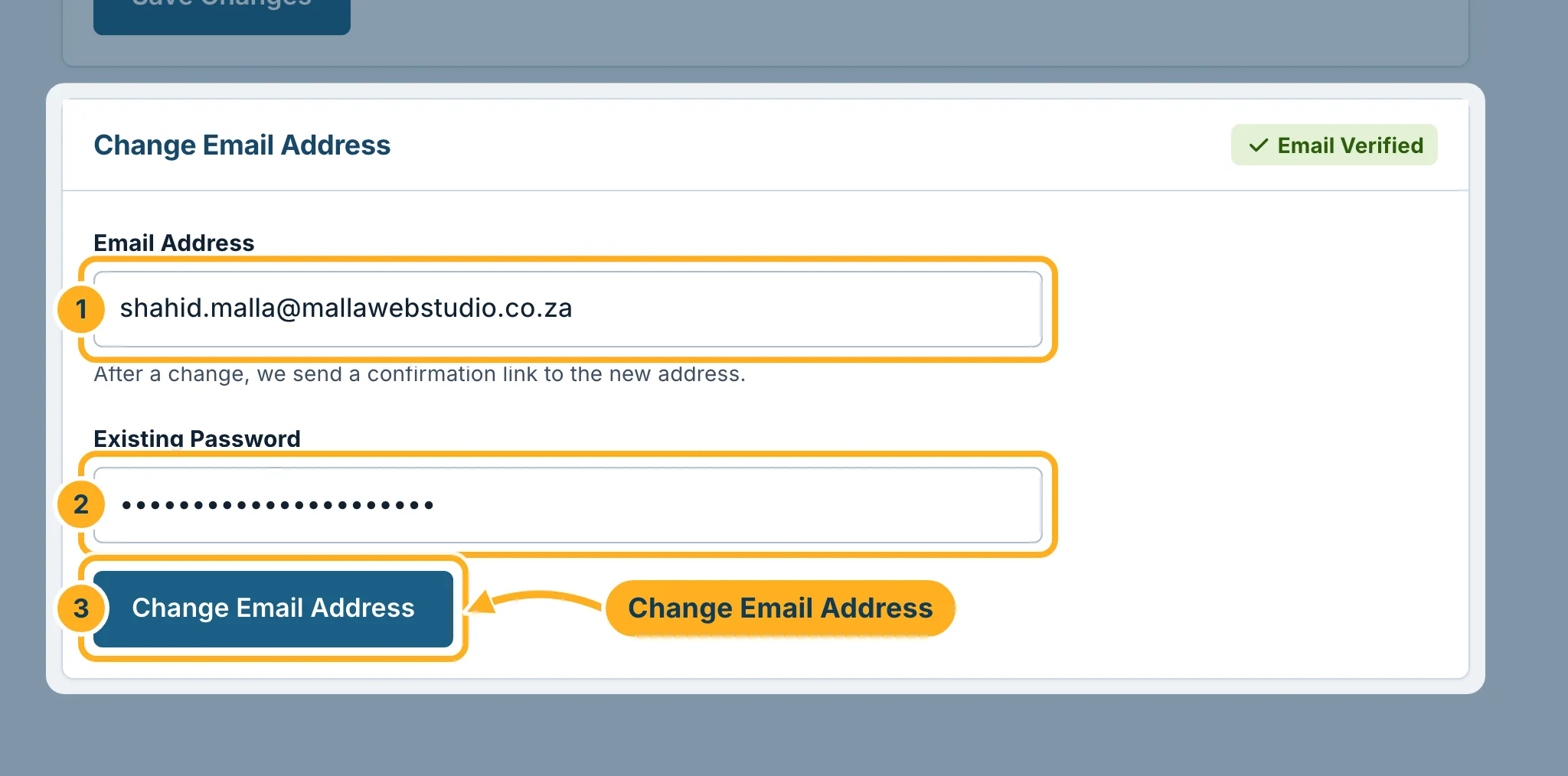
Under Change Email Address:
- Replace the address in Email Address with your new address.
- Type your current password in Existing Password.
- Click Change Email Address.
-
From now on, you sign in with the new address. We also send a confirmation link to it: open the e-mail and click the link to confirm that the address is yours.
The Personal Information section on the same page holds the first and last name of your login. Change them there and click Save Changes in that section.
Something not working?
- The change is refused: check the password in Existing Password. It is your client area password, not your cPanel or mailbox password.
- The address is already in use: another login already uses that address. Choose another address or open a ticket.
- No confirmation e-mail: look in the spam or junk folder of the new address. See Verify your e-mail address.
Related articles
Need help? Open a ticket or call us on 082 412 6556.
