

With the bulk search you check up to 20 domain names in one go and add the free ones to your cart together. Everything lands in one cart, so you pay once with PayFast.

Watch the video (1 min 6 s, with narration) – or follow the steps below.
Step by step
-
Open Bulk domain search and transfer (on our website: Domains menu → Bulk domains).
-
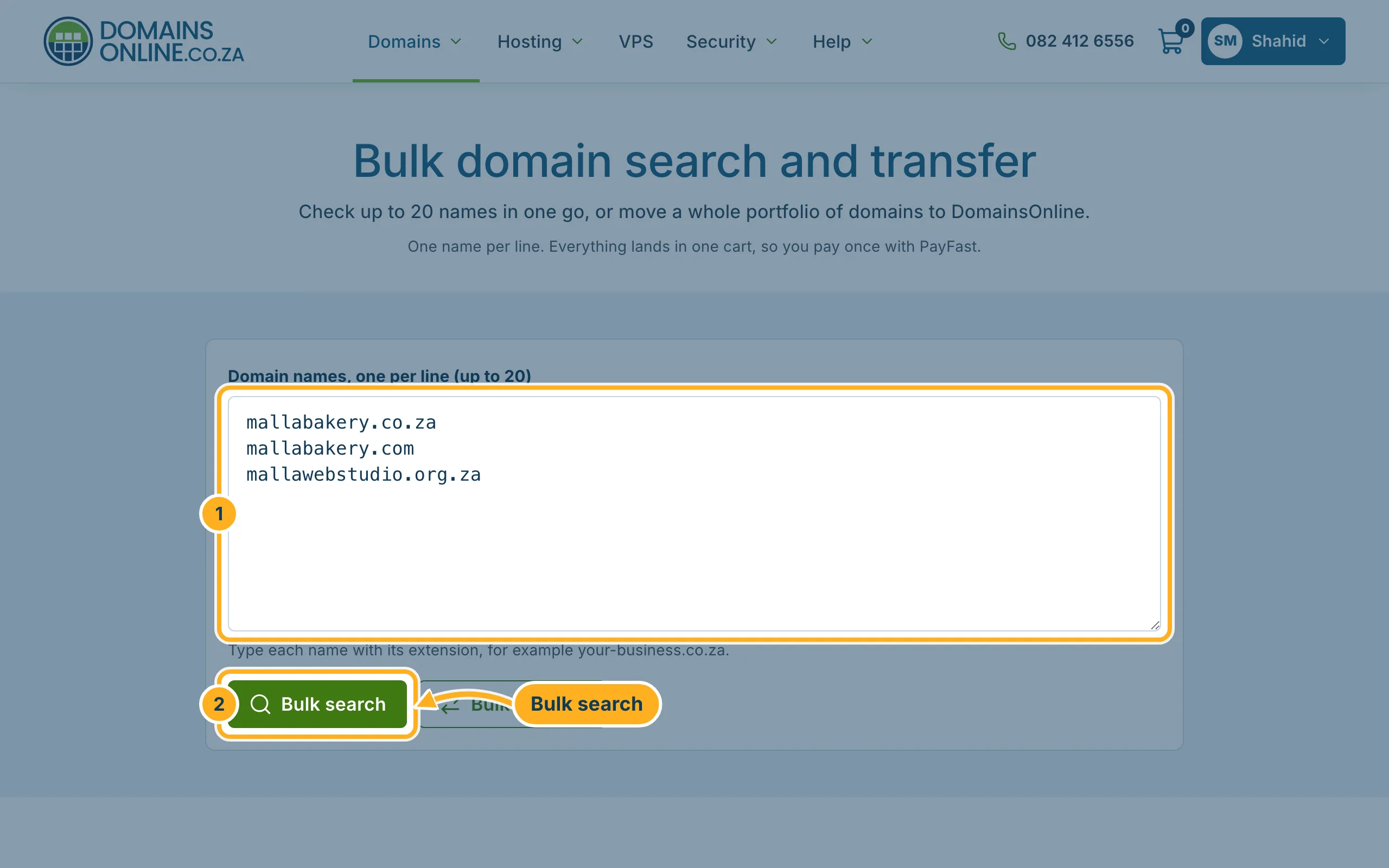
Type your names into the box:
- Domain names, one per line (up to 20) – type each name with its extension, for example your-business.co.za.
- Click Bulk search.
-
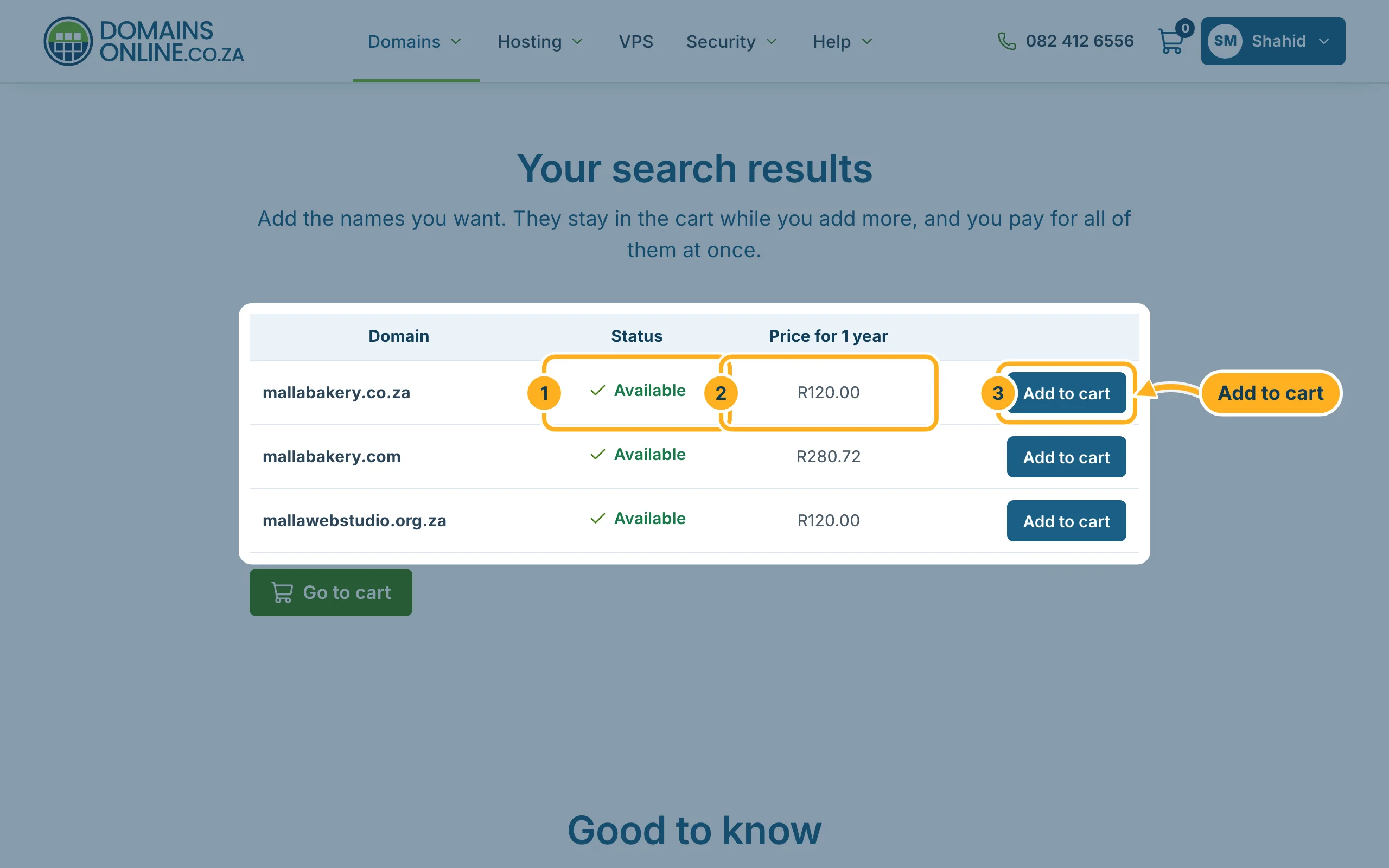
Under Your search results you see each name with:
- its Status – for example Available,
- the Price for 1 year,
- and Add to cart for the names you want. Leave the rest.
-
Click Go to cart below the list and check out. You choose the registration period of each domain in the cart. See Search for a domain and register it for the checkout.
Moving many domains to us instead?
Type the names the same way and click Bulk transfer. For .com and other international extensions, unlock each domain at your current provider first; you enter the EPP codes in the next step. For .co.za and other .za domains, the registrant approves each transfer by e-mail. See Transfer a domain to DomainsOnline.
Something not working?
- More than 20 domains: send them in batches of 20, or open a ticket.
- A name isn't checked: make sure it has its extension (.co.za, .com …) and stands on its own line.
Related articles
Need help? Open a ticket or call us on 082 412 6556.
