

Our knowledge base has step-by-step guides on e-mail, domains, WordPress, hosting and your account. Search it first – often you have your answer straight away, without waiting for a reply to a ticket.
Watch the video (53 s, with narration) – or follow the steps below.
Step by step
-
Open the knowledge base: click Knowledgebase at the bottom of any page of our website, under Help. In the client area, click Help in the top menu and then the tab Knowledgebase. Or open domainsonline.co.za/knowledgebase directly. You don't need to be signed in.
-
Find an article:
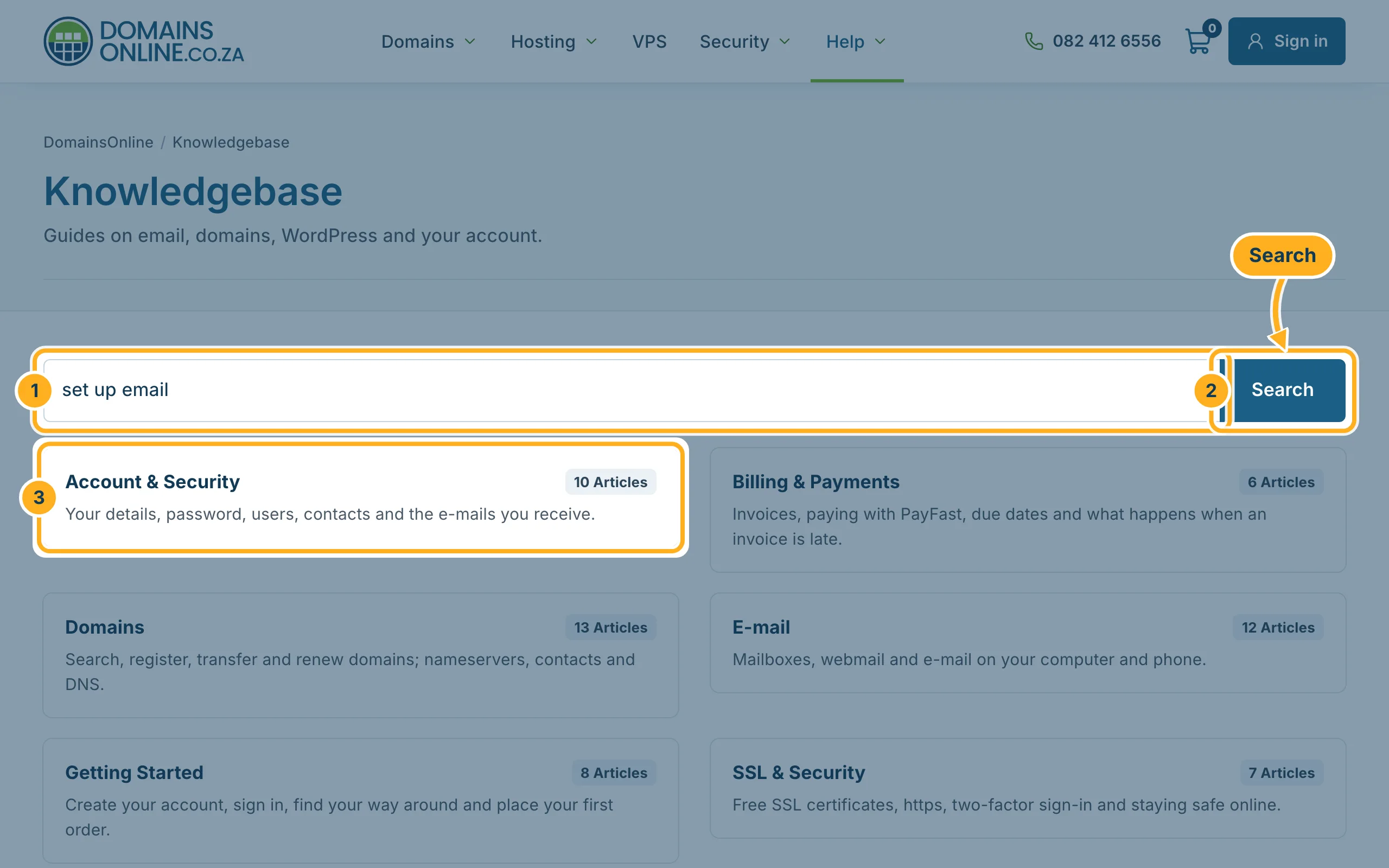
- Type a question or a keyword into the search box, for example “set up email” or “forgot password”.
- Click Search to see the matching articles.
- Or open a category to see all its articles. The number on each category shows how many articles it has.
Below the categories, Most Popular Articles lists the articles other customers read most.
-
In an article, Print at the top right prints it. At the end:
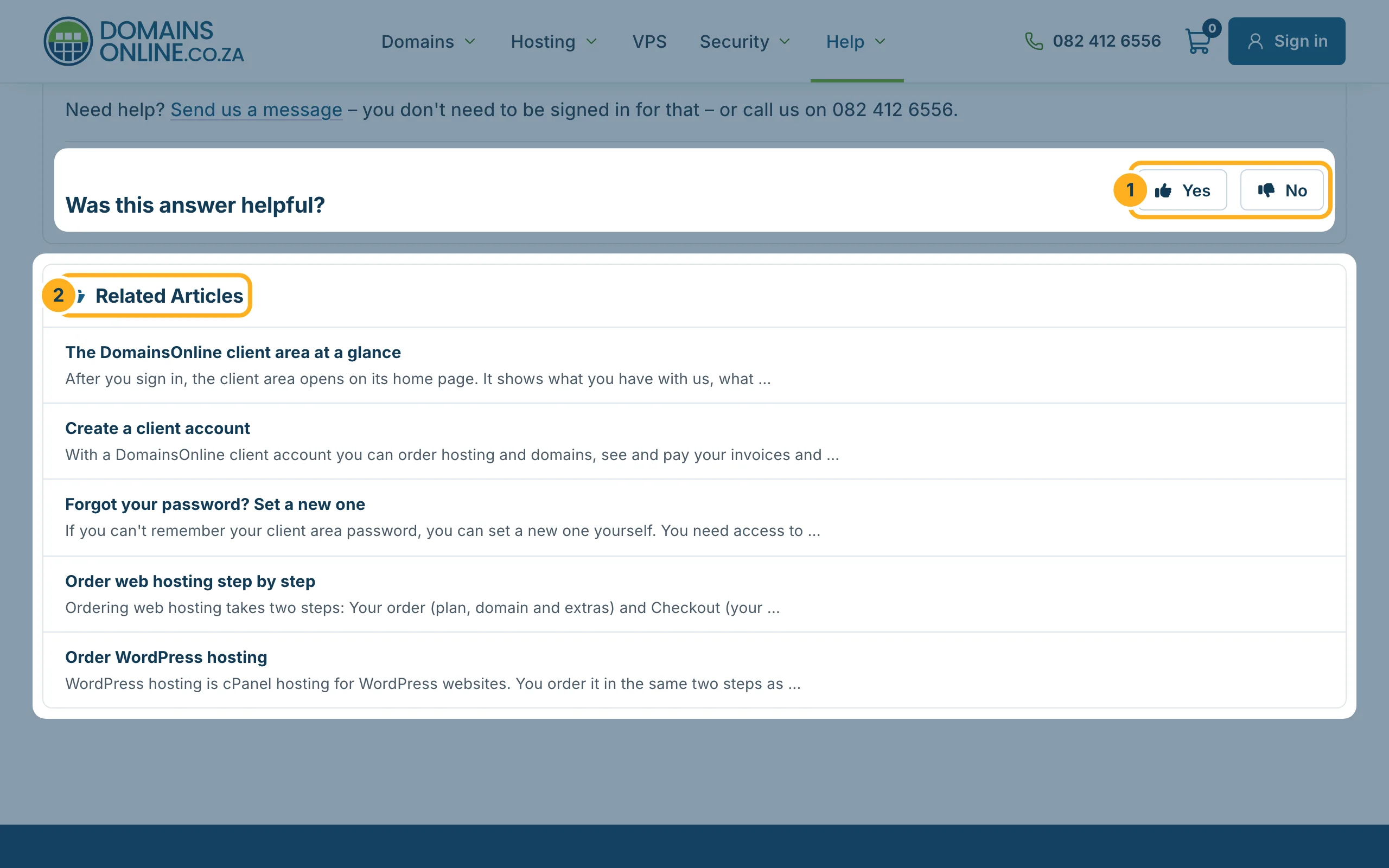
- Was this answer helpful? – click Yes or No to tell us whether the article helped you.
- Related Articles – other guides on the same subject.
Search tips
- Use one or two words that describe the task, for example “mailbox”, “nameservers” or “invoice”.
- No result? Try another word for the same thing, for example “e-mail” instead of “mail”, or browse the category.
Didn't find an answer?
Open a ticket and tell us what you are trying to do – see Open a support ticket and What to put in a good ticket.
Related articles
Need help? Open a ticket or call us on 082 412 6556.
